Search Results
650 results found with an empty search
- Wix Code Expert Developer
Wix Code is changing the game with Wix, as it allows us to fully customize and build nearly ANYTHING on the Wix platform. If you're looking for a Wix Code expert who can develop custom features using Wix Code on your Wix website, we can help! Whether you need custom forms, or third-party API integration, custom searches, or dynamic content, we can help you create a Wix website that serves all of your business needs. We offer complete Wix Website Design and Wix Code Development services. Call Idelle at 720.260.3541 if you have any questions or would like to get a free estimate for your business website needs. We also offer logo design, infographic design and other graphic design services, so we can help you with all your business design needs!
- Wix Keyboard Shortcuts
Looking for Wix Keyboard Shortcuts? Here you go! Ctrl + C (Command C on Mac): Copy Ctrl + V (Command V): Paste Ctrl + M (Command M): Browse between your elements. Ctrl + J (Command J): Switch between mobile & desktop view. Ctrl + D (Command D): Duplicate. Ctrl + P (Command P): Preview your site. Ctrl + S (Command S): Save your site. Let me know if you have any others to add! Below are some other general Mac OS Keyboard Shortcuts that I use all the time: Here are seven other great hidden Wix hacks »
- Wix Code
Wix Code. This changes everything! While it's only in Beta currently, us beta users can have a crack at it now. Read more about my take on Wix Code » Here a quick video on where to find the Wix Code tools: (Note: you will ONLY see this option if you're in in the approved Beta group) Here are quick directions: Apply for Wix Code Beta » Once you get the approval email, click on "Start Now" from the Beta approval email Choose the Wix website you want to use it on Then, in the editor, Click on "Tools" at the top Check on "Developer Tools" Happy coding! This is a game-changer for Wix, I'm so excited to see all that it can do. I wonder how long it will be in beta, and when it be released for everyone to use. No longer will we have to say "this isn't possible in Wix." YES!!!
- Wix Announces Wix Code
Today WixLive had a live video aired to make some new announcements on July 27, 2017 via: www.ustream.tv/wixlive. You can watch the video again on Facebook here » But if you're short on time, here's my overview of what they discussed: Wix CEO and CO-FOUNDER Avishai Abrahami with MC James Veitch talk about Wix's latest innovation – WIX CODE – "Creation Without Limits." It seems that Wix has heard the web design and developer community's gripes about the limitations of Wix, and has announced WIX CODE – a revolutionary change for Wix which allows for custom code to be used and integrated on Wix websites. They kind of blew my mind – this is developer-heavy stuff, and requires coding knowledge to use, so it will be an amazing addition to their easy-to-use WYSIWYG website editor that has made them famous. This means that we'll be able to integrate and build Wix websites to do way more than they've ever been done before, such as setting up databases and integrating any API. Wix says that you could really build anything, way faster than ever before. WixCode Project Manager, Evau, explained a lot of how the behind the scenes about how the coding platform works. He says we can now build anything, even a full blow application right into any Wix website. It's a simple as drag and drop, Change a line of code and you're done! Here's a beta view of the Wix Code interface: The Most Advanced Cloud Application Platform Wix has combined their famously easy-to-use Wix editor and the graphics editing interface and added on top a new way that developers and designers can embed and integrate code and APIs. right into Wix websites. Below are some of the WixCode features they reviewed: SEO Grid – this will make it easier to get the website shown by customizing SEO settings. throughout the website. Content Manager – normally when someone uploads an image, you have to scale it to adjust for all different display sizes. In WixCode's Content Manager this all happens automatically. Database Collection Functionality – Setup database collections that allow you to build custom forms and databases that can be used by users to submit forms and store their info in the database. You can even setup a workflow to allow admins to change "actions" or "tasks" on submissions to put it through WixCode's Business Logic Admin approval process (like pending, under review, approved, etc). Connect Image – It sounds like you can create an endless number of data-driven pages with images without having to write a single line of code. You can setup interactions too, by setting up collections to allow to have view count, vote count fields, and many more by choosing from a selection provided by the WixCode platform. You can even make objects clickable (onclick, onmouseover, and other functions). The interface reminds me of my coding days using Dreamweaver, as WixCode suggests and provides lots of code of snippet and helps you build your code out in a visual code editor. They've mixed the great tools of the Wix editor with Javascript functionality. Call APIs that are out there on the Internet: Tie into email server APIs to do things like "emailing" an email upon a vote for an image. Or, you could setup an attendance system for a school to allow students to checkin when they arrive. Business Applications: It opens Wix to so many more things you can do with it. If you just need something small on your website, you can now build and integrate it. Or, you can build a full blown application and creates a lot of new opportunities for developers to customize Wix to their heart's desire. This may be an incredible game-changer for Wix, who has long been criticized by developers on the limitations of customization from a coding perspective. This product allows users to do a lot more with Wix, people with more technical knowledge to take full advantage of development capabilities. You can now go into Wix and build the parts that are missing. Conclusion on Wix Code I'm intrigued and overwhelmed with this new release, it is currently only in Beta, so I will be testing it and getting my developers to take a peek to see what all we can do. I have a feeling that, like with all new things, there will be a learning curve to figure out how to actually use Wix Code to it's full strength, but this really is a game-changer for Wix and appears to be the answer to all of the Wix questions/requests that us Wix Web Designers and developers have! Become a Wix Code Beta Tester » For information to apply to be a Wix Code Beta tester, click here »
- Wix Designer Tip – Adding SEO Page Titles for Google & Social Media
To help your website show up well in Google and also in social media, it's very important to add SEO page titles and descriptions. As a Wix Website Designer, I often get new clients who come to me with existing Wix websites that do not have the page title or description meta tags setup so they show up poorly when searched in Google or if shared on Facebook. Why are page titles so important? The website's page title shows up at the top of the browser window when visiting the website, and, more importantly, it shows up in the search engine results and in the post previews in Facebook, Google+ and other social media. So, if your Wix website is missing these important SEO tags, it will show up instead with a generic name (the short, no punctuation allowed Wix sitename applied when you first setup your site), and it will also show a generic image in the preview. See my examples below: If you want to look professional and help with your website's SEO (search engine optimization), adding a proper Page Title and Description on your website is essential. Below is a video to show you where to find your SEO Page Title settings: ALSO IMPORTANT: Wix Websites on Social Media – The Facebook Share Image Additionally, you will want to upload a Share image in your Social Setup in Wix so that you can control what image shows up in your Facebook and other social media posts when sharing a link to your website. To find this go to your Wix editor, and at the top menu select Site > Site Manager > Social. See my screenshots and video below to see quickly where this is found. Make sure to Publish once you've uploaded the image! Here's a video on where you can find the Social Media Facebook Share image in the Wix editor: Last step: Facebook Debugger If you upload a new image and you want to ask Facebook to re-scrape the page to get the new social image to appear, use this handy tool – sometimes it takes a few minutes or several "scrape agains" to get the new image to appear. developers.facebook.com/tools/debug/
- Wix Pro Designer Cost
If you're looking for the Wix Pro Designer cost, I'm happy to give you a free estimate on your Wix website design needs. My website design rates range from $1000-$3000+ depending on the needs. If you just need some help with modifying an already existing template to make it better, I can also help with that too! I also often develop custom forms for Wix websites, and add other features like blogs, email newsletter signups, calendars and other functionalities for my clients. To find out what a Wix Pro Designer costs, contact me today for a free Wix Website Design Estimate »
- Microsite Design
As a Denver Website Designer, Microsite Design is one of my specialities. If you are looking for a microsite design for your business or school, I'd be happy to give you a free estimate. A microsite is, more or less, a website – but it can live at a subdomain on your website, like fundraising.yoursite.com, or at it's own domain. Below is a microsite that I designed for Colorado School of Mines, for their fundraising campaign. The website design included animation, video backgrounds, embedded YouTube video throughout on all the story pages, photo galleries and more. This is a pretty in-depth website, so make sure to check out all the subpages and stories in each section, lots to see! www.campaign.mines.edu Here are some screenshots of the Mines' microsite design below:
- Florist Website Designer
As a Denver Website Designer by day and gardener by night and weekends, I LOVE working on anything gardening related, so designing websites for florists is right up my alley! I recently designed this website for a local Denver florist, Sweet Pea Flowers. Lisa and Lizzie are truly sweet, and are incredible floral artists! If you're looking for a Denver wedding florist or Denver flower delivery, these are your girls! The website design included logo design, Search Engine Optimization, and blogging. I hope to design many more florist websites to come! Here are some additional screenshots from the website design:
- "Selected Images" in Wix Website Design Editor
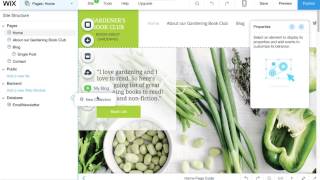
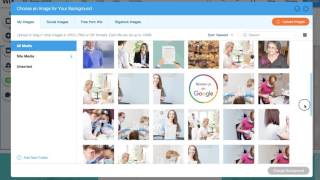
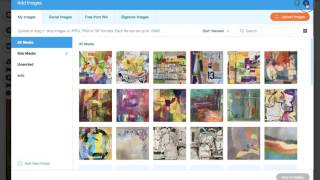
Attention Wix Wizards! Here's one of my huge requests for Wix to help all of us save time in the Wix editor – it would be super helpful if when changing an image, such as in a gallery or strip, Wix would show you the currently selected image in the Media library popup window. Often times, I want to locate the existing image to either edit it or optimize the image, and it's very hard to locate these images in the media libraries to download or edit them. I always have to manually scroll through all the folders, and oftentimes, I have a hard time locating the original file that is selected. A simple solution would be to have the Media library window show users the currently selected image so that we can edit/download as needed, OR, choose a different image if desired. A big reason I would like this feature is to further optimize/size finalized images to be smaller in filesize so websites load quickly and get good sitetest results. Many Wix sites are often slow-loading in mobile, and they get poor results from testmysite.thinkwithgoogle.com, so I am always trying to further optimize finalized sites to combat this issue, and a "selected image" would be a super-helpful feature!
- Good Tools for Website Designers
As a Denver Website Designer and Graphic Designer, I love finding new tools that help me to design, here are a few new ones I've recently discovered: Colorzilla Chrome Extension This tool allows you to see the hex color (#F7F7F7) of anything and copy it to your clipboard for easy pasting into Photoshop, the Wix editor, Wordpress editor, etc. pizap.com Free online photo editor, I recommend this to clients who want to dabble in photo editing. Another good photo/design browser-based tool is Canva.com vectorstock.com This is one of my favorite tools that I've used for years. A great inexpensive place to get vector stock art that can be easily manipulated in Adobe Illustrator. I love using these for icons and graphics – I can customize everything in these vector files, from the colors, to the shapes to the backgrounds, which make it awesome for designing infographics and other graphics for websites and print. nounproject.com Every icon you desire. keepvid.com Download videos off of YouTube and other sites – sometimes my website design clients have video commercials that are posted on another YouTube account, and they want to upload it to theirs. YouTube doesn't let you download videos, so this keepvid.com tool let's you download YouTube videos for your use. Of course, don't steal other people's videos! lumen5.com Lumen5 is a basic and simple video creation tool that let's you VERY QUICKLY create nice looking videos with text, images, video and music. It's the simplest video editor I've found yet, though it's rather limiting in font selection / placement / design – you could design JPGs with text and upload them to this to make a more customized video. I love this tool! View several Lumen5 videos I've created for a local Watercolor Class Instructor in Denver » Want more? View a TON more of my favorite Design and SEO tools here »
- Wix UI Designer
I am a Wix UI Designer based in Denver, Colorado. I have been designing websites for over 15 years, and while I work on many other platforms such as Wordpress and Shopify, I really love the Wix platform – the Wix editor is wonderful to design in with complete control over the design, and has lots of great features like customizable menus, slideshows, animation, and video. I also love that Wix has a mobile-page editor that allows the full customization of the mobile-viewing experience, which allows for hiding elements and resizing or reflowing the content to have a great user interface that makes it easy for mobile viewers to find what they need quickly. When designing for Wix (and all website platforms), I design with UI (user-interface) in mind, it's important to keep websites clear and concise to help guide viewers to the content they are looking for. I will work to custom design the homepage and subpages to make the user experience as easy as possible. As I know Wix inside-and-out, I can quickly determine the best ways to set up the website functionality and design. I can help design and develop custom forms for Wix, or integrate third-party apps like social media feeds, newsletter signups, digital downloads, video, and shopping carts such as the Wix Stores ecommerce system. If you're looking for a professional Wix UI Designer, please contact me today and I can give you a free estimate on your Wix Website Design needs.
- Wix Websites – Where is my page content when I view the source HTML?
Wix uses Ajax, so the meta description and other page content is viewed by search engines like Google via the escape fragment of the page. To see this content, you have to enter: /?_escaped_fragment_= after your domain in the URL field of the browser. Here is an example: https://www.wix-seo-expert.com/?_escaped_fragment_= This displays all the page's actual content. Google and other search engines read this fine with no problems, so you don't need to worry about SEO. See below screenshot to see what I'm referring to – you can see that if I just look at the source HTML code of the page, it doesn't match or show my actual SEO meta tags or page content in the main HTML source code. This is because the actual page content is getting pulled from the fragment by Wix, which Google follows and indexes with no problems. Here is the screenshot of the escaped fragment of my Wix SEO blog homepage:
- Image Rollover Effect in Wix
Outside of the Hoverbox beta or Rollover app, it IS possible to setup images in Wix that have a transparent rollover color to indicate that they are linked or open larger. To add an image rollover effect to ANY image in Wix, just follow these easy steps: Simply add an image to your Wix page in the editor Click on the image to see the image menu icon options, and click on the Design paintbrush icon In the Image Frame Design box, click on "Customize Design" at bottom Choose the second layout example in this panel (the one with the cursor over it), this will give your image a rollover hover color – once you choose this design, you can then choose the color and transparency level in the Hover state of the image settings. This is better than using the Rollover Image Effects app as I just wanted something subtle (a shift in color) to indicate that the image is linked. See screenshots below for details.
- Cool Wix Websites
Are you looking for cool wix websites? I am a Denver Web Designer and I design many websites in Wix for my clients as it is such a great website editor CMS platform. Wix is easy to use, and more secure with less maintenance than Wordpress or other platforms. Here are some of my recent Wix website designs, below. For more inspiration, view my full Wix Web Design portfolio »
- Seed Packet Design
As a Denver Graphic Designer & Website Designer by weekday, I am also an avid gardener in my free time – which means I love to design seed packets! I recently had the pleasure to work on Sandia Seed's seed packets – I also work with them on their Shopify website design for sandiaseed.com. Seed Packet Design Dielines Seed Packet Design involves making sure to design the packets to fit in as much seed and growing information while also showing off the plants and vegetables. For the best designs and use of space, it is important to design to the seed packet dieline – we specialize in working with printers to get the seed packets just right so that they print successfully and are legible and useful to your customers. You can see an example of what a dieline looks like in the third image down below. Seed Packet Designs Below is the final seed packet design for Sandia Seed, as well as one of the other design concepts. We went with the strong yellow branding with a New Mexican feel (their home), and also use a New Mexican green chile pepper field backdrop with the Sandia mountain range – since they specialize in the infamous Hatch chile seeds. I typically design multiple seed packet designs and present to the client, and then work with them finalize the perfect packet. If you are a seed company and are looking for a website design or seed packet design, I would be happy to talk to you about your needs – I love working with green companies! Contact me today » By the way, I was lucky enough to get a sampling of all the new seed packets – with seeds! – so this summer I'm growing a ton of peppers! I'm growing several varieties of Hatch green chile seeds, as well as super hot peppers like Carolina Reaper seeds, sweet peppers like my favorite Shishito Pepper seeds, and Black Cherry Heirloom Tomato seeds. I can't wait for harvest time! I just planted all my seedlings outdoors two weeks ago. Below is an example of the printer's seed packet dieline that we used when designing. We worked with the printer to make sure everything was within a safe area so that things wouldn't be cut off or overlapping when the seed packet is folded. It is very important to work with your printer to get the specifications and dieline so that the design can be perfect, as if the artwork is off or has to be resized, you can loose the integrity of your design. Let me know if we can help you with your seed packet design – call 720.260.3541.
- Free Video Creation Tool
Lumen5 is a FREE amazing video creation tool that makes videos out of blog posts or content right in your browser, no software download required! It's easy to add and upload your own images and add and edit the copy to your liking. You simply add a link of any content page like a blog post, and it starts to gather images and the text and walks you through getting a video created in literally just minutes. It doesn't look like there is a lot of font choices or control over the size of the font, but this does let you create quick videos for posting that look pretty amazing! P.S. It looks like Lumen5 is in "beta" so it may not be free for long. Make sure to create your videos and download the MP4 files so you have them forever... Check it out: lumen5.com Here is a quick video I created for my client and friend, Dennis Pendleton (a Denver Watercolor Instructor) which I crated Lumen5, then downloaded and uploaded to YouTube to show you what they look like – wow! Interested in taking a Denver Watercolor Workshop or Class? Dennis Pendleton is a great Watercolor artist and instructor! Visit his website, which is one of my Wix Website Designs: dennispendletonstudio.com
- Denver Website Design for a Garden Nursery
I wanted to announce the launch of my latest & favorite website designed to date: www.andersonslacostanursery.com This gorgeous Garden Nursery sadly isn't in Denver so I can visit regularly (they used to be in Colorado!) – Anderson's La Costa Nursery is located in Encinitas, California. I loved designing this beautiful website, complete with custom illustrations of mine. As part of my services I also included SEO (Search Engine Optimization) so they can be found, custom photo galleries that they can add to over time, a custom gift certificate purchasing form, and so much more. Mariah, the client, LOVES the editing platform as it's super easy for her to update the website, finding it simple to do anything from simple text edits to adding images to galleries or updating the specials, and adding the latest newsletter. We will be adding a blog soon as well so they can continue building their SEO momentum and help everyone from the San Diego area find their very special plant nursery. If you are a garden nursery looking for a Website Designer who will treat you right, I LOVE working on Garden Nursery website design, as well as web and graphic design for any other landscaping, environmental, solar and other green businesses. Please reach out for a free estimate, I would love to help your business website shine!
- I BLEED WIX
My post in the Community Event on our Facebook Wix Design Experts page. Inspired by our fearless leader, Brett Haralson. :)
- Wix Designer Tip – Assigning Editors to Wix Websites
As a Wix Website Designer, I find that clients often want to be able to give their staff the ability to edit the website, but they don't want to give them the keys to the entire account (such as the ability to view edit payment info, delete or duplicate the website or view other Wix websites in the same account.) The Wix platform has a simple solution for this, all you need to do is give people editing access. See my screenshots below, you can do this under the Roles & Permissions area in the Wix account dashboard here: www.wix.com/my-account Here you can assign anyone to be a Contributor to the website, and you can also control whether they can make edits and publish the site (or you can also just let them make changes without the ability to publish live to the website, so that you can review the changes first before going live). You can also give them "Back Office Manager" permissions which would allow them to access the settings and apps (such as manage contacts) but not have the ability to make edits to the website.
- Wix Mobile Menu getting cut off?
The mobile menu on one of my client websites I was designing in Wix was cutting off about halfway down the screen on my Android phone – so it was hard for users to tell there are more menu items... which had to be scrolled to in order to see. See the screenshot on the right to see what I mean by this. I couldn't figure out how to adjust it – but Wix pro support helped me out – I had the wrong mobile menu layout selected. See the screenshot below on the different types of mobile menu layouts you can select in Wix. I also have a video lower below that walks you through how to access this Mobile Menu Design panel in the Wix editor. Here's a quick video tutorial on where to find this setting: Here are instructions from Wix on how to customize the design of your mobile menu: Click on the mobile menu in the mobile Editor. Click the Design icon (paintbrush icon) Click Customize Design. Click a preset design. When you click a preset, see what it looks like in your mobile Editor. Click the Open tab and customize the options for the menu when it is open: Fill Color & Opacity: Select the color of the X icon, button and menu background. Note: Make sure that the button is not the same color as the menu background as it will be invisible. Borders: Customize the color and width of the menu border. Text: Customize the menu text color, font and formatting. Spacing: Customize the separator line between the menu tabs. Click the Closed tab and customize the options for the menu icon when it is closed: Fill Color & Opacity: Select the color of the menu icon and icon background. Borders: Customize the color and width of the menu icon border. Corners: Customize the corners of your menu icon. Spacing: Customize the line length and width of your menu icon. Note: Some of the options are not available on all of the preset designs.
- Post a Wix Ticket
Here's the link (as of today, May 9 2017) to Submit a Wix Ticket: https://support.wix.com/en/contact?skipTroubleshooters=true Note: this may change, as Wix tends to move their support changes around!
- Wix Gallery Reordering & Editing
Here's a quick tutorial on editing the photo gallery in Wix. Covers reordering images in Wix galleries, as well as titling and descriptions for images, adding images, and settings so that when you add images in a Wix gallery, it will add them to the beginning, the end or after the selected image in the gallery so you don't have to do a lot of clicking and dragging to reorder new images added. P.S. This is from an local Denver artist's website, check out her amazing work: joyce4972.wixsite.com/joyce/ P.P.S. The Site History backups didn't load fully when I was recording this, sometimes it takes a little time to load as it's loading so many saved versions of the site.
- Wix Designer Tips – Mobile Editing
Wix has a great mobile layout editor in the Wix editor that allows you to easily move around elements and/or resize or hide elements in the mobile view. This video shows some of my Wix Designer tips on how to select items, size items consistently, and move items around easily in the Wix mobile layout editor. Here are some examples of what Wix Designer tips I cover in this video: Use Coordinates: I like to use the Coordinates in the Tools panel to move things around vertically, which is especially helpful if you have a really long page. Use Click, Drag & Select: To easily select items or multiple items, you can click and drag the blue selection box to quickly select items in both the mobile and the desktop editor in Wix. Be Consistent: Use the W (width) and H (height) size numbers in the Tool bar to size buttons consistently, or make sure your objects like page titles are always in the same exact spot from page to page.
- Denver SEO Expert
Did you know that I am a SEO expert in addition to being a website designer? If you want a website that is planned and designed with SEO in mind, give me a call at 720.260.3541. I offer SEO Consulting packages that include keyword research to determine what exact keywords people are searching for relating to your business's services or products. We will determine which keywords are highly searched and then I will optimize your website with keyword drivrn page titles, meta tags for page descriptions, and alt text and h1 tags and body content. I will also consult you on ideas on more specific searched keyword phrases on a multitude of related topics. We can get your business found, naturally and honestly.
- Wix Video
Looking for an alternative to the free Wix videos in the Wix gallery to use for strip videos, or video backgrounds on your Wix website? As a Wix Website Designer, I'm asked this question a lot! Check out this list below (send me any others you hear of!), I will keep updating this list for good Wix Video sources. SEO Hero Resources: Also check out my SEO Hero Resources for my favorite stock image websites and SEO tools and resources: www.wix-seo-expert.com/seo-hero-resources Other great Wix video stock sources: Stock Footage & Video Effects from VIDEOHIVE.NET Stock Footage, Video Effects and After Effects Templates from $1 Videos for $1 and up: www.xstockvideo.com Free Stock video: www.videvo.net Free royalty free videos: www.lifeofvids.com Looking for help with your Website Design, or SEO? Give me a call for a free estimate at 720.260.3541 or contact me online » P.S. Here's a good list of other good and free stock image sites here »
- SEO Website Designer in Denver
If you're looking for help with SEO (search engine optimization), but are having a hard time finding a good SEO company to help you optimize your website, I'd be happy to help! As a Denver Website Designer for over 15 years, I've worked with numerous local and international SEO companies, collaborating on my clients' websites, spending well over $50K+ on their SEO efforts. I was disappointed with all the companies, to say the least. While I'm sure there are good SEO firms out there, the ones I worked on focused primarily on link building – which would be fine if they were legitimate links – but instead they were simply "building" links on their own internal blog networks. Meaning, they were writing gibberish articles on their own internal network of blogs with keyword links back to my clients' websites. I had thought they would help generate good content and make recommendations for good content we could add to my clients' sites, but instead they were just using overseas-based writers who were generating fake content with keywords on their own websites and blog networks. NOT a good idea!! Google doesn't like fake content, this kind of link building can temporarily raise a website in the rankings, but in the end Google will sniff it out that the sites linking were irrelevant and spammy, and ultimately could penalize my clients websites for having so many of the so-called "links" coming to their website. Fed up with SEO Companies and their Shady Ways? After being fed up with all the SEO companies and their high priced 6-month contracts that they convinced my clients to sign, I decided I would start offering SEO services to my clients myself. Afterall, I know everything there is to know about good SEO. It's about writing and creating good, informative, fresh new content that focuses on keywords and terms that people are searching for. And, it's about putting it on YOUR OWN WEBSITE. SEO Companies focus on generating content on their own blog networks, but I concentrate on building good content on your business website, and consulting with you to help you build new content through new pages and blog posts over time. Why my SEO Services are Different: My SEO Packages include initial research to determine the best keywords and keyword phrases that people are actually searching for, based on statistics from various SEO keyword research tools. Then, I make recommendations on the best keywords to focus on, and give you a long list of ideas on great highly searched keyword phrases to write new blog posts or create pages for. I also will optimize all of your website pages with these keywords to get your website as optimized as it can be with good SEO page titles, meta tags, descriptions, and alt image tags. Then I can pass the torch to you to continue to write new content based on my keyword recommendations and SEO tips for optimizing your content – OR – I also offer SEO writing services at $75/hour, where I can write good SEO content for you and post and optimize it on your website. Read why I'm a SEO Hero» To give you an idea on cost, here is my Initial SEO Intro package: $800 – Initial SEO* Package (8-10 hours included): Initial SEO (Search Engine Optimization) includes Google keyword research (to find out which up to 5 main keywords/terms people are actually searching for, such as “website designer in Denver, Denver garden store, Denver Florist, Denver Solar Company, etc”). Consulting client on which keywords to focus on in content and posts going forward. I will rewrite/add page titles, meta tags and image alt tags to up to 8 pages and optimize website for searches based on my recommendations. I will provide you with a hitlist of my recommendations on how to write new content for new or existing pages, as well as blog posts, and using social media to help continue SEO to rise to the top for keywords desired. Verification and submission to Google, Bing and dmoz (this service does not guarantee placement, but does help get listed in Google), verification, submission and optimization of Google+ Business page, and Webmaster Tools sitemap submission. 1-hour Training of client (over phone and email instructions) on how to continue to write blog posts and use social media to help with SEO. This service does not guarantee top placement in Google, but will greatly help in getting the website optimized for better ranking going forward – and with long-term ongoing content creation that is SEO driven, the website is very likely to rise to the top of the search results. Ongoing SEO, such as writing original content that focuses on keyword phrases determined, as well as using Social Media to engage an audience with info/links/keywords, will help move the website to the top of the searches. I will provide a hitlist of topics to write about. I am also available for ongoing SEO content writing and creation (blog posts, topic pages), for $75/hour. As I tell my clients, SEO is a long-distance race – it's about building good content often – daily, weekly, or monthly – and building a web empire of content over several years. The longer your website is around generating good content for search terms, Google and other search engines will find your website relevant and start to rise it in the rankings. Good content, paired with good Social Media promotion and sharing of content (Google+, Facebook, LinkedIn, Pinterest, Twitter, etc), is a recipe for SEO success! Contact me today at 720.260.3541 to discuss your SEO needs, I would love to help your business and website succeed!
- SEO Website Designer
I am a Denver based Web Designer specializing in SEO – I build websites that will be found! First, I research keywords to figure out what people are searching for that you want your business or website to be found for. I will identify and recommend the best keywords that are being highly searched, and also give you recommendations of more niche keyword phrases that people are searching so you can get even more specific with what you want to be found for. Think about the word: "Website Designer" – lots of people search for that, but, they're also searching for lots of other terms: website designer – 74,000 searches monthly website designers – 74,000 ecommerce web design – 8,100 ecommerce website design – 8,100 web design portfolio – 3,600 website designer near me – 1,900 website designers near me – 1,900 ecommerce website design company – 1,600 denver website design – 1,600 website designer resume – 1,300 denver web designer – 260 seo website design – 1,300 seo website designer – 140 seo web designer – 110 Below is a quick example of a report I will provide you with to help us determine what keywords would be best for what you want to be found for. Sometimes, what you think people are searching for is actually different than the things they actually are searching for – we will identify the best, most specific keyword phrases with the highest number of searches to help your website SEO be the best it can be. So, in the above example, while "Website Designer" is very highly searched, it's also a very competitive keyword phrase and it would be hard to get to the very top for that as you're competing with thousands of sites across the world for that term (it can be done, but would take many years and TONS of new content to get there). So, I would instead focus some of my page content on some of these more specific terms, such as "Denver Website Design" which would get my website in front of 1,600 local searchers, or "Denver Web Designer" for 260 monthly local searchers. Getting local searchers is a great way to get local business! I could also focus content on pages for more highly searched specific terms such as "Ecommerce Web Design" with 8,000 searches. Or, I could build landing pages for "Find a Website Designer" or "Website Designers for Hire", etc. You can build LOTs of pages and optimize the pages for each of these terms, providing useful information to your potential customers while also bringing them into your site for these more specific searches. In fact, continuing to add useful, original content on topics like these on an ongoing basis will help your website rise to the top of searches as Google and all search engines love seeing lots of relevant new unique information for the keywords people are searching for! With my SEO Consultation Packages, I work with clients like you to identify the best keywords that are highly searched for what they want to be found for. Then, I recommend and even build out your website pages with the proper SEO meta tags, title tags, alt image tags and can assist with well-written unique content that will get your business found for the very keywords you want to be found for. Unlike a lot of SEO companies, who simply "consult" you on what to change on your website, and charge you a monthly fee, I will actually do the work for you, optimizing all your pages and content with the well-researched keywords determined in my research process. Then, I will consult with you and make recommendations on how you can continue to build new content on your website over time, which is essential for SEO. I also provide ongoing SEO content and design for busineses as desired if you don't have time to do it yourself. I am your SEO Hero! As a Website Designer, I also custom design and build out websites such as online stores, portfolios, informational/brochure websites, email newsletters, and micro-sites. A huge bonus is that I can also build the SEO into every page as I develop them, including page titles, meta tags, alt image tags, etc. So you'll know that your website is build correctly right out of the gate! I also offer logo design, business card design, brochure design, infographic design, and any other graphic design services you may need for your business. Feel free to call me at 720.260.3541 to discuss your needs, and I can give you a free estimate and my recommendations.
- Adjusting image crop positioning in Wix
Ever wonder how to size your images for backgrounds or Strip Images in Wix? As a Wix Website Designer, here are my tips: Because the full width Strip Images in Wix scale to different sized screen widths, there is no “best” size, as they crop differently depending on the size of the browser window. You can control, however, the position of the image in the crop, so you can crop top down, left/right, down up. See my attached screenshot on where to find this setting. That said, wide images work better than tall ones, and sizing them to 1920 pixels wide by 900 +/- pixels high works best to keep your image resolution quality high. I often re-crop my images various ways and test them out in Wix to find what one fits best based on the content, so be patient and test different crop proportions and height sizes to see what works best in the design.
- Wix Website Design & Google SEO
As a Wix Website Designer and a SEO Hero, I get regular updates from Wix on their website design platform and SEO. I just recently came across a good article from Wix about Google's Algorithm, talking about how it updates it's Search Engine Results Pages (SERPs) over time based on a number of criteria. Here is my summary in a nutshell, Google will raise your website in the rankings based on a number of qualifications: Quality of the website content – how much good original content do you have about keywords you want to be found for? Are your pages uniquely titled and geared towards the keywords? Social media – It is now a wide-known fact that your website should have a few social media accounts setup and be posting regularly. Find the ones that are most appropriate to your audience (Facebook, Pinterest, LinkedIn, Twitter, Instagram). Make sure when you're posting you include links to your website! Freshness of content/how often site is updated – are you blogging often, finding good new highly searched topics to create pages with good original content? Number and quality of websites linking to site Keywords/terms used in the site – it is vital to concentrate on a few main key phrases that are highly searched. Let me know if you need SEO help with your website, I can help research and recommend the best keywords to use in your pages and I can write and setup page titles, meta tags and alt tags to have the keywords that you want to be found for. Age of website – the longer your website is around, the more legitimate it is in Google's eyes, after all, it takes a lot of time to climb the ladder by building lots of good quality content over a period of years. Location of searcher and business – one of the most frustrating things is that results REALLY vary based on where a searcher is located, especially if you're a local business. It's always good to include the cities and areas you serve throughout your website in the content and on the page titles so that Google knows that you're local to the area. Amount of time that people spend on the website (also known as “time on page”) Plus Over 200 other factors... Read more of my own SEO tips on how to get your website to be found in search engines. Also, here are some great SEO Hero Resources for researching good keywords. If you'd like my help with SEO and/or Wix Website Design, I'm happy to talk to you about your needs and give you a free estimate on a SEO package or a Wix Website Design package. Read the full article from Wix »
- Wix Website Designer – Design & SEO
I'm proud to announce another Wix Website Design launch for a Dental Temp Agency serving Denver, Colorado: www.dentalemploymenthelp.com. Assistance On Call, a Lakewood, Colorado based staffing agency, had an old website in Wordpress that was getting errors and was in need of a serious overhaul. Wix was the perfect fit for their website, I redesigned the overall website design to have a modern feel, sourcing good stock images and creating an easy-to-navigate website to guide users to their wealth of information and pages about dental temps. I also build custom forms for this Wix website, so that the agency can collect uploaded resumes and information from potential employees, and have employees upload time slips, download PDFs, and so much more. I also did SEO on this website to help with their search engine presence, I researched and provided my recommendations on the best keywords to use to help the website perform well for what people were actually search for (for example, "dental temp agency" has about 1,000 searches a month, while "dental staffing agency" only has 480, so we focused the website page titles and content more on the higher searched "dental temp agency". As part of my SEO package, I setup all the SEO for all the pages, including custom page titles, descriptions, H1 tags and alt image tags to help ensure they'll continue to be found for the keywords we determined. If you're looking for a Wix Website Designer, I love working in Wix – it's a great platform for most businesses as it's super easy to edit, allows for new pages and blog posts to be added quickly and easily, has mobile-friendly layouts and editing options, and it doesn't have any ongoing maintenance needs. I also offer Website Design in other platforms, such as Wordpress or Shopify, which serve some more complex business needs such as sophisticated shopping carts or blogs.
- Wix Designer Tip – JotForm getting cut off in Wix?
As a Wix Designer, I often use the amazing third-party form builder tool, JotForm, to build out complex forms. I like using JotForm for Wix as it allows me to custom build any form from scratch including easy add-ons like date pickers, file uploads, radio and checkbox choices, and even simple payments. Then, I simply embed the form on any Wix website (or any other platform such as Wordpress, for that matter). I have been experiencing issues, however, with the JotForm forms not loading fully when I used the "HTML Code" Wix embedding tool. The forms seemed to be randomly cutting off the bottoms of the forms, no matter how tall I made the HTML Code frame in the Wix editor. Here's how you can display JotForms properly on Wix pages: Use Wix's "Embed a Site" tool instead of the "HTML Code" tool! To fix the JotForm from getting cut off on my Wix websites, I simply paste the JotForm form's URL using the Wix's "Embed a Site" tool instead of using the Wix "HTML Code" with the pasted Jotform iframe code. For some reason, the iframe code and Wix do not play nicely, so using the Wix's "Embed a Site" tool to paste the Jotform's website address instead of using iframe code will fix the issue. I will do this on all forms going forward and will fix any older forms using the iframe code instead. Here's more info on how to do this below: The above screenshot is from JotForm's forum on using JotForm forms on Wix websites.
- Wix Designer Tip: Chrome running slowly & fans running on your Mac?
I'm a Denver Wix Website Designer, and I've noticed that when using the Chrome browser, after 10 minutes or so of using the Wix editor, my computer seems to slow down and my iMac fans start kicking into overdrive. Editing in the Wix editor gets very slow and even typing seems to be delayed. I thought it was just because I was designing a lot of pages in Wix and I was making a lot of moves and maybe it was dragging down my computer. But, upon some Google research, I read that many other Mac users were also experiencing this problem when using Chrome, regardless of whether they were working in Wix. So it's not Wix that is the problem, it's Chrome. Some say just use a different browser, but I like Chrome and would like to keep using it, so here are a few tips to speed it up and eliminate CPU-hogging fan-inducing drain on your Mac: 1. Open Chrome Preferences (in top left menu under Chrome) Turn off any Extensions that are not absolutely necessary. Delete any that you don't use or recognize. 2. In Preferences window, click on Settings > Scroll down ,click on Show Advanced settings... Then simply close the Chrome://settings tab (Chrome opens the Settings in a tab) This seemed to help my Mac run a LOT faster when using Chrome for editing in Wix. I had a few other extensions that I deleted so that may have been causing it. Yay!
- SEO Hero Winner
I'm very proud that my SEO Hero Blog, wix-seo-expert.com, was in the running for the Wix SEO Hero contest – it was in the top 20, but was not the winner – though it did get a great mention from Wix! Currently the announced winner (barring no disqualifications) is seo-hero.tech. But I feel like the true winner – this website, Picklewix.com, was at the VERY TOP OF GOOGLE for several days after the contest in Google's "quick answers" box in the search results for "SEO hero" – see screenshot below. WOW! This was showing up here in early April in Denver when I did incognito searches*. Picklewix.com continues to rise, and is on the top of the first page in the natural results at #4-#5 (Google's rankings depend on search location and timing of search). I'm very proud to see how fast it climbed, and although I couldn't enter Picklewix.com in the contest,** I'm so excited that it's done so well as it is competing against many non-Wix platforms by lots of highly-skilled SEO experts gunning for the $50,000 prize. They likely had a lot more time and teams of people to work on their "seo hero" optimizing, link-building, and content creation. I would have liked to spend more time, but I was already booked up designing websites for clients. But I still gave it a good shot and I think it is amazing picklewix.com has done so well! The only other competitor that is higher than this website is the official winner of the contest, seo-hero.tech, who created a nice little keyword search engine. I gather that Google liked the uniqueness and usefulness of seo-hero.tech's unique new SEO Hero "tool" that (though the tool to me is not super helpful for searching keywords, it's seems a bit random in how it finds similar keyword terms, and I'm not sure what some of the stat numbers mean, TF=?, Occur=?, W=? – I wish he had a definition key for the numbers, it's hard to make sense of them.) As Google likes websites that provide good, new and original information about topics searched, this tool, along with lots of SEO promotion (social media, YouTube, video, etc), was moved to the top of the SEO Hero rankings because Google likes innovative new content. Here's a screenshot of my "seo hero" search done on Google, taken on April 2, 2017, searched from my Denver office location: Below is the most current ranking from April 28, 2017, Picklewix is still rising and is at #4! Only below two links from Wix.com themselves, and the winner of the contest, seo-hero.tech. SO YES, WIX IS GREAT for SEO! I have found that many SEO "experts" say that Wix is not good for SEO, so I am happy to say that this proves that Wix websites can compete with the best of the best in SEO. The funny thing is, I didn't even do a lot of SEO specifically towards "SEO Hero" on my picklewix.com website – I did really work hard on building a super informative SEO Hero blog on the wix-seo-expert.com website that I did enter into the competition. But, since Picklewix.com is an older website and is also a very informative website, I guess Google found that my one page dedicated to SEO Hero was one of the most informative ones to show to searchers. How did I do it? No tricks! I'm an expert website designer, and I'm not your typical SEO company, I don't try to fool the system trying to get a whole bunch of backlinks or use spammy internal blog networks, I simply write good, original content – incorporating the keywords I want a page to be found for, and optimize the website accordingly. I subscribe to the "if you build it they will come" theory – if you create a page that is very informative relating to the keywords you want to be found for, and promote it on social media and submit to Google+ and Google's Search Console, Google will sniff it out, and, if it is relevant, Google will start to incorporate the page in the rankings. Then, as it is found and when people start referencing your page in social media and in forums and blogs, your site will start to soar in the rankings. So create informative, shareable, GOOD content on your pages, add great imagery and make sure to optimize all your page titles, descriptions and image alt tags. If you create good content, they will come. :) *The above screenshot is of the Google Results searched from my Denver office – these results can vary depending on when and where you are searching from, I did my search in Chome's private mode called "incognito mode." Private or incognito browsing allows for you to search anonymously so that Google doesn't display results geared towards my previous searches - this is the best way to analyze search engine page ranking more accurately without Google showing you results that are related to your past website visits and searches. **SEO Hero Contest Rules: Wix will create a website on their platform optimized for search term "SEO Hero". Anyone else can create a website on whatever platform they want and if an individual website is the highest ranking for "SEO Hero" in 4 months, then Wix will pay out $50,000 to the winner. Contest began November 16th, 2016 and contestants had to enter by December 16th, 2016. This is why picklewix.com didn't qualify, I launched this website a few years ago so was not in the running for the contest. But that's not to say I don't mind it being in the top results!! :) One last note: I had searched Google for "seo hero" in the previous weeks, and originally saw that beanseohero.com was at the top, but that site has disappeared from the first few pages of Google results... odd. So that means somehow Google docked his rankings or he removed it from the Google results? I'm curious... He said he was questionably disqualified according to his website. Currently, Seo-hero.tech is currently at the top of the natural listings below Wix.com's site (which doesn't qualify for contest)... but I think it's super cool that picklewix.com is actually at the very top (at least at the moment) in the "quick answers" box, and, it's also #4 in the natural results. :) Need SEO, Website Design, Logo Design or other design needs? I'm happy to help. Call me at 720.260.3541 or contact me online.
- Wix SEO Hero Winner
Wondering who won Wix's SEO Hero Contest? My very own SEO blog website, www.wix-seo-expert.com, didn't win, but it did get a great honorable mention! My main website, Picklewix.com, could not be entered into the contest due to the rule that the entries had to be brand-new registered domains, BUT – it is actually at #4 currently, just below Wix.com themselves and the winner! Wow! Read more » Read more about the mention and see the Wix SEO Hero Winners listed on my SEO blog here »
- Denver Website Designer Tip: Sitelinks
As a Denver website designer, I find that a lot of my clients ask about the links breakdown that shows up on some websites in Google, where it breaks out individual pages under the main link listing to make it easier for users to get straight to the page with the info they are looking for. Google does this with websites when they think it will be more useful to the user. Sitelinks are an automated process done by Google, so there is no way to guarantee that they show up for your website, but there are a few ways to help get them created: Add a Sitemap.xml file to the Google Search Console that lists all your pages Use alt text behind images that is informative and unique to each pages' content Use anchor text (linking text) to internal links on your website, such as portfolio, best wix websites, services or contact us Here are examples of sitelinks: Below is a Google listing below is from my website design client, the Mangy Moose, you can see how Google has broken out the pages for users to quickly find what they're looking for: Here's Googles' advice and explanation about sitelinks: support.google.com/webmasters/answer/47334?hl=en If you're looking for an expert Website Designer who specializes in SEO, I love working with businesses to create beautiful websites that also do well in search engines. Contact me »
- Wix Designers love new Wix Features!
As a professional Wix Designer, I'm always amazed and excited about new features Wix releases for their website building platform. Recently they've added some great new features, such as SSL certificates so that all Wix websites have HTTPS secured domains (which is helpful with SEO and security). Another great new feature is the ability to crop photos in their image boxes in the editor (you can enlarge/shrink and move images to be cropped just the way you desire in the proportions/size of the image box used). Columns are also a wonderful addition, which allows for stretching layouts that expand and contract with different sized browser windows. The columns allow for full design customization, including adding individual image or videos backgrounds in each column, text boxes, images or buttons so that you can create a flexing layout that responds to the users' browser window size. I LOVE the columns feature! Shoutout, Wix's email program (like MailChimp or Vertical Response), now allows for animated GIF images, which are great to add animation and fun to your email blasts. GIFs are the way to add movement to your email, since you cannot embed videos in email. ShoutOut also allows for the image crop tool, so you can size and crop images exactly the way you want them, which is crucial for any website designer. Wix Video Subscriptions: Wix now offers it's own video system, so you can upload your own videos and even charge a subscription so users can pay a monthly subscription to get access to your video channels. Wix Forum: You can add a forum to your website to help engage users in discussions on your Wix website. Mobile Editor: You can now control the color, size and alignment of your text on mobile! This is great as you can adjust the color and size of your text and center or align it as desired to look great on mobile. View more of the Wix Wizards' recent feature additions to the Wix platform here: www.wix.com/release/notes
- Wix vs. Squarespace
As a Denver Website Designer, I am both a Wix Designer, and a Squarespace Designer. But, which platform do I like better? Why Wix of course. Squarespace, like Wordpress, is a cumbersome combative platform that does not have the great WYSIWYG (what you see is what you get) design interface that Wix has. A lot of clients come to me with Squarespace websites that they want to add additional functionality to, or change the design, but unfortunately to make design or functionality changes requires development, which costs more money. If someone wants to take their Squarespace website design to the next level, it costs several thousands of dollars in coding costs to adjust the CSS and template coding. Wix, on the other hand, is the best for easy design edits, you can simply click on the items you want to redesign and change the colors, elements on the page, header, menus, images, add galleries, add other functionality such as sound bites or video quickly and easily. The cost of designing in Wix, therefore, is much lower as I don't have to spend 3 times as much of the budget on programming hours. With Wix, there is little to no programming time needed, instead, I can focus nearly 100% of the budget on the design. So when a client comes to me asking for Squarespace design, I typically will ask them why they prefer Squarespace, and then explain to them why Wix can do everything that Squarespace can do, but with a smaller design & development budget – and, in the long-term, Wix is ideal as it's easy to make design changes down the road, or add pages or content or functionlity – so the Wix website design can easily grow and change with the business. While Wix isn't ideal for everything (like sophisticated shopping carts, in which case I recommend Shopify or other ecommerce platforms), it is good for 80% of the businesses that I work with. Feel free to contact me at 720.2603541 to discuss your website design needs, and I can recommend the best platform for your needs!
- Wix Designer Tip – Show Wix Website Concepts without Wix Branding
As a Wix Website Designer in Denver, I often design several concepts for my clients in Wix. I love that Wix has a free trial so I can build multiple concepts for free for my clients to view, then finalize and purchase a Wix premium plan once the website design is finalized. The downside to the free trial is that when viewing the websites, there is Wix branding at the top and bottom of the pages in the free trial mode. The solution to removing the Wix branding on these free trials? If you have a Wix Expert Account, you can show customers your Wix website design concepts without the Wix branding that shows up in the top and bottom. This is using the "Get Feedback" feature that allows you to send a special link to clients who can view the concepts without the Wix branding, PLUS they can also post their comments and add notes to the design to help you finalize the design. To use this non-branded "Get Feedback" viewing feature, you must have an Expert Account – learn more about Wix Expert Accounts and how you can get one here »
- Wix in the News
Here's an interesting page on Wix's website that shows all the recent news about Wix. As a Wix Designer, I find it interesting to see news talking about Wix. www.wix.com/about/us/inthenews
- Wix Help
So you saw the commercial to design your own website in Wix, and, while it's a neat platform and you see lots of potential, when you tried designing your own website in Wix you got stuck. Now you want some Wix help! Well, I'm hear to help you! I'm a full-time Wix Designer and Web Designer in Denver, Colorado. I'm an independent designer, I don't work for Wix, but I have designed many Wix websites over the past several years, and I know all the little tricks and tips to make the website the best it can be. I'm available anytime by the phone, or by email, or in person if you're in the Denver area. I love working with small businesses, and I often offer Wix help to businesses who started their website in Wix, but need help either finishing and launching the website, or polishing the design. Wix is a great editor, but for most people, it's much easier to edit an already designed website than it is to customize a template and add your business logo, images, etc to build out the website. As a Wix Designer, I'm your expert at Wix, and I can take your existing Wix website and finish the design, add pages or functionality, setup all your SEO (I'm a SEO Hero), and setup your domain, email and hosting to launch the website. Then, I'll train you how to edit your site once it's complete! Wix Training I have been offering Wix training to all of my clients, and I'm happy to review Wix tips over the phone using screen sharing (via Skype). I also offer in-person Wix trainings in Denver. So if you want help learning how to use your Wix website to add photos, galleries, pages, blog posts, video and more, I'm happy to train you so you can take control of your website!
- Wix Themes
Looking for custom Wix themes? I am a professional Wix website designer, and I offer custom theme design and customization for businesses, artists and non-profits. As a Wix designer, I know the Wix platform inside and out and can make it perform at it's peak for your business, utilizing all the wonderful features, apps and embedding abilities to their fullest potential. Check out some of my recently designed Wix Themes » Want help customizing a Wix theme? While I mostly design most Wix themes from scratch, I do also help customers with their existing designed templates, and can help you optimize your website for search engines (I am a SEO Hero!), add functionality, add scheduling or booking services, add an online shopping cart, add music or videos, add MLS real estate listings, and so much more. I also am an expert at setting up domains and emails, and can work with your domain no matter where you have it registered (GoDaddy, Squarespace, Network Solutions, etc). Help with Wix Website Design: Yes, Wix has the easiest editor available. But, businesses often times find that they don't have the time or the expertise to build their own website in Wix. That's where I come in, I can design your Wix theme from scratch, customizing everything with graphic design, custom icons, fonts, colors and imagery to represent your business in the most professional way possible. I can also make the best recommendations to keep your website easy to use, and how best to encourage users to contact you, make a purchase or visit your locations. I offer SEO consultation packages where I will research the best keywords for your business (what people are actually searching for), and then optimize your website page titles, meta tags, alt text tags, content and blog so that your website can be easily found online. I also offer ongoing SEO writing services where I can write about your business's services or tips and focus on good keywords that people are searching to bring more viewers to your website.
- Wix Portfolio
Looking for a Wix Portfolio? I am a Wix Website Designer in Denver, Colorado, and I love designing websites in Wix! If you're looking for a custom Wix design, or even if you want to start from an existing Wix template and modify it for your needs, I'm your Wix designer! I love working with green businesses, artists, restaurants and all kinds of small businesses to design Wix websites that are easy to edit, and are professionally designed and customized for your business needs. I design all my websites from scratch, so you don't have to worry about finding a Wix template that works for you. Of course, we can certainly start with a template if you really like it and go from there. I will take care of setting up all your webpages, images, forms, ecommerce, etc, and then train you and hand you the keys to keep updating your website for years to come. I'm also happy and often work with clients to do their ongoing website updates too, if you should desire! Please give me a call at 720.260.3541 and I can give you a free estimate based on your specific needs. Here are some of my Wix portfolio website design projects I've worked on recently:
- Why is your Wix Dropdown Menu Dropping Up?
As a Wix Designer, I sometimes run into little Wix behaviors that I can't figure out. In the above image, my Wix dropdown menu is dropping "up" instead of down, like dropdown menus usually do. I couldn't for the life of me figure out why, until I got a little help from my friends in the Wix Design Experts group on Facebook. At first I thought it was a bug or some odd setting I set unknowingly – but as Avi pointed out – it's not a bug – Wix menus will automatically detect if the menu is above the 50% height of the page, and, if lower than 50%, the submenu will drop up. If the menu is above the 50% height it will drop down like a normal dropdown menu. So there you have it! In the above screenshot you'll see my menu is lower on the page, below 50% of the area on the page, so it drops "up." In the below screenshot, I had moved everything up so that the menu is above the 50% mark, and it now drops down as desired. It makes sense that it does this, as you wouldn't want dropdown menu items to disappear off the bottom of the page if a browser window is small.
- Wix added more 301 Redirects!
Wix used to have just fifty 301 redirects, but the Wix wizards recently increased the limit for 301 redirects to 200! What are 301 redirects? They are simply a redirect that tells search engines and browsers to redirect page URLs to their new page URLs (if the page URLs have changed on the new website). These are most often used when launching a new website in place of an older website – whenever I design new websites for my clients, as a Wix Designer, I always setup 301 redirects for all of the webpages to point to the new coordinating webpages so that Google, other search engines, any users who have bookmarked the page, and any third-party website or social media links will still work upon the website launch. Adding 301 redirects is very important to retaining your ranking in search engines, as Google and other search engines index your pages and if you don't tell them where the new page URL is (if it has changed on the new website), your page ranking will suffer and the page will have to be re-indexed in the search results which can take months! It is vital when having a new website designed that you or your website designer creates 301 redirects for any pages that have different URLs on the new website. 301 Redirects can also help if you move a page or change the URL of a page, so that users and search engines don't loose track of your page's content. It's great that Wix boosted their 301 Redirects from just 50 to 200 as now larger websites that are redesigned into Wix can have all of their pages redirected. It's really easy to setup 301 Redirects in Wix! Learn more about how to setup 301 Redirects in Wix » Below is a quick video to show you where to find Wix 301 Redirects:
- Wix Blog
As a Wix Website Designer in Denver, I often have clients who have trouble with blog posts in Wix – they will post a blog in the Wix editor, but it is not showing up in their live blog. This is likely due to the fact that they are using the "Save as Draft" instead of using the "Publish" button in the blog editor. View this video to see how to publish or schedule a post to go live on your site, and how to add images, SEO (search engine optimization) page titles, descriptions and page URLs for each of your blog posts.
- Wix Designer
Looking for a Wix Designer? I'm a full-time website designer based in Denver, Colorado. I love working with small businesses, restaurants, artists, seed companies, garden shops, etc. Check out my Wix Designer Portfolio to see some of my recent work. I love designing websites in Wix, but I also work on other platforms such as Shopify (great for sophisticated ecommerce websites), Wordpress, Squarespace, Webydo, and other website editing platforms. I do find that Wix is one of the most cost-effective options for a maintenance-free website for small businesses, but I will recommend the best platform for you based on your specific needs. Work directly with the Designer: When you work with me, you're working directly with the designer – so it's easy to communicate all your feedback and suggestions in the website design process so you'll get a website that you'll love and will work well for your business. Wix Training (or Wordpress training, Shopify training, Squarespace training) I will design and build out all your website pages and then train you one-on-one on how you can edit your own pages, add blog posts, add images, etc. So basically, at the end of the design process after your website is launched, I will hand you the keys and give you great tips and printable instructions so that you can keep your website up-to-date on a regular basis. SEO – Get found on Google! I'm also a SEO Hero, I love working with clients to figure out what keywords they should aim for, and offer SEO consulting services to help setup your website with good SEO (search engine optimization) and install blogs and pages on your website that will help the online world find your website and business. I will give you a ton of tips specific to your business so you can continue to build your website over time to perform well in searches. Logo Design, Email Design, and Print Design If you're business is just getting started, I love designing logos! I am also a professional print designer, so I can design direct mailers, brochures, catalogs, books, ebooks, postcards, posters, letterhead and business cards! And, if you need help setting up an email newsletter, I can design email newsletter templates, and I even help many businesses by designing their email newsletters to go out each month. Give me a call if you're in need of a friendly, easy-to-work with designer: Idelle: 720.260.3541 Or feel free to use my online contact form here »
- Wix Training
If you have an existing Wix website design, or want a Wix website designed and want help learning how to edit your pages, add pages, add galleries, images, etc, I LOVE training clients on how to use Wix! Whenever I design a Wix website for a client, I provide in-person or over-the-phone training (with screen sharing) to walk clients through ANY Wix questions, and show them lots of tips and tricks to make editing easier. SEO Wix Training: I also will consult you on how to keep working on your website's SEO (search engine optimization), I have lots of great SEO Hero tips, and will I will tailer my training to help your website perform best for keywords you want to be found for. I will also guide you on the best SEO practices. If you already have a Wix website design, and just want some help with specific questions, I'm also available hourly for Wix training consulting, so don't hesitate to reach out! Contact me today for more information on Wix Training: Idelle Fisher, Wix Trainer 720.260.3541 Contact form »
- Best Wix Website Design
If you're looking for a friendly Wix designer who will create the best Wix Website Design for your business, I'm your girl! I love working with restaurants, small businesses, artists, seed companies, garden shops, nurseries and even weddings! Please view my Wix Website Design portfolio for lots of websites designed in Wix. I'm a full time designer, so I'm available during business hours – I'm just a phone call or an email away. I also offer a full range of graphic design services, such as logo design, book design, brochure design, annual report design, infographic design. SEO for Wix If you're looking for a SEO Hero, I'm also an expert at SEO and will consult with you on how to best optimize your website and continue to do your own SEO over time (SEO is a long distance race, so it's an ongoing thing!). Wix Training If you have an existing Wix website design, or want a Wix website designed and want help learning how to edit your pages, add pages, add galleries, images, etc, I LOVE training clients on how to use Wix! Learn more about my Wix Training » If you want to work with a reliable, expert Wix designer, please give me a call for a free cost estimate and some free website and SEO advice at 720-260-3541.
- How to add a Favicon to a Wix Website
As a Wix Web Designer in Denver, I find that clients often ask how to add a Favicon to their website. What is a favicon? It is an icon associated with your URL that is displayed in a web browser's address bar or next to the website name in a bookmark list. It's easy to add a Favicon to your Wix website, check out this video and my simple instructions below on where you can setup your Favicon image for your Wix website. Note: you do need to have a Wix premium hosting plan paid for, and a domain associated with your Wix website in order to add a Fav Icon. First, login to your Wix account at Wix.com, then select the Site you want to edit, and click on "Manage Site" or "Site Manager" to get to the Site Manager. Then click on "Domain" in the left, and you'll see the Favicon settings under the domain. Using a image editor such as Photoshop, make sure to size your Favicon image to be a square size, ideally 32x32 pixels (rather than 16x16, as 32x32 looks better on retina screens). You can use a JPG or a PNG file (PNGs allow for transparency if desired). Wix is great as it creates the .ico file format for you, so a JPG or PNG is all you need. Then simply upload that square image to the Favicon settings and voila! You now have a Favicon on your website. Make sure to clear your browsers cache and reload the page to see the Favicon Note: sometimes the favicon doesn't show up right away, likely due to your browser's history cache, so close all browser windows, clear your Browser's Cache, and then reload your website and you should see your new icon! Another note: keep your Favicon image simple! It displays very small, so complicated images will be hard to see what they are, use something simple like an icon, a logo, or initials as a favicon so it will be recognizable at the small size. Blurry Icons on Devices? Important Note: On some high resolution devices, such as iPhones, Androids and Tablets, this favicon may appear blurry. This is because the Wix-generated favicon is not high resolution. To fix blurry icon images on your Wix website, you will need to upload a large 800x800 px sized image and then use SEO meta tags to tell these devices where to find the high resolution version of your favicon. Learn more about high resolution favicons for Wix websites » See screenshot below to see what a FavIcon looks like: See screenshot below for where to find the Favicon settings in the Wix Editor: This setting is found under Site Manager > Domain > Favicon Image
- Wix Website Creator
If you're looking for a Wix Website Creator / Designer, I love working with small or large businesses to design beautiful Wix websites. I am a full-time Wix designer based in Denver, Colorado and you can count on me to help you with any of your Wix website needs! I'm always available to answer questions or provide tips to my clients on editing their websites after launch and I also love to take an existing Wix website and update the design, add functionality such as scheduling or ecommerce, and I also can help with the SEO on your website as I'm a SEO Hero! (SEO is search engine optimization). Below are a few examples of my Wix website designs that I've recently created for happy clients: As I am a Graphic Designer, I also work on a lot of other design needs including logo design, book design, postcard design, brochure design, annual report design, web banner design, email newsletter design, and more. Here's a recent book cover I designed using Photoshop: Looking for a Wix Website Creator? I am a full-time Graphic Designer and Website Designer, and I have designed a lot of Wix websites over the past several years. I love creating and designing websites in Wix, as it's such a great easy-to-use platform that allows full design freedom. If you would like to have a Wix Website, but you'd like help getting the website created, I can help you with everything from the design, color selection, fonts, images, graphics, menus, icons and even take care of everything needed to get the website launched and submitted to search engines. If you'd like a free estimate from a professional Wix Website Creator – please reach out: 720.260.3541 or fill out my contact form »