Search Results
644 results found with an empty search
- Do Wix hover/ rollover buttons work on mobile devices?
No, there is no rollover on Mobile because phones don’t detect rollover, only clicks… unlike a mouse on a computer screen, which can rollover and hover over things before clicking. With a hoverbox or Wix Pro Galleries in Wix, you can determine whether to show the regular state or the rollover state to mobile users, so keep that in mind when you are designing your desktop version of the site. Happy Wixing!
- What’s the best way to save my website as a pdf?
What’s the best way to save my website as a pdf? While there is no direct perfect method for creating a PDF from a website, you can get a nice clean JPG of each page. For the cleanest version of your site, you can get an image of each of your pages using the Full Page Screenshot App Chrome Extension – this will create a JPG of your entire page, looking exactly as designed, that you can then use to save out as PDFs from your image or design software (such as InDesign, Photoshop). Note, with tall vertical pages, you may want to break it up into multiple pages in a 8.5x11 PDF. I haven't found another solution for creating PDFs directly, there are a few out there such as PDF Mage Chrome Extension, but they don't seem to work well at all – the alignment of elements in the PDFs are off. You can also Print to PDF from your browser, but those too, don't always look perfect. As a Graphic Designer and Website Designer, I like to have more control over how PDFs look, so putting JPGs into InDesign and creating a multi-page doc to save as a PDF is the way I usually do it. Happy designing!
- Why People Don't Buy from your Website
Some of my new online store website clients ask me: "Why aren't people buying on my website?" As a long-time website designer, this isn't an uncommon question. First thing to think about: people online are quite fickle, studies find 92-98% of consumers don’t make a purchase during their initial visit to an ecommerce website. Since this is the case, it's good to give them an option to reach out to you so you can followup with potential customers. For example, having a prominent Coupon Signup form so first time users can get a coupon for Free shipping or a 20%-50% off coupon by email could be very helpful – this way, you have their information to followup with them on a regular basis with an email newsletter which can help, since they may just be looking on their first visit and may forget about your site as they bumble along on the internet. I know that happens to me all the time when I’m looking for stuff. Having a coupon offer to signup for is a great motivator for them to provide info if they’re on the fence about buying. :) One warning, however, DON'T use popups that block the entire screen, this annoys potential customers, and also Google has warned that it will penalize websites in the rankings if intrusive popups are used. So instead, make it a clean but non-obtrusive signup for coupons box. Also, think about price, maybe at the top put one or two of your most popular items on sale (50% off) to help motivate people to buy them… something under $10-$15 and/or items with FREE shipping… just to get them to start adding things to their cart or to keep shopping. Also, only feature your known most popular items on the homepage, you can also add more, think about what is your top selling products in general, or what is the top selling product of all? These are the items to put on your homepage. Also, add reviews from your customers to the homepage, maybe one between the top selling items and the collections. And then more at the bottom of the homepage. For example: "These are just the best wallets, I LOVE that have pockets for cards inside!” - Rebecca Then add a button to link to more reviews on your Reviews page where you add reviews regularly. First time visitors are especially looking at reviews, so making them prominent is a good way to get their attention. Just one review that says exactly what the customer is looking for can seal the deal! Something like "These are the best ____ on the market, the quality is so much better than previous ones I've purchased, and I love that they have extra ____ and ____." can really help sell the customer on buying your product over the 1000s of other options on the internet. To help get MORE visitors to the site, Keep posting in your blog and adding new content and/or pages to your website regularly. The more blog posts you have, the more doorways/landing pages there are in Google for people to click and get to your site. Find out what people are searching for, and write up a page or blog post about every search phrase. To find good keyword phrases that people are typing into google, use Google Adwords' Keyword Tool or the Keywords Everywhere Chrome Browser Add On tool that displays the keywords on the side of your Google searches, I love using it for ideas on what to write about next in my blogs for SEO. Find these tools and more keyword research tools on my sister website here: SEO Hero Resources. Any keyword phrase terms that people are searching are great page or blog post titles as well as Alt Text titles for the images in the posts. For example, a good blog post would be “Best Purse” (which has 650 searches a month), and put in all your favorite purses you’ve sold (and still have) over the years. Add alt text to each one that is unique, like “Best Purse - Black and White” or “Best Purse - for work” “Best Purse - fashion blue” etc, etc. The more photos you have in the post the better. Also, it’s GREAT for SEO to keep adding more photos to older posts, to keep them fresh. So you can add a whole bunch of pictures to start, publish the post, then revisit every 30-60+ days and add more images to the post. This will keep the post fresh in Google’s eyes. Google + Also, making sure you have a Google+ business page, and posting on Google+ often (and link to your new blog posts) helps along with Facebook and Pinterest and any other social media you are on. It’s also good to post on Google+ regularly as your business, with links and/or images for new items you put up, or other blog posts or news/press/testimonials. The more you post on Google, the more they will notice you! Get New Reviews Page on your Website: You can also send people to a Reviews page on your website to ask that they review you with easy links to your Google listing and other review websites. Getting reviews is the best thing you can do for SEO and getting people to buy on your website! You can also email happy and repeat customers directly to ask that they review you on Google (send them a link to your Google reviews listing on Google Maps). Maybe even offer some of your good customers with something like a $20 gift card to your shop if they post a Google review – each good review is priceless in my opinion for SEO! It is really, really good for SEO to have a a lot of reviews being posted over time, so if you can get a few new ones each month, that would really help your site start getting found in searches. Ask friends and family to post reviews, too. The more reviews the better, and the more often you get reviews over time, the better. Pinterest is one of the BEST places to use to promote your products, since you can link the image Pins right to their product page, a blog post or your homepage! So my overall advice is to just keep at it, websites take a long time to gain momentum, but posting on a huge variety of keyword phrase topics, and adding lots of products to your site regularly (titling them with searched keywords such as "Blue Purse: Handmade Floral Coin Purse". you’re casting a much wider net to get people landing on the page. Offering a coupon upon signup is also helpful to get customer info for following up! Let us know if you want help with a Website Redesign, Logo Design, SEO, or setting up an email signup and automated coupon thank you emails, We can help with all of the above, contact us.
- Wix Expert Cost
I am a Wix Expert, having designed 100s of Wix websites over the years. My Wix Expert Costs vary, typically my Wix website design project rates range from $1500-$3000+ (includes 20-40+ hours) depending on the needs. Wix Web Designer Cost: $1500-$3000+ The cost depends on the total number of pages, if ecommerce, payment forms, custom forms, booking functionality and/or customization is needed, if SEO (search engine optimization) is needed, etc. I also can design custom forms for collecting customer information or requests, with file uploads, payments or other custom needs. If you have a specific budget in mind, I can definitely work on what we can do within your budget. My Wix Expert Designer Packages include the design of multiple concepts, working with you to polish the chosen design, designing and building out all the subpages, creating mobile friendly pages, blog installation, and training on how you can use and edit the website going forward if desired. I also offer SEO packages (search engine optimization, to help your website get found online) and Graphic Design, Catalog Design, Infographic Design and Logo Design if needed. View some of my recent website design projects here: picklewix.com/portfolio Let me know if you’d like to talk more about your specific needs and I can put together an exact estimate. Fill out my online contact form, or feel free to call me at 720.260.3541. Note: I am not an employee of Wix, but I do work in the Wix website platform and am a Wix Expert. I also work in other platforms for website design, including Wordpress and Shopify. I can recommend the best platform for your needs, I find that Wix is a great platform for 90% of my clients' website needs.
- Wix vs Wordpress for Blog SEO
Question from client: I'm planning to start a blog on my wix website (loftbuiltnyc.com)... to help improve the SEO ranking and attract people via google searches etc. I have watched several youtube videos on SEO optimization for I believe wordpress blogs and it seems pretty indepth etc... I just watched your WIX blog SEO video and it looks pretty minimal in comparison.. so Im wondering if the SEO for blogging on on my wix website will have as good results than if I was using wordpress or other platform... any advice would be great... thanks. SEO Hero Answer: I have had equal success with both Wix blog posts and Wordpress posts doing well on Google for searches – IF optimized correctly with a lot of original content. Wix can easily out-perform Wordpress posts as well if you optimize them correctly (good SEO blog titles including the Meta Title and Meta Description, good keyword alt text on images, and good, lengthy, in-depth content). It's not about the platform so much, it’s not about the platform, it’s how much good content you provide, and if you optimize your blog posts with good titles with well-searched keywords and provide in-depth unique content for the topic. It's also good to include lots of original images that are optimized for the same keyword phrase you are shooting for (images and graphics both do well). Basically, answer searchers questions in an original, in-depth blog post, and your blog post can do well in searches. The next step after posting is to use social media and the online world to post links to your blog post so people can find it, bookmark it, share it, and get it into the Google and Bing/Yahoo universe. The more links and references you have to any blog post in the online world, the better it will do for the search terms it is optimized for. Also, don't spam your posts with keywords, use them naturally a couple times. If you have multiple images, you can name them with the same keyword phrase, but give it a little variance so they are not all the same. Don't "stuff" keywords by putting a long string of keywords as alt image text or in the blog post. Write naturally for the reader, make your blog post article very useful so that people will want to share it and bookmark it. Google wants to show the user the most relevant, in-depth, and popular content – so if you make a great post with unique photos, detailed explanations, infographics, top-10 lists, etc, you can use social media to promote it to make it go viral. No matter what platform you use, just write! And write often! Answer customer questions, research what people are searching for on Google (use their Google AdWords Keyword Tool or use other good keyword tools, find more on my SEO Hero Resources page on my sister website).
- Print Production Artist
Are you looking for an expert Print Production Artist? We have an expert Print Production Artist who helps us offer Print Production services on all print projects. As printing is expensive, it is important to have a Print Production Artist doublecheck everything to ensure that everything prints perfectly. We offer print production on all of our graphic design projects that go to print, including: checking/correcting image resolution, color correction, blemish removal, Clipping Path Services, and other Photoshop methods, type kerning, leading & tracking, safe zones, pull bleeds, match colors, and proofreading. Learn more about what Print Production is all about on our sister website: tightlinesproduction.com/print-production OUR PRINT PRODUCTION ARTIST IS LOCATED IN DENVER, COLORADO
- Why I Invested in Wix Stock
As a longtime Website Designer, I've been designing websites for over 16 years and have been designing Wix websites for many of my clients for over 6 years. I love Wix. I think it is, hands-down, the BEST Website platform out there. It is a Website Designer or Graphic Designer's dream come true, as it has an intuitive, easy-to-learn website builder editor that is WYSIWYG (what you see is what you get) to allow full designer control over the design of a website. Wix also has a separate Mobile design editor that gives you much more control over the mobile view than a typical Wordpress responsive template would ever allow. And, it does it all without having to code! It's simply amazing. I invested in Wix because I feel this is a great company that listens to us designers (via Facebook Groups and other forums and WixCon events), and is always improving and adding to the platform. It allows me to design websites much more affordably for my clients with smaller budgets as I have eliminated all the programming hours that Wordpress and other platforms require. That said, Wix isn't the perfect solution for every client's website needs, it does work perfectly for about 90% of my Website Design clients. That's a pretty good number! I'm surprised that Wordpress, Squarespace, Adobe, Shopify and other software companies have not released anything even close to Wix in term of being a WYSIWYG platform that both designers and website owners love to use. I think in time, that will come, or perhaps Wix will go the way of Flash and be bought by Adobe... we'll see where it goes – afterall, the internet is still just a baby and is still going through a lot of changes each year. But I do know this, right now, in 2019, Wix is the best platform I've used out of all the software and platforms I've ever used over the years (Wordpress, Shopify, Drupal, Joomla, Muse, Dreamweaver, you name it.). I would love if Shopify would overhaul their platform and create something like Wix with a WYSIWYG editor, but combined with all the customizable features of a sophisticated shopping cart. We'll see where the next 3 years take us! I hope that Wix continues to do great things that keep all my website clients happy! I love designing right in the Wix platform and then train my clients how to edit their own websites, who then learn to love to edit their sites instead of being afraid of them! A win-win in my book! I can always lend a hand when they have additional design needs or want to redesign the website or add new designed pages or sections. I love for them to have control over their own site as it helps keep their websites fresh and up-to-date, which is best for SEO. Below is a great article from seekingalpha.com that says some nice stuff about Wix that I agree with: Article Excerpt: "Wix (WIX) is a SAAS company that helps bloggers, influencers, and companies build, host, and manage their websites. Wix has helped simplify a process that used to take hours to develop and reduced it to less than an hour.* The company’s growth strategy is that of creating an ecosystem of tools to empower their customers in various ways." * Note: While I can't say you can design a quality website in less than an hour (that's impossible!), Wix has reduced the time to complete a professional 5-10 page website design to 40-60 hours, down from 80-120+ hours that it takes to design and develop a similar Wordpress website. See the article below or click here.
- SEO Hero Tip: How to get Google to index a Changed Domain
As a Website Designer and SEO consultant, I often get questions from clients. Here's a question that doesn't come up too often, but does come up: How to get Google to index a Changed Domain? SEO Question: A client renamed the business, and as a result, they changed the main domain. The client had redirected the old domain to the new domain, updated the business name in the text content the website and through meta tags, adjusted the Wix SEO and SEO Wiz, and set up Google Search Console for the 4 new domain variations, resubmitting sitemaps. It's been almost 2 weeks, and I am seeing no evidence of the new name in Google search. As expected, the ranking dropped down (hopefully temporarily). Is there anything more that I could do to expedite the indexing process? Or should I just wait this out? I'm concerned because my client had used the previous domain for about 10 years... Any advice is appreciated! SEO Hero Answer: First, be patient, I find that Google typically takes at least a couple weeks to a month or two to index new domains. Changing a domain IS bad for SEO, as it takes time to regain momentum. So if changing a domain is un-avoidable, just know it will take time. That said, there are ways to speed up getting a new domain indexed by Google and Bing. If you post the new website domain often on social media, including Google Business, LinkedIn, Facebook, Pinterest, Instagram, etc – it will be more likely that Google and Bing will index the new site and start to shift the name to the new name and domain. First, the new domain has to be indexed. Then, they will slowly start removing the old domain over time, and the the new domain will eventually start to rise in the rankings. But it does take time and there is no way to speed it up other than to stand out with lots of online (social media, blogs, forums) with posts linking to the new domain. Make sure to have a Google Business account setup for the new business name (or modify existing Google Business account listing). Then, make sure to create posts as the Business on Google and include lots of links to the new site, also upload more photos to your Google listing, and add any other relevant information (hours, logo, etc) to help get the new website indexed faster. Ditto for Bing, setup a Bing Business Account and fill out all the information (or edit an existing listing if you have one and have access.) Consider using Google AdWords and Bing paid ads and spending some money on PPC to get Google and Bing to sniff out the new domain and index it faster. You don't have to spend a lot, so you could set the daily limit to whatever is good for the client ($1/day+). I find this helps greatly as Google tracks all the ad clicks and therefore starts to notice your new domain and pages more quickly. On the old domain, make sure to setup 301 redirects for any subpages on your site to go to the coordinating pages on the new site if possible. This will help Google sniff out all the same content if it exists on the new website. Also, if you're doing this on a Wix platform, even if the domains are registered elsewhere such as GoDaddy or Network Solutions, it's good to connect both domains to the Wix website and set one as the primary. Read more about Changing Domains with Wix & GoDaddy »
- Wix Web Designer Tip: Changing Domains with Wix & GoDaddy
I have a client who changed their domain name, as their business name changed. Their domains were registered with GoDaddy, and so they bought their new domain through GoDaddy. (Example: www.domainnameOLD.com and www.domainnameNEW.com) We connected the new domain, www.domainnameNEW.com, to the Wix website using the Pointing method (rather than DNS, as they have a lot of email settings setup in their DNS settings on Wix). Then, in GoDaddy, we setup Domain Forwarding for the old domain to forward to the new domain. But, then, we noticed that if searching Google for their business, Google still had the old domain listed in the search results, and, when clicking on it, it would give an error screen "Your Connection is not private." (see image above.) I couldn't figure out why it was doing that as the old domain was simply forwarding to the new domain which was on Wix and has SSL and the https domain. So why was it giving this error? Well, we figured out a solution, I spoke with Wix phone support, and we determined rather than using GoDaddy's domain forwarding, to instead connect the old domain to Wix. So, I connected the old domain to Wix by using the Pointing method, too (changing the CName and A record to point to Wix), and then verified the connection to Wix. Within 15 minutes of propagation, the problem was resolved! Now when you go to the old domain, it automatically goes to the new domain, without the Security error. See the screenshot below from Wix's dashboard that shows how two domains are now connected to one Wix website. The second (old) domain simply redirects to the main new domain. Easy peasy! Whew! I'm putting this here in my blog in case I run into this issue again (or if any of you do). If you change domains, and they are registered elsewhere, it's best to connect both domains to Wix rather than using forwarding, which was causing the "Your Connection is not private" error when forwarding. Happy Wixing!
- Clipping Path Services - USA
Our team at Picklewix offers the Best Clipping Path Service for product catalogs, ecommerce websites and more. If you have product photos that you need clipped out so they can be on a pure white background, or, if they need Photoshop work to cleanup imperfections, correct color, or improve skin tones and remove blemishes on people, we can help with all of these items! We are professional Photoshop experts, so we can offer background removal service, jewelry retouching service, ecommerce image editing service, and ecommerce image processing. Clipping Path Services USA Local We are located in Denver, Colorado, so we're available during business hours Monday-Friday, 8-6pm MST time. You can talk to us over the phone to discuss your project, questions, etc. There are lots of clipping path services overseas, but if you want to work with a local team to make sure you get the best quality clipping paths on your product images, give us a call at 720.260.3541 or contact us online. Clipping Path Specialist & Print Production We are clipping path specialists, having worked at large advertising agencies and contracting for businesses around the world to clip out product images. We offer photo background removal services so that your products can shine in your online ecommerce store or in your printed product catalog design. Print Production We also offer Print Production to doublecheck everything and to ensure that everything prints perfectly. Catalog printing is quite expensive, so you want to make sure everything comes out correctly. We offer print production on every catalog design, including: image resolution, type kerning, safe zones, pull bleeds, match colors, and proofreading. Learn more about what Print Production is all about on my our sister website: tightlinesproduction.com/print-production Catalog Design We also offer complete Catalog Design services so we can help you from start to finish on your next product catalog design. Check out some of our recent catalog design »
- Web Designer Work / Life Balance
As a Wix Web Designer and Graphic Designer, I see a lot of people in my industry working super long hours. Here's my advice having successfully had my own small business for the past 16 years: Make sure to take time off from work. I find that if I work long hours (I definitely have enough work to work 24/7 it seems!), I am not as efficient. If I work 8 hour days and take 2 days off a week, I get a lot more done in less time. When I work more than 8 hours a day consistently, my design skills and decision making skills decrease substantially. So now I make sure to spend time outside in the sun and garden in between working. It's important!! Also, make more realistic deadlines (pad them with extra time), and, if you are running behind, let the client know as soon as you can, and make sure to tell them when you can get it done. I always ask myself, "Is anyone going to die if this doesn't get done today?" and the answer is always no in the design world. ;) Why kill yourself? Just be realistic and communicate with your clients and they will understand. So, stop and smell the flowers! You'll be more productive when you get back to your desk after a walk, some gardening, hanging out with friends and family, cooking good homemade meals, and other non-computer related activities. You're mind and your eyes and your designer soul will thank you!
- View Wix Websites on Mobile Devices
As a Wix Designer, it's nice to be able to "test" out Wix websites on different devices. Google Chrome Browser has a great tool called Developer Tools that let's you view any website on various mobile devices so you can get an idea of what it looks like. You can also use this trick to post to Instagram from your computer! It's simple, just watch the video above, see screenshots below, or read below: 1. Get the Chrome Browser 2. Turn on Developer Tools by going to View > Developer > Developer Tools 3. Switch to "mobile" by clicking on the Toggle Device Toolbar icon near the upper right. 4. Choose a phone from the Device dropdown (any one works). See below. 5. Reload the page to make sure the site re-loads as the new device selected. For more tips visit: www.
- How to Post on Instagram from Laptop
As a Website Designer and Graphic Designer, I post on Instagram for some of my clients. I'm on the computer a lot, and I LOVE my full keyboard, I can type a million words a minute compared to "typing" on my phone. Plus, I have my whole image library at my disposal. Before learning this easy quick tip using the Chrome Browser's Developer Tools, I could only "post" on Instagram from my phone. Well no longer, now I can post from my computer with my full image library and keyboard at hand. Nice. One thing to note: The limitations to using the Google Chrome Developer Tools to add photos to Instagram is that, unfortunately, you can not upload multiple photos or videos to your post. It's simple, just watch the video above or read below: 1. Get the Chrome Browser 2. Turn on Developer Tools by going to View > Developer > Developer Tools 3. Switch to "mobile" by clicking on the Toggle Device Toolbar icon near the upper right. See below: 4. Choose a phone from the Device dropdown (any one works). See below. 5. Reload the page and then the Instagram tool bar should appear! Learn more handy website designer and graphic designer tips in my blog.
- SEO Hero Tip: Post it!!
I am just getting back from a bloggers conference, and I often have a lot of my clients who don't publish their first blog post because they're worried about making it perfect. Why wait? Plant those seeds now and share them on social media and in other online forums, Facebook groups, Google Business, LinkedIn, in your Instagram profile, Pinterest, etc. The faster you get it up, the faster it will get indexed by Google and other search engines. Announcing your first blog post on social media is a great idea – it’s ok that this is only one blog post to start, but it is even better if you posted three or more to have a little more meat on the bone for people to look at while they're on your website. Also, be sure to add links to your other pages within your posts to help guide people to read more. Regardless if you start with 1 or 10 blog posts, just start! :) Get those seeds planted! If you write about what people are searching for, they will come! Need some SEO help? If you want an SEO Consultation to help your blog be found, I'm happy to give you a free estimate, contact me today. I also offer Graphic Design, Logo Design, Infographic Design, and Website Design to help you show off your business services and info. I love working with small businesses.
- How to post to Instagram from a Mac
As a Graphic Designer and Website Designer, I'm on my computer more than my phone. So, I just learned how to post to Instagram from a Mac (because I like having a full keyboard and my full image library at my disposal!) Original directions from: https://www.hopperhq.com/blog/how-to-post-to-instagram-from-pc-mac/ 1. In Chrome, turn on Developer Tools under View > Developer > Developer Tools 2. Click on the Toggle Device Bar: 3. Choose a device. Then make sure to refresh/reload your browser window for the interactive icons to appear (+ images, commenting, etc): Nice! Thanks Google! To see it in action, here's a Video Tutorial on how to post to Instagram from a mac laptop:
- Website & Graphic Designer Mockup Resource
My print production artist husband told me about this cool resource that one of his ad agency clients likes to use, so I thought I'd post it here for reference! Yellow Images features Mockups and Graphic Assets like t-shirt mockups, or product mockups (think water bottles, banners, pc, tablet or phone screens, transparent PNGs, 3d art, etc). Check it out at: yellowimages.com
- Custom 404 Page in Wix
Beta Wix websites can now create a Custom 404 Page on Wix! (Currently in Beta only, but this should be released to all Wix websites soon) 1. Create a page in the editor and name it "error404" 2. Make sure to hide the page from the menu 3. Make sure your site is UPGRADED. This is a premium feature ONLY. Nice! I love seeing all the great updates Wix adds weekly! Below is my 404 error page I designed to replace the generic Wix 404 Error page:
- Wix Facebook Share Image not Updating?
As a pro Wix Website Designer, I get this question a lot. Is your Wix Facebook Share Image not Updating? Here's the solution, make sure that your new Wix Social Share image is updated and the site is Published with the changes, then use the Facebook Debugger to get Facebook to "Scrape Again" to get the new image uploaded. Use an image with 16 x 9 dimensions (1600 x 900 pixels wide works best). Make sure to hit "Scrape Again" multiple times until you see it update, it usually takes me 3-5 times of hitting "Scrape Again" for it to refresh here for some reason. See video below for more tips. Not sure where to add a Social Share image in your Wix website? Each page has it's own Social Share image you can setup if desired, here is where to find it in the Wix tutorial video below: Happy Wixing!
- Infographic Graphic Designer
Looking for an Infographic Graphic Designer to design the perfect infographic for your business? I love designing infographics for businesses to be used in annual reports, mailers, websites, and social media posts. Infographics help communicate a lot of information is a visual way that is easier for customers to understand. Visuals are always more engaging that a list of bullet points! My clients typically provide me with a lot of information in the form of paragraphs, stats, bullet points, etc. Then, I design multiple concepts for infographics to display this information visually. I can work to simplify and visualize statistics, facts, processes, and more. Infographic Graphic Design is perfect for using on social media, in brochures, annual reports, etc. Why not add some visual interest to your next project? Contact me for a free Infographic Graphic Designer estimate for your next project. See some of my recent infographic graphic designer work below for examples of the wide range of designs. View more of my infographic designer examples » Infographics are the best way to share information with the world! For a free Infographic Graphic Designer estimate on your next project, fill out this contact form »
- Website Designer Tip: Post content on your own Website for SEO!
As a Denver Website Designer, I have a lot of businesses come to me for Website Design and SEO (search engine optimization). One of my biggest pieces of advice to all clients is to build good content on your website to help your business get found online. Answering common questions, providing good resources and information related to your business service or products is a great way to bring people to your website. As part of my SEO Consultation Packages, I research what keyword phrases people are using related to my clients' businesses, and then provide a hitlist of all the topics to write blog posts or new pages about. Then I advise them to also share any new content they build on social media to help the new pages get found. One of the most common mistakes people make is to only post on social media as their business, and NOT on their own website. Yes, posting on social media is great to engage potential and existing customers and stay in front of them. But posting on social media isn't adding to YOUR website's content. Rather, you're giving all the content to Facebook/Instagram/LinkedIn/Google/etc. I ALWAYS recommend that if you're going to post on social media, why not also make a blog post or page with more detailed content on the same topic, and link to it from your social media posts? Here is an example of a great Facebook post for one of my clients, sandiaseed.com: Create Content on your own Website for SEO: For example, if you're posting about an event coming up on social media, write up a blog post on your website about the event with lots of details and link the social media post to that new blog post. This way, you're using social media to DRIVE traffic to your website, rather than just giving them all the free content. In fact, adding new content on your website is WAY MORE valuable than just posting on social media. Social media is a way to engage and get people to come check out your website for more information, and it's very helpful to help drive traffic and trigger Google and Bing to index new content. But, if you're just posting photos in Instagram or Facebook, and never adding these photos or info to your website, you're just giving away all your content! Why not add those same photos to a blog post? Each blog post is a new page on websites, so every time you post, it adds pages to your site. And, Google and Bing love to see lots of new content on your site added regularly, that is how they decide how often they will visit your site, and also how they decide if you're website is relevant to send searchers to. If you're website stays static and no new content is being added, Google and Bing start to ignore the site and you'll sink in the search rankings. It's easy to add content – just answer frequently asked customer questions regularly and focus on writing new, original and useful information related to your services or products – adding this good content to your website pages or blog posts is the most valuable thing you can do for SEO. The great thing is, your website is YOURS, and the content is YOURS for as long as you keep your website active. If Instagram and Facebook or other social media avenues go the way of MySpace or Google+, then you could potentially LOSE all that content and the time you spent on it. So make sure to also add all of your content to your website as often as you can. This will help you build your online presence for your website, and help it to get found more often by more people. Then, use social media to promote your website content – making sure to add links as often as you can to your posts. If you would like to contact me about an SEO Consultation, I am happy to provide free estimates. I also offer full Website Design services, and I am also a Graphic Designer, Infographic Designer, and Logo Designer.
- Graphic Designer Resources: Free Icons
As a Graphic Designer, I often need icons for my client design projects. Sometimes I design them from scratch if the budget allows, and sometimes I will purchase or source free icons for use. Here are a couple good resources for Graphic Designers: www.flaticon.com creativemarket.com/graphics/icons thenounproject.com vectorstock.com shop.stockphotosecrets.com Happy designing!
- Google+ is Gone, What Now?
It's official, Google+ is now gone! But you can still post as your Business in your Google My Business dashboard if you have a Google Business account setup. As a SEO Hero and Website Designer, I highly recommend posting regularly as your business on Google to help Google notice your new content, as well as get viewers to see what you have going on if they search and find your business on Google. Posting regularly ensures Google is noticing your business and it can also help get new pages or content indexed more quickly simply by including links to your new content. Here is where you can do this: business.google.com It will prompt you to setup a new account if you don't have one. Google My Business accounts are generally associated with a gmail email address. Since Google+ is gone, you also need a new link in your social media icons – here is a new Google Icon PNG for use in social media bars if desired. Here's a screenshot below that shows where your Business posts show up in Google: Below is a screenshot of the Dashboard for my business, this is where you can manage how your business looks on Google, respond to reviews, add posts, add photos, and even create ads.
- Wix Web Designer Portfolio
I love designing beautiful Wix websites for small businesses – the sites can be gorgeous, easy to use, and be mobile-friendly. Above are a few examples of recent websites designed for some of my favorite clients. I love working with small businesses as I get to work directly with the owner and staff to make sure their website is designed exactly the way they want it. When I design Wix websites, I provide several design concepts and then work with the client to make sure the colors, photos, layout, and content are exactly they way they envision. View my Website Design Portfolio to see all of my recent work. I also offer Graphic Design services, and can design brochures, annual report design, business cards, logo design, and infographic designs for all of your business needs. Contact me today for a free estimate for your next design project!
- Wix SEO Expert
As a Wix SEO Expert, I think that Wix does remarkably well with SEO. In fact, both of my Wix-built websites are doing quite well at the top or near the top for a variety of search terms – such as "Wix Designer" or "SEO Hero" or "Infographic Designer." I get a ton of leads from my website every day. But, it seemed that a lot of the online world looked down on Wix for SEO, and said it could not do well against Wordpress or other platforms. I didn't find this to be true with my Wix-built websites, and would argue that Wix WAS good at SEO, but it was hard to prove. So, when Wix announced it's SEO Hero Contest, I thought: what better way to test out Wix against all the SEO companies out there who were competing for the $50,000 prize. To enter the contest, anyone could launch a brand new website at a brand new domain to submit into the contest, with the goal to get this new website to the highest ranking on Google for the search term "SEO Hero". With $50K on the table, of course there were hundreds if not thousands of competitors in the running, including SEO companies from around the world building on Wordpress and other custom platforms. I simply used Wix for my platform, and designed an in-depth SEO Hero tool kit to teach my clients and anyone how to become their own SEO Hero. The site did quite well, and, while it didn't win the $50K prize, Wix did give it an honorable mention – AND – it has continued to rise and is now (today) at number 1 in Google for SEO Hero. So it's even beating the winner of the contest, seo-hero.tech, who built a custom keyword resarch tool called "SEO Hero." Genius. But, I bet he spent a lot more time on his site than I did on mine, and, since SEO is a long distance race, I feel like my site is the winner having gotten to the top! It's been in the #2-3 ranking for the past year, it varies weekly, but it's always in the top 3! And, my other Picklewix.com website also ranks high for the SEO Hero contest (in fact, it beat everyone else during the contest, but, because it was an older site, it did not qualify to enter the contest.) So the long and short of it is – YES, Wix IS GREAT for SEO if you use it right. My Wix Designer & SEO Experience: As a long-time Website Designer, I've worked in tons of different website platforms over the years – everything from building websites from scratch using Dreamweaver and Flash, to Wordpress, to Shopify, Drupal, Joomla, Squarespace, you name it. The game changed when mobile and tablet surfing become mainstream, as all of these platforms now had to be coded to flex and look great on hundreds of different devices, let alone all the different browser types. I was doing a lot of Wordpress design for many years, and it was an ongoing battle to design custom themes that looked great on every device. Then along came Wix, I first tried for a client, widefoc.us, who we were originally going to put on Wordpress, but then I decided to try out Wix, whom my husband and print production artist Todd, had recommended to check out (because his friend used Wix for his band). I tried it and instantly fell in love. I was able to build out the website homepage in an afternoon, and then proceeded to build out the rest of the pages over the next week. I didn't have to spend ANY time coding, so it saved a HUGE amount of time. I was able to take my Photoshop design and put it into the Wix system in a quarter of the time it would take to do the same thing as a Wordpress site. It seemed to good to be true. Sure, it has some limitations, but Wix's team is always improving and adding to the platform so it gets better every day. I absolutely love the Wix platform, and have been putting most of my client websites on it – because it's so easy to use, easy to design in, and allows me to offer beautiful, mobile-friendly websites at a better price than I could ever offer a Wordpress website design for, WP takes so much time to design customer sites, it's out of budget for many of my small business clients. So Wix has allowed me to design more websites in less time, and, I might add, I think they're WAY better websites than Wordpress as we can design each and every page exactly the way we want it. There are no design limitations in Wix! Plus, as a result of the SEO Hero contest, I can now prove that Wix IS great at SEO, you just know how to use it right to get to the top of Google and other search engines. SEO is not about the platform, it's more about how you use it. Wix, just like Wordpress and other platforms, can get to the top of Google if you build lots of useful content and optimize all of your pages correctly. Let me know if you're want help from a Wix SEO Expert, I love working with small businesses! Contact me today »
- Wix vs. Squarespace – A Web Designer's Take
I get this question a lot: Do you work in Squarespace? Well, yes, I have. But do I like or recommend Squarespace? No. I'm not a huge fan of Squarespace because it's time consuming to change the design, and difficult for clients to understand how to edit. It reminds me of Wordpress in that it's not a drag-and-drop or WYSIWYG (what you see is what you get). I love drag-and-drop and WYSIWYG. That's why I love using Photoshop, Illustrator, InDesign for designing, they are designed to have easy to use WYSIWYG drag-and-drop editing. I used to have to do a lot of coding and mess with CSS and themes and troubleshooting for every platform (tablet/mobile/desktop). I also used to have to fix hacked or broken Wordpress websites CONSTANTLY. I hated to charge clients for it as it was rarely their fault, it was a faulty plugin, upgrade, or hacker's fault. I used to work a lot in Dreamweaver, Flash, and also in Wordpress theme customization. I luckily don't have to do that too much anymore as I have been putting most of my clients on Wix. Now when I work on a client Squarespace, Shopify, or WP site, I feel like it's pulling teeth and wish I had the drag and drop features of Wix. I wonder, why have none of them figure out how to do what Wix is doing with WYSIWYG? I'm sure in time, they will. I believe Wix is leading the way in the next generation of website building platforms. That's why I love Wix! It makes website design fun again. Not to say that Wordpress and Shopify don't have their purpose, Shopify is great at complex shopping cart needs and functionality, and Wordpress can be highly customized with responsive layouts and custom themes with membership areas and so forth. You can also do a lot of this with Wix Code, so if you really want to make a Wix website shine with added features like database populated pages, membership areas, custom expanding responsive menus, etc – you can do it with Wix Code. But, as I'm a long time veteran Website Designer, I feel like why make a website design harder than it needs to be? Design a beautiful, simple, easy to use site without a lot of gimics – and make sure it's easy for your potential visitor to find what they're looking for. Keep your website fresh and new, add new content regularly to help optimize your website for SEO over time. Answer customer questions in your blog, add new photos and link to your social media feeds. Use social media to promote all the new content on your website.
- Wix Designer SEO
I love it when my Wix-built website beats out Wix.com for the search "Wix Designer" in Google. It fluxuates weekly and it is often below Wix at #4 or #5, but today it's beating Wix's own websites and is at #1 in the natural search results. Nice!
- Children's Book Illustrator: Book Printers
As a Children's Book Illustrator and Graphic Designer, I like to keep resources on hand to recommend to clients who are looking for printers to print their book. A lot of people look at printers in China, but why waste all those resources in transportation and also in shipping delays when you can print more locally? I know people an save some money by going overseas, but the high environmental cost of transporting books overseas, combined with the fact that wages are very low there which is why you can save money.... I like to think bigger when picking a printer... and I don't want to support unethical practices or unfair wages. So here are a few printers that are closer to home and don't rely on "slave" labor to get the job done, below. Book Printer Local to Denver, Colorado: www.publicationprinters.com Canada Book Printer: www.friesens.com
- Online Vector Editing Program
As a Web Designer and Graphic Designer, I like to keep good tools on file for future reference here in my blog. Although I haven't used these yet, I'm keeping these on hand – here are two good Online Vector Editing Programs that can edit vector graphics in your browser: vectr.com designerio.wpengine.com
- Wix Website Error: Too Many Redirects – Caused by Cloudflare
As a Wix Web Designer, I like to share solutions to common problems that I encounter. Here's a doozy that we just figured out regarding Wix and Cloudflare: This week (Feb 25, 2019), upon the release of Wix Turbo, I had a client who's Wix website started getting a "Too Many Redirects" error. Their website hosting is with Wix, but the Yahoo registered domain had it's Domain Name Servers being pointed through Cloudflare by their IT department. Their IT department uses Cloudflare to provide content delivery network services, DDoS mitigation, Internet security and distributed domain name server services. Cloudflare's services sit between the visitor and the Cloudflare user's hosting provider, acting as a reverse proxy for websites. In the Cloudflare DNS settings is where the Wix pointing A record and CNAME record are setup, as well as their Microsoft 365 email MX servers. But, this week, Wix websites going through Cloudflare for DNS support were suddenly were experiencing errors – and their webpage was showing an "Too many redirects" error instead of the website. After a few days of troubleshooting, we realized that this may have to do with the new Feb. 25, 2019 Wix release of "Wix Turbo" which helps with Wix website speeds. But, we found that Cloudflare’s caching system is somehow confliciting with the new Wix Turbo caching, and was then causing a "Too Many Redirects" error, essentially "breaking" Wix websites. The IT department also said they had a few other Wix websites that encountered the same problem this week. SOLUTION – TURN OFF CLOUDFLARE CACHING: We turned off the Cloudflare caching, and the Wix website is now working once again. Whew. I’m glad to get to the bottom of it. I wanted to share this on my blog in case any other Wix websites out there encounter this same problem. I only have one website client using Cloudflare, so it wasn't too big a deal, but I assume other Wix Website Designers may be using it so I wanted to share! Happy Wixing.
- Wix SEO: How to Optimize Pages & Images in Wix
Here I quickly walk a client through basic on-site Wix SEO tips on how to optimize images and the page SEO meta tags. Optimizing your images with Alt Text tells Google what the image is, and helps further identify the page for the keywords you want to be found for. Each image should have a unique description, do not duplicate or stuff keywords, rather, be natural about. If I were to focus on a page that was all about being an icon designer, I would name the image "icon designer" and the second image I could name "icon Design" the third image could be "Icon Design for the Creative Process", etc etc. Each image title should be unique, just as each image is unique, but they can be variations of the same keyword terms. See the video for a quick walk-through of optimizing images in Wix for SEO:
- Animated Infographic
Animated Gifs made for a client that shows a subtle glowing "blip" on a custom infographic designed to illustrate Filament's loT technology. The above animated infographic is for use on Twitter, whereas the second animated infographic below is sized for use in LinkedIn.
- SEO Hero Review
I just got this nice email below from one of my clients that I am working with for my SEO Pro Package & Consultation. As part of my SEO Packages, I provide a detailed SEO document that they can reference with tons of keyword research statistics and tips and ideas for writing good SEO content. Here's what Dr. Daisy recently wrote: “I just read through the [SEO] material and guide on the hidden page. It is SO comprehensive and SO helpful. I really appreciate your attention to detail and explaining things so thoroughly! I'm so glad we found you and looking forward to our continued collaboration.” – Dr. Daisy I also provide all my clients with links to various resources and tips on my comprehensive SEO Hero website. On this website, I have added all my top tips for doing your own ongoing SEO. I also assist clients with ongoing SEO, but I always love to instruct and teach them how to do their own SEO too – because the more content you are optimizing for SEO on your website the better. You can never have TOO much content. And, with my keyword research ideas that I provide in my SEO packages, you'll NEVER run out of ideas on what to write about on your site. We find out what people are searching for related to your business, and then write about it so your website can get found. Want help with your SEO? Learn more about my SEO Packages »
- SEO Hero: SEO Packages
I've been working as a Website Designer for over 15 years, and I've worked with some of the "top" SEO companies over the years with my clients. About five years ago, I decided that I didn't really like what these expensive SEO companies were offering to my clients: they would always force my clients into year-long contracts, and from what I could see, they weren't actually doing any on-website SEO that is crucial for long-term success. Instead, they focused on secretive "link building" where they supposedly would build inbound links to the website on their own "network" of blogs. They wouldn't even share them with us! In my opinion, if you are hiding anything or not proud of the link building you're doing, then you are not doing good link building. Google has, over the years, started to sniff out fake SEO link-building (links being added to bogus blogs that are designed specifically to build links, and not to build good, real content). And, if Google catches wind that your site is associated with shady, link-building bogus websites, it could actually hurt your website ranking rather than help it as Google penalizes sites for fake content if it discovers it. SEO is all about building good, useful, REAL content for the terms people are searching for. If you build in-depth content on topics, link building will naturally happen over time as you share your website page or blog post links on social media and the world. If people find your content interesting or informative, they will share it, bookmark it, or even mention you in other website blogs or forums. Now that's real link building! So I started offering SEO Packages to my clients instead to consult them on how to build good content over time to get found. I have optimized my own websites and many client websites that do extremely well for terms they want to be found for. Here are a few examples: www.dennispendletonstudio.com Designed and optimized website SEO for keywords like: “denver watercolor classes” - he’s #1! www.prontoassembly.com Designed and optimized website SEO for keywords like “ikea delivery nyc” and “ikea assembly nyc” - he’s on the first page near the top. www.sandradallas.com Author website - Designed and optimized website SEO for keywords like: “Sandra Dallas” as well as titles on her books like “The Last Midwife” www.blakestreettavern.com Designed and optimized website SEO for keywords like: “denver sports bar” and many other terms. www.thekitchennashville.com New Kitchen Store in Nashville, with brand new site, designed and optimized the pages for “Nashville kitchen store” which it ranks #1 in natural search results, and shows up on the map listings as well. As well as “Nashville Cooking Class” where it’s in the top 5-6 results. This is a great example of a new domain and website using the Wix Website platform that is doing very well with SEO. www.picklewix.com My own website I optimized for “Wix Designer” “Wix Web Designer” “Infographic Designer” and many others that I rank on the first page. www.wix-seo-expert.com SEO Hero: this website was built to compete for Wix's SEO Hero contest prize of $50,000. This is a Wix website, which I was excited to test it against against Wordpress and all the other platforms that hundreds of other SEO companies and Website Design firms were using to compete for the big $50K prize. While it didn't win, it did get an honorable mention from Wix, and it is currently ranking between #1-#3 on Google for the term "SEO Hero". So does Wix work for SEO? You bet it does! If you know how to use it and optimize your website. Keep in mind that the SEO Wiz tool that Wix offers is just a starting point, this will not get your website to the top of the search results, as that takes long-term, ongoing content building and also sharing on social media to get your website moving up in the rankings. If you need SEO Help, I love working with businesses to design and optimize their websites for SEO. Below is my initial SEO package – in this package, I research keywords to find out what people are searching for, make recommendations and then optimize your Wix website with the keywords and meta tags that I recommend. I can also build in a blog if needed, and/or pages for specific keywords, and then I will consult you and give you an idea hitlist for writing new blog articles or page content going forward – which is all great for SEO. It’s all about giving Google lots of information, and optimizing your content properly. Let me know if you’d like to chat on the phone about the process and any questions you may have, you can reach me at 720.260.3541. SEO Pro Package: $1500-$2000+ – Pro SEO* Package (15-25+ hours included): (Cost depends on number of pages, amount of content, amount of keywords desired) Initial SEO (Search Engine Optimization) includes Google keyword research (to find out which keywords/terms people are actually searching for, such as “business service city, TBD”). Consulting client on which keywords to focus on in content and posts going forward. On existing website, I will rewrite/add SEO page titles, meta tags and image alt tags to up to (#TBD) pages and optimize website for searches based on my recommendations. I will provide you with a hitlist of my recommendations on how to write new content for new or existing pages, as well as blog posts, and using social media to help continue SEO to rise to the top for keywords desired. Optimization and Setup of Blog page, writing of two blog posts for keywords determined, consulting client on writing new posts going forward using keywords. Verification and submission to Google and Bing (this service does not guarantee placement, but does help get listed in Google), verification, setup/submission and optimization of Google+ Business page, make sure Google map listing is verified, and Webmaster Tools sitemap submission. 1-hour Training of client (over phone and email instructions) on how to continue to write blog posts and use social media to help with SEO. Building/Optimizing existing pages Email and Phone Consultation on what client can do going forward, utilizing blog and keywords to post content regularly, and advice on how to use social media to post and share your content to help with SEO One review after 3-6 months to make sure SEO content is properly being optimized and is on track with our recommendations. This service does not guarantee top placement in Google, but will greatly help in getting the website optimized for better ranking going forward – and with long-term ongoing content creation that is SEO driven, the website is very likely to rise to the top of the search results. Ongoing SEO, such as writing original content that focuses on keyword phrases determined, as well as using Social Media to engage an audience with info/links/keywords, will help move the website to the top of the searches. I will provide a hitlist of recommendations with ideas for blog posts or page content so you can create content over time. I am also available for ongoing SEO content writing and creation (blog posts, topic pages), for $75/hour. Contact me today for a free estimate »
- Is Wix Good for Lawyer Websites & SEO?
As a long time Website Designer and SEO Hero, I've worked in many of the website platforms over the years, including Wordpress, Wix, Shopify, Drupal, and others. I've worked with big SEO companies across all platforms over the years, so I am quite versed in SEO and offer SEO Pro Packages to my clients. Since Wix is one of my most recommended platforms for 95% of my clients, I often get this question: Is Wix is good at SEO as Wordpress? Is Wix good for Lawyer Websites? Is Wix good for Big Companies? Short answer: Yes – Wix is just as good as Wordpress for SEO! Is Wix is good at SEO? It really doesn’t matter what platform you use for SEO, it's more about how you use the platform. Getting to the top depends on the level of competition you’re competing against, and how you use your website to build good content to be found for. For example, many Law Firms pay top dollar for paid ads and to build SEO content on their websites, so there is a lot of competition in that field. So, for a Law Firm website, building and sharing good SEO content can take months to years to get to the top page for highly competitive searches such as "injury attorney." But, it doesn't matter if you're on Wix or Wordpress, the idea is the same – create an in-depth website packed with information on pages that are optimized for the terms you want to be found for. I would also recommend PPC advertising with Google Ads to further boost traffic since there are so many ads for lawyer searches, even in the natural results you start to get lost in-between all the ads. If you're in a less competitive area such as a garden shop or dentist, the idea is the same, but you may rise to the top more quickly than in more highly competitive fields like lawyers. Is Wix good for Lawyer Websites? Wix can perform just as well for SEO as any other platform, but regardless of platform, some industries are harder to get to the the top than others. The more niche your business or product is, the easier it is to build up your website to get found. My recommendations would be the overall quite similar in my SEO consultation across all industries, but I’d advise to do things on a much bigger scale and to generate content much more often – think daily vs. weekly or monthly depending on the competitiveness of the terms you want to be found for. The more content you create on your site for keyword terms, the better, and it's good to do it steadily over 6 months+ to really see good results. The more often you add good in-depth and SEO optimized content to your website, the faster your website will rise to the top. When is Wix not a good fit? The only instance where Wix may not be as good for your needs is if you have sophisticated shopping cart needs, or other highly custom membership/database/content needs. Wix can do most everything, but I'd say it is currently still somewhat limited in the Online Shopping area, so if you have an online store, I may recommend a different option such as Shopify if the Wix Online Shopping store doesn't fit your needs. You could even have Wix for your main pages, and put your store at a subdomain like store.picklewix.com and host that on Shopify so you can have the best of both worlds – use Wix for your content building, blogging and designing good landing pages, and use the Shopify for the online shopping. Let us know if you'd like to talk about your Website Design & SEO needs and we can give you a free estimate. Contact Us »
- Garden Illustration: Fun Garden Signs
I love to draw in pen and ink and dabble a lot of illustrations in my free time off the computer. Here are some illustrations of garden signs that I am using as inspiration for making ceramic clay signs for the garden. View more of my illustration work » Here are a few more:
- Top Wix Designer
January 28, 2019: Neat, I just noticed that today this website, picklewix.com, is number one on Google for "Wix Designer" searches. That means it's even ranked higher than wix.com themselves for this term. This has happened before a few times, but as Google rankings do, it fluctuates daily – usually I'm just below Wix around #4-#6 in rankings. But my recent posting of Wix tutorials and other tips must have moved me to the top. As a Wix SEO Hero, I love building useful, engaging and in-depth websites that rank well on Google because they're built honestly with content designed for the customers. It's not about tricking Google, it's about providing in-depth information and images on the topics you want to be found for. I love keeping an eye on my websites as well as my client websites to see how they do with SEO. Wix websites perform exceptionally well with SEO if optimized correctly for good keyword terms. I specialize not online in website design and graphic design, but also in SEO (Search engine optimization), so that I build websites to be found. It's not enough to just have a pretty website these days that works on mobile, it also has to be optimized so you don't get lost in the huge online world. Getting to the top of Google for search terms isn't impossible, but it does take a long time of adding good, useful, search-term related content that answers the questions that people are searching for. If you're looking for a Wix Designer, Graphic Designer, or a SEO Hero than can help you with your online presence, please contact me for a free estimate.
- Wix Designer Tip: Aligning Images in Old Wix Blog
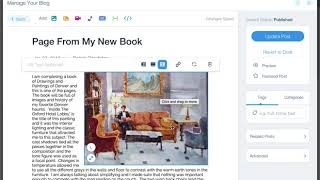
As a Wix Designer, I get this common question about how to align images in the blog from my clients. Here is how you can resize and align photos to the left or the right in the Old Wix Blog. Here is a much more in-depth look at how to make blog posts from your Wix ShoutOut email marketing blasts. This tutorial is also packed with other tips and tricks to make blogging easy in the old Wix blog:
- Wix Designer Tip: Linking Text on Wix Pages and in Wix Blog Posts
A quick tutorial on how to link text on Wix webpages as well as in the Wix Blog (note this is the old Wix blog, the new blog doesn't have a page linking option, you simply paste the URL desired to link to). I like the old Wix blog better as it gives you internal page linking options and has some other features that are missing in the new Blog. To link text, simply highlight text, and then use the Link icon (looks like a chain link), and paste the URL or choose the page to link to. Easy, peasy!
- Wix SEO – Pro Package
Looking for Wix SEO help? A Wix SEO Pro Package package may be just the thing for you to help get your website found. My complete SEO Pro Packages range from $1000-$1500+ depending on number of pages and terms to optimize. The package includes research of keywords and phrases to find out what people are searching for, then I provide detailed recommendations documentation, and then I will work to Optimize your Wix website with the keywords and meta tags that I recommend. I can also build and optimize blog if needed, write blog posts, and/or create pages for specific keyword phrases, and then I will consult you and give you an idea hit-list for writing new blog articles or page content going forward – which is all great for SEO. It’s all about giving Google lots of information, and optimizing your content properly. Lastly, I will train you on how to keep doing your own SEO going forward. If you’re also looking for help with the overall design and functionality, my Wix website design project rates functionality typically range from $1500-$3000+ (includes 15-50+ hours) depending on the needs (number of pages, newsletter signups, custom functionality needs, if SEO is needed, etc). My packages include the design of multiple concepts, working with you to polish the chosen design, designing and building out all the subpages, creating mobile friendly pages, SEO (search engine optimization) of pages, and training on how you can use and edit the website going forward if desired. I also offer SEO packages, and other Graphic Design services if desired. Let me know if you’d like to chat on the phone about the SEO process or design needs, and any questions you may have, and I can put together an estimate. Feel free to call me at 720.260.3541. Examples of SEO Work: I have helped lots of clients get to the top of what they want to be found for: www.sandradallas.com Author website - Designed and optimized website SEO for keywords like: “Sandra Dallas” as well as titles on her books like “The Last Midwife” www.dennispendletonstudio.com Designed and optimized website SEO for keywords like: “denver watercolor classes” - he’s #1! www.prontoassembly.com Designed and optimized website SEO for keywords like “ikea delivery nyc” and “ikea assembly nyc” - he’s on the first page near the top. www.picklewix.com My own website I optimized for “Wix Designer” “Wix Web Designer” “Infographic Designer” and many others that I rank on the first page. SEO Hero: wix-seo-expert.com My own SEO hero blog website that I use to educate my clients about how to optimize their own websites. This website ranks between #1-#3 on Google for the search term, "SEO Hero" – this website won an honorable mention by Wix themselves in their $50K SEO Hero Contest. It beat out hundreds of other SEO companies on different platforms such as Wordpress and custom platforms. And it is still beating all of those sites, right now on Google Ads, the Cost Per Click for the term "SEO Hero" is around $16 per click. So people are still trying to be at the top. Call me at 720.260.3541 or contact me online here for more information about my SEO Pro Packages.
- Children’s Book Illustrator for Gardening Books
I love working as a Childrens Book Illustrator, especially for gardening or outdoor topics. I am working on a self-written children's book currently about organic vegetable gardening, composting, and soil creatures. It's just starting to take shape, some of the garden illustrations below are sketches for the book. Stay tuned for more updates on my book soon! I'm taking a book binding class with my sister so that will be fun, I'd love to create self-published books that are put together by hand. Maybe custom, one-of-a-kind coloring books about different gardening subjects. :) View a sampling of my illustrations below, you can also visit my Illustration page for more of my work. Zucchini Watercolor and Ink, by Idelle Fisher Gardening Comic Strip Illustration in pen and Ink, by Idelle Fisher Mushroom and Soil Life Illustration in pen and Ink, by Idelle Fisher Pollinator Habitat Garden Sign Illustration in pen and Ink, by Idelle Fisher Layers in a Compost Bin Illustration in pen and Ink, by Idelle Fisher Bee House at the Botanic Gardens Illustration in pen and Ink, by Idelle Fisher Digging and Soil Life Illustration in pen and Ink, by Idelle Fisher Fresh Picked Radish Illustration by Idelle Fisher Cold Frame Illustration by Idelle Fisher Nature's Creatures Illustration by Idelle Fisher Glass Greenhouse in the Garden Illustration by Idelle Fisher Fresh Picked Carrots Illustration by Idelle Fisher Newt Illustration by Idelle Fisher Garden Sign Illustration by Idelle Fisher Farmers Market Stand Illustration by Idelle Fisher
- SEO Hero for Colorado Hot Sauce Company!
I am proud to be the SEO Hero another Colorado company. I just started working with the best Colorado Hot Sauce company, Cooper's Small Batch Hot Sauce. They make six amazing chef-created hot sauces that complement food rather than overwhelm it. They hired me for my SEO Package – which includes the initial keyword research to help them identify a huge list of keyword terms that they want to be found for (for example: Colorado Hot Sauce, Hot Sauce Gift Sets, Healthy Hot Sauce, etc). We are in the middle of the keyword research phase now, where we are building out a comprehensive list of keyword terms and also identifying how to optimize each of their webpages with the best keywords and meta tags. With this keyword term idea list, we will also be writing and posting for them regularly in their blog to help build lots of great content about their hot sauces over the next year. We're excited to see they rise up in the rankings over the next year! Stay tuned! Check out their website (I didn't design it, but may be adding more design elements down the road as we build out their content over time): www.cooperssmallbatch.com Want to learn more about SEO? Check out all of my top SEO Hero tips on my sister SEO website: www.wix-seo-expert.com
- Garden Illustration: Vegetable Gardens turn Ordinary People Into Chefs
Check out my latest Garden Illustration, called "Vegetable Gardens turn Ordinary People Into Chefs" Wouldn't you agree? When you grow food, you always have an abundance of fruit and vegetables that encourage you to learn how to make all sorts of delicious things with them. For example, since I've started growing vegetables in my garden, I've learned how to make all sorts of new recipes, plus I've learned how to preserve the harvest via canning and dehydrating. I can't wait to learn more this year! See my second illustration version below, in pen and ink. - Idelle Fisher, Designer & Illustrator by Weekday, and Gardener by nights and weekends! View more of my illustrations »
- Wix Designer Updates & Releases
As a Wix Pro Designer, I get notifications on Wix updates and releases. While Wix is a great platform, there is always room for improvement! The Wix Wizards are always adding new features weekly. If you ever want to know what they've recently added, check out their Wix Releases page below for all their updates on what magic they've spun into the Wix editor: www.wix.com/release/notes/ Thanks, Wix Wizards, for all that you do! The platform is amazing, and I love that you listen to us Wix Pros to keep making it even better everyday. Keep up the good work!
- Graphic Designer Tip: Bluetooth Not Available on Mac
I keep having my Bluetooth icon on my map get "disabled" As a Graphic Designer and Website Designer using a Mac, I have encountered this problem multiple times on my newer iMac: when I click on my Bluetooth icon in my Mac's main menu (top right), it is greyed out and says "Bluetooth Not Available" when I click on it. It won't let me turn it on or off or do anything with it. I tried some various troubleshooting techniques I foudn by Googling "Bluetooth Not Available on Mac" but none of them worked (such as deleting my Preferences plist Bluetooth file, restarting). So I called Apple at 800-692-7753 and their tech support provided the answer: Unplug all your USB items, and restart computer. This was the only thing that worked! I unplugged all my USB connections including my keyboard, so I had to use the on/off button on the back of my IMac to restart the computer without a keyboard (which was USB wired). Make sure that all your files and programs are closed so it doesn't prompt you to close files or programswhen using the on/off switch on the back. After restarting, then re-plug the USBs back in. This fixed it so my Bluetooth is back on! I'm not sure why this works, but apparently sometimes the Bluetooth can conflict with USB connections, so unplugging all the USB items and restarting will fix your problem.
- Wix Email Marketing – Wix Designer Tips
Here's where you can find the Email Marketing system on Wix (used to be called Wix ShoutOut, but I don't see that branding anymore). I had a website design client ask where the Email Marketing system was as Wix changed the interface, so here's a quick video tip on how to find and send emails through Wix. First, login to Wix.com Then, make sure you see Dashboard in upper left, then look down the menu on the left for "Marketing Tools" - click on it Then Click on "Email Marketing" Now you will be in the Wix Email Marketing system (also known as Wix ShoutOut). Here you can reuse existing campaigns (and edit them to be new) or create new ones from scratch.
- Adobe Phone Support
As a long-time Graphic Designer and Website Designer, I've been using Adobe products for over 15 years. They currently make it hard to find their phone number on their site, you have to jump through several hoops on their support page just to get to the phone number. So, I've added it here for easy reference so I don't have to jump through the website hoops to find it. :) Happy designing! Adobe Phone Support: 800-833-6687
- Salesforce Forms on Wix
As a Wix Designer, I find that many of my clients have form needs to tie into their existing systems, such as Salesforce. But, if you want to put a Salesforce Form on Wix, you may have noticed that they look ugly if used right out of the box. To enhance their look, use CSS styles to beautify the fields and colors. Plus, as you have to link to a Thank you page upon form submission, I find that this is a frequent problem with third-party embedded forms on Wix websites—the form will reload the thank you page into the Wix HTML iframe instead of the mother page. This is ugly as it loads the entire webpage into the iframe so it will show the menu/header/etc duplicatd. Not ideal. Did you know there is an easy way to have a Wix HTML iframe form, upon submission, to refresh the whole page with the thank you URL the form sends users to? You simply need to add a TARGET to the form action code. Below is a snippet of the revised code, in which I simply added: target=“_top” With this target=“_top” code shown, the form refreshes the whole page when submitted rather in just the iframe. CSS STYLE EXAMPLE FOR SALESFORCE FORM: Also, if you're interested, you can use some of the CSS Styling below and customize to make your Salesforce form a lot prettier: First Name Last Name Email Phone
- Happy New Year!
I dabble in doodling – here's a quick comic for the new year! :)
- Wix Designer Tools: Wix File Share
Here's a cool new feature that Wix just released in December 2018 – the Wix File Share. It looks like the Wix File Share allows users to create a file library where you and your website community can easily share files with one another. Site members can search for specific files and organize them in folders for easy access. Great for collaborating with clients, teams, students and community members. Plus, give site members custom access permissions, and decide who can view, upload, download and manage files. Share any file format on your site Control who can view, upload, download and manage files Find files quickly with folders and filtered search options Manage and view files on-the-go I'll check this out and post my thoughts on it, it may come in useful for sure!
- Send Payment via PayPal without paying fees (bank to bank)
Here is a graphic that shows how to send Payments using PayPal without paying fees. This is using a bank to bank transfer, so PayPal doesn't get a cut of a simple transfer of money. I use this with family and friends and clients all the time! I think PayPal has enough money. ;) Plus, why should they get a cut of a bank-to-bank transfer anyway? Find Tools > Send Money Then click on "Send to friends and family" option (bank to bank) Enter email of person sending money too, then enter the amount to send.