Search Results
650 results found with an empty search
- Best Wix Websites - for Sports Tent Company
We are excited to launch the website for kinematiccompany.com who offers sideline tents for athletes, athletic trainers, and medical staff to help provide sideline privacy for injured players. This is one of our best Wix websites, responsive, crisp and clean – it offers subtle animations and a great mobile layout for the best user experience. This custom designed Wix website template features a masculine, dark look, and shows off their sideline tents and other products. We design every website custom for each company, so if you need a website designed, we can build the most beautiful Wix websites that will reflect your brand and perform well on search engines so that your products and services can be found. Reach out for a free estimate for your next website design needs, or any other graphic design services.
- Best Website Builder for Small Business • 2024
As an expert website designer who's worked on every platform there is – in 2023 and going into 2024 I most often recommend Wix over any other platform to my small business clients such as authors, artists, non-profit organizations, roofers, doctors, clinics, restaurants, colleges, as well as large businesses and corporations. Above is an example of an Wix Author Website for a New York Times Best Selling Author of True Crime, Harry MacLean. Here are just a few reasons I think that Wix is the best website builder for small businesses in 2023: Easy to Design Websites, and Easy for Clients to Edit After working in other design-restrictive website builder platforms such as Wordpress, Squarespace, Weebly, GoDaddy's Website Builder, Shopify, Drupal, Joomla, and others, I always felt constrained to templates and blocks. I couldn't simply move a hummingbird halfway over another image between a text block, for example. Everything was stuck in a grid. With Wix, you can put any element EXACTLY where you want it. I love it, it's like designing in Photoshop, InDesign, Illustrator or Canva. As a Dreamweaver and Flash website designer who moved onto Wordpress, Drupal, Shopify and others, I didn't try Wix until 2015. It had been around for awhile before that, but it was Flash based, and, since I created my own interactive Flash elements on manually built HTML based sites, I never used it. However, after they launched their new HTML based editor, my husband told me his friend had built his band's website on Wix and liked it, so I thought I'd give it a go as I was moving away from Flash and Dreamweaver onto website builders that my clients could edit and would look good on phones and tablets. In Wix I first built a simple site from a Photoshop file design I had created – and honestly, it was so easy that I thought it was too good to be true. But it worked, and it worked well. Despite some limitations, in 2015 Wix blew every other platform out of the water. As they continued to improve their builder, they've stayed far ahead of all the competition. Wix also auto-sizes your images for various devices, so you don't have to optimize your images for your Wix websites, the website builder platform does the work for you! Wix also has an amazingly simple and easy-to-use Wix Photo Editor so myself or my clients can quickly clip out objects to have transparent backgrounds, run filters, adjust contrast, saturation, and other Photoshop-like editing on the fly. You can also easily crop images or set a focus area on background images so that the image appears perfectly across all platforms. It's amazing. I'm still waiting for Wordpress and other platforms to create a true drag-and-drop editor interface like what Wix has created, I'm sure other website platforms will over time, but none have gotten close. Yet. Every other editor is restricted to clunky templates and blocks - you can't truly drag-and-drop elements to an exact position on a page or a mobile page. That's where Wix shines. It's so easy to edit, my clients love it compared to other platforms. After a brief training that I include with every website design, they exclaim: "Wow, this is so much easier to edit than my Wordpress website!" or, "This is very intuitive, I think I can try making edits on my own." I love hearing that. I want to empower small businesses to keep their own websites updated over time so that they can succeed. Wix is a Secure, Maintenance-free Platform Unlike other open-source platforms such as Wordpress, you don't have to worry about security updates or plugin updates. Wix won't "break" if you forget to update the software. because you don't have to update the software! Wix is a hosted solution and their team of developers keep the platform updated and secure so you don't have to worry about it. Small businesses love this as they don't have time for updates, they just want a platform that is reliable and consistent. That is Wix. Sure, there are occassional downtimes, but they self-resolve due to Wix's excellent team of hardworking people who keep the platform going strong. Wix SEO is a SEO Hero I believe that Wix rocks SEO. When I started working in it in 2015, there were some SEO limitations, but boy has it come a long way since then. I find that my clients' Wix websites get to the top page of Google and other search engines for search topics they want to be found for – if optimized correctly. Google even says that Wix is good at SEO. If you optimize the pages and content well, and you add more relevant SEO content regularly, you can be at on the top page of Google for many search terms, there is no limit. It performs as well as any other platform (if not better,) in my opinion. I've matched it up to Wordpress and other platforms and it outperforms them in my experience. It's all about how you use it, and how you use it over time. Don't let websites get stagnant! Wix Websites look good on Mobile Wix has a great mobile editor that let's you rearrange, size, hide or add elements from your desktop in a vertical mobile view so that phone-viewing is ideal for viewers. Unlike the restrictive responsive templates of other platforms, Wix allows you to customize every detail on phones so you can streamline the mobile user-experience. I love it! If you want to make elements more prominent on your mobile website, or if you want to add a mobile-only element such as a button or image that works better in the mobile vertical environment, the Wix mobile editor makes it easy. Wix listens and improves all the time. Wix listens to all of us Wix Designer partners, I've spoken with Wix many times over the years to help guide them on how to improve the platform, and they actually listen. Sure, there is plenty of room for improvement, as with all platforms. And there are some features I'd love them to add, and they are on a feature wishlist. Wix is constantly adding and improving the platform and they respond to the feedback that website designers like me give them – which is awesome. Want to see how good Wix websites can look? Check out some of the Best Wix Websites » Here are a few examples below: For more Wix examples, view the Best Wix Websites » Need a Wix Designer? Reach out for a free estimate »
- Wix Designer Tutorial - Connecting Repeater to Blog Posts Collection
Connecting a repeater to your Wix Blog, but missing the Blog Posts in the Collection dropdown options? If you're not seeing the "Posts" in the "Connect a collection" dropdown, here's how to fix it. To custom design a blog post feed, you can use a repeater and connect it to the posts collection. But sometimes you don't see your Blog Posts list available in the dropdown to select for the repeater's dataset. Here's what to do if your posts collection isn't showing up in the dropdown to Connect a Feed in the Dataset element: Here's the settings to turn on your Wix App collections to the dataset dropdown of Collections (if the "Posts" are not showing up in the Collections list) To learn more, here's Wix's directions for connecting a Repeater to your Blog Posts. Need Help? Want to work with an expert Wix Designer? Reach out for a free estimate »
- Image Maps on Wix - Use Invisible Buttons
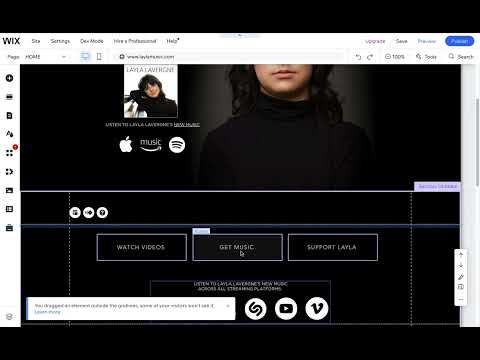
As a Wix Designer I like to share lots of tips to help people better use Wix. Here's a simple way to link certain areas on an image to any page, website URL, document, or phone number of your choice. Use invisible buttons. Watch the video to learn how: Add any button Change button's background transparency to 0% on both states including the hover state. (These settings are found under the Paintbrush icon when you click on the button) Double click on the button (or link icon) to pull up the Button Settings panel. Choose "Nothing" from the dropdown under "Choose what displays." This allows you to still use an Accessible name which is great, and works like an invisible button over any image or spot on the page. Size and move the button to the area on the image that you want to link. Doublecheck the mobile view to make sure the button is where it's supposed to be in mobile as well. Voila, that's it! This is a great alternative than having to use code for an image map. Image Maps on Wix Technically you could add an Image Map to any Wix page, you would add the HTML embed code element on the page, and create an image map code to accomplish this (there are tools like image-map.net that can help you write the code. But when I quickly tested it I could not get the image map links to work in the code, they were not linking though tall the code was there – perhaps I had something wrong in the code. But regardless, using invisible buttons on Wix websites to create clickable areas on an image is the fastest and easiest way to accomplish this goal. Happy Wixing! Want to work with a Wix Design to design your website? Reach out for a free estimate »
- Wix Designer Tip: Wix Footer Gap
Do you have a gap before your footer in Wix? Here's how to fix it: If you are having trouble with a Wix Section above your footer NOT resizing when you click and drag the height adjusting tool (see below), sometimes the only solution is to create a new section that doesn't have the stuck height bug. Occasionally elements like sections or strips are stubborn or buggy and won't resize so you can't eliminate gaps before your footer, so here is a workaround solution in the video below: By the way, to tab through elements use Wix Keyboard Shortcut: Command-M on Mac (Control-M on PC). Learn more about why tabbing through elements in Wix can help troubleshoot problems. Sometimes I find I get a white gap just above the footer that I can't get rid of, even by using the zoom out delete space remover tool. Wix support gave me this great info on how it's done, thanks Wix! I wanted to share in case you're looking for this same fix. This gap apparently occurs on some of the page body designs of templates. If you find that you have the footer gap, to remove the gap, you should select a different preset for the page body design. To remove the gap: Click the page body. Click Change Page Design. Hover over the presets and select a design which removes the gap, or select the No Color option. You can then use the footer's drag handle to drag it upwards and close the gap If you need professional website design help with your Wix website, feel free to reach out to me for a free estimate » I also design logos, postcards, brochures, catalogs, and books. Let me know how I can help you at 720.260.3541.
- Remove Gap on Wix Website
Unwanted gaps in Wix: Section won't resize? If you are having trouble with a Wix Section NOT resizing when you click and drag the height adjusting tool (see below), sometimes the only solution is to create a new section that doesn't have the stuck height bug. Sometimes elements like sections or strips are stubborn and won't resize, so here is a workaround solution in the video below: By the way, to tab through elements use Wix Keyboard Shortcut: Command-M on Mac (Control-M on PC). Learn more about why tabbing through elements in Wix can help troubleshoot problems. Here are some simple tips on how to delete space between strips in Wix. When removing a gap in Wix websites, this handy Height Tool comes in handy! It's frustrating when there is a giant gap on a Wix website and the "Delete space" option doesn't appear. Using the Height field in the toolbar to type in a height is an easy way to reduce the height of strips, sections or other objects quickly. To Remove Gaps in Wix: Make sure you have your Tools open (open them in the upper right of the Wix editor), and then find the W (width) and H (height) fields that you can type a number into to change the height of super tall strips, sections, images, etc. This also helps you adjust the page height in Wix as you can shorten sections, strips, or images easily using the Tool Height field to allow for the page height handle to be dragged up. Looking for Wix inspiration? Check out our Best Wix Websites » For more Wix Tips, visit the Wix Designer Tips Blog » Looking for a Wix Website Designer? Reach out for a free estimate »
- Remove Underlines from Links in Wix
Clients ask how they can Remove Underlines from Links in Wix – so I thought I'd post the answer here. Wix by default underlines links when a link is added to text, where in the blog or in the regular Wix editor. To remove these underlines, simply highlite the linked text, then click on the U "Underline" icon in the middle of the top toolbar above the text. This will not remove the link, just the underline decoration. For example, here is linked text, or it could be a domain www.picklewix.com - you can easily remove this underline on linked text in Wix by highliting the text, then clicking on the Underline icon in the toolbar above the text in the editor. Happy Wixing! Need a Wix Designer? Reach out for a free consultation or estimate »
- Wix Website Designer Cost
If you're looking for a Wix Designer or Freelancer, Wix Designers often charge project rates that cover a range of hours. Wix designers can charge anywhere from $500-$6000+ for Wix website development, and the standard starting hourly rate is around $75/hour. The cost for a complete Wix Website design depends on the amount of content, pages, functionality needs, if SEO (search engine optimization) is desired, ecommerce needs, etc. Simple one page websites will be on the low end of the cost spectrum, while multi-paged ecommerce websites can be much higher. For a free Wix Website design cost estimate, reach out with your website needs. View some of our recent Wix Website Designs below, and check out our Best Wix Websites for more inspiration. Make sure check out our Best Wix Websites for more inspiration.
- Generative Fill - Photoshop
As a Graphic Designer, Website Designer, and Photo Retoucher, I love trying out new tools that actually work and are easy to use. Adobe Photoshop's Generative Fill tool is one of these tools (thanks to my husband who is an Expert Photo Retoucher who showed me how easy it was to use). This new 2024 Photoshop tool will certainly come in handy with client requests to remove objects from images, or to add objects, too. Here is a quick Photoshop Generative Fill tutorial to show how easy it is to use: Simply make a selection, then click on "Edit > Generative Fill" to open the Generative Fill panel and type in what you want it to do. While it's not perfect, it does do a pretty decent job and saves a ton of time manually retouching out objects such as the people in this client photo. To polish it up more I would go in and add lines and remove any patterns and correct any shapes to make it perfect with the standard Photoshop tools like brushes, the Stamp tool, and Healing brushes. Photoshop Generative fill not showing? First, make a selection on your image, then in your top menu click on "Edit > Generative Fill" to open the Regenerative Fill panel. See screenshot for reference. This is a pretty great new tool, however, the generative results are not always 100% perfect, so if you need more expert photo retouching to polish it up but are not a Photoshop expert, feel free to reach out. Need more sophisticated Photo retouching? Reach out for a free estimate »
- Wix PDF Filenames
2024 Update: There are a few ways to allow for PDF or image files to be downloaded from your Wix website by website viewers. See the Wix Tutorial video below for options for downloads from Wix Websites: With PDFs, the PDFs will download with your correct filename now in Wix. However, you cannot customize the document URL of the file, and it will have an encoded URL such as: https://www.picklewix.com/_files/ugd/139de8_da1059b6d4c1425284d21e3b0eaa9083.pdf Once the user downloads the file, however, it will have the PDF filename you gave it. This also applies to Word files (.doc or .docx) and Excel files (.xls or .xlsx). Customizing Document URLS: This is still not available on Wix, however, there is a feature request for this ability, which I agree is needed, you can vote for it here: support.wix.com/en/article/wix-editor-request-customizing-document-urls Download Images from Wix Websites: Image files download from Wix websites as .webp files with encoded filenames. If you want to link to an image they are going to have a filename like: 139de8_0979edafbaec4ece9d963d0a7409c05b~mv2.webp To get around this issue with image downloads, you can use a Wix Pro Gallery that will allow you to change the settings to allow for downloads that WILL retain the filename for the end user. See the above video to see how it works. Want to download images from your Wix website? You can do this from your Wix Editor Media Library. Learn how: How do I download all media from Wix » As a Wix Designer, I am always on the lookout for new features on Wix that improve the user experience. Looking to hire a Wix Designer? Reach out for a free estimate »
- Best Wix Website for Architect
Check out one of our favorite recent websites designed for an architect. We think this is one of our best Wix websites, with beautiful photography of his architecture work. WIth the simple design, the website walks users through the architect's work in a very visual way to experience each home in detail: Watch the scrolling action of the website images on the homepage below: View this website at: seanparkerarchitects.com Another one of the best Wix website designs for an architect that we created was for Blanco Architecture, who specializes in building envelope consulting and design. This clean and simple Wix website design features all black and white photos, slideshow galleries, and information about their services: Want to see more Wix websites? Wix is a highly flexible website builder/designer that excels at creating beautiful, mobile-friendly websites. View more of the Best Wix Websites » Want the best Wix website designed for your business? Reach out for a free estimate »
- Wix AI Website Builder
As an expert Wix Website Designer, I've used the Wix AI Website Builder in the classic Wix editor a few times now, it works pretty well, but it's always of course good to doublecheck all the content to make sure it's right before publishing to a live website. The AI text isn't fool-proof! This is a nice tool to quickly get something setup and choose an initial template that may work, but keep in mind that you can change ANYTHING in any Wix editor templates, so nothing is set in stone. Don't get too hung up on picking the initial design, as you can always edit every part of the template as desired. Best Free AI Website Builder Wix is a great free website builder, and it's AI Website builder is very easy to use. But, if you want to have a custom domain, you do need to buy a hosting plan. Luckily, Wix's hosting plans are pretty reasonable, even though they've increased in the past couple years, you sitll get a million-dollar editor for a monthly hosting fee that is competitive with most other hosting companies out there. You can also buy hosting for multiple years and save a lot on the hosting costs. Wix Support Wix has decent support as well, you have to schedule a phone call to talk to their support team, but they are very friendly, easy to talk to, and know their stuff. They can't always fix every issue, but they will escalate it and help the best they can. I am a big believer in Wix's phone support! There is also a Wix community on Facebook that is very helpful in troubleshooting issues. Wix AI Assistant Wix also has a great AI assistant that helps generate text in the editor, I've used it and it works pretty well. I find AI written text to be OK, but not great, so I often rewrite it in my client's voice and correct any information that is not relavant or correct for the client. Always read AI generated text and edit as needed, it's better for SEO to customize it than to use it out of the AI box anyway. You want your text to be totally original and well-written, and correct. View some of the Best Wix websites for inspiration » Reach out if you want a free estimate on a Wix Design »
- Eco Friendly Website Design
I love designing websites for eco friendly businesses and organizations! When I work on a website for a company in the green arena, I really enjoy it! I recently designed websites for some wonderful companies and organizations, here are a few of the Eco Friendly Website Design projects I've worked on: Rocky Mountain Composting: A Colorado composting company serving Denver County, Arvada, Wheat Ridge, Lakewood, Golden, Westminster and Edgewater. Eric Kenna, the owner, is great to work with, he's a hard-working guy bringing curbside composting service to Colorado! His mission is to help people learn what they can compost, and divert all of that valuable compostable material away from the landfill and instead to the composting facility, which converts it into gardeners gold. rockymountaincomposting.com (Note: Eric has moved onto other business ventures, so the business and website are no longer live, but you can view the website I built here: https://rockymountaincompo.wixsite.com/compost I met Environmental Consultant Shari Wilson of Great Bay Work at the Garden Bloggers Fling this spring. in addition to being an avid gardener, she is doing amazing conservation work, helping organizations to determine the best way forward with challenges and complex situations that affect quality of life within the Chesapeake Bay watershed. We designed her a beautiful new website: greatbaywork.com Shari also has a wonderful Nuts For Natives blog about planting native plants in the Chesapeake Bay region, we're also helping her with SEO on this to help more people find it so they can learn what native plants would work perfectly in their landscapes. Planting native plants is important for providing food and habitat for native bees and birds, so I love her blog theme of "Plant this or that" with quick information about the native plants paired with beautiful photos! Check it out: nutsfornatives.com View more of the websites I've worked on including landscape design website design, garden center website design, and others in my Website Design Portfolio »
- Test website on mobile devices online - Free
Want to make sure your websites look good across all devices? Here's a great free tool to Test website on mobile devices online quickly on your desktop computer: I had to download their app and install it and it seems to work well, it only took a few minutes to start testing. Here's a real test I did of one of my client websites, below: The tool is very easy to use, only took a few minutes to install and open and use, it's very intuitive – you can pick from their extensive list of devices and compare up to 8 at a time side by side to make sure your website looks good. This is a great tool for website designers like myself! Download the Blisk tool here: blisk.io/devices Here is a small sampling of the devices you can test your website on – including many mobile devices, tablets, laptops and desktops: Happy website designing! Need an Expert Website Designer? Reach out for a free estimate »
- SEO TOOLS - New in 2024 with AI
Noting some tools I've been using lately for SEO research: searchvolume.io Says you can bulk search keyword searches for up to 800 words at a time – for me about a 100 would work, otherwise if I used the full 799 words it would just keep spinning. wordstream.com I'm finding that the numbers are higher than what Google's Keyword Planner tool says, but they give you a quick general idea. Google Ads Keyword Planner Tool Still a good one, the numbers aren't consistent with other tools all the time, but you get the idea. I wonder if other tools use other search engine stats somehow? I would bet that no one tool is 100% accurate as they can't be, it's more about figuring out the best keywords that people are actually searching vs. worrying about exactly how many searches there are - it changes daily anyway. Keywords Everywhere Chrome extension, now costs $10 for 10,000 credits which lasts awhile. A nice in-browser tool that is easy to use when searching on google.
- Wix Website Social Preview Image
Wix Websites on Social Media – The Facebook Share Image As a Wix Website Designer, I often get this question from clients or potential customers: "How can I customize my social preview image that shows up in Facebook when I share my website?" When you share your Wix website on Facebook and other social media channels, it will use a "Social Share Image" as a preview image. By default it will simply take a random image from your page, so if you want to control this or even use a screenshot of your website rather than just an image, you need to setup the Facebook Share Image. This Facebook Share Image is located in your Social settings in Wix. 1. To find this, to go to your Wix editor 2. In Top menu, find: Site > Site Manager 3. In Site Manager, click on Social tab 4. Upload your own custom image. The image should be sized at: 1200 X 630 pixels for HD resolution. The minimum size is 200 x 200 px, however, it is recommended to size them to at least 600 x 315 px. See my screenshots and video below to see quickly where you can add your social preview image on a Wix website: Last step: Facebook Debugger If you upload a new image and you want to ask Facebook to re-scrape the page to get the new social image to appear, use this handy tool – sometimes it takes a few minutes or several "scrape agains" to get the new image to appear. developers.facebook.com/tools/debug
- Shopify Website Designer
As a Website Designer, I work in a lot of different platforms, including Shopify, which is great for complex ecommerce websites. Shopify web design services include custom design, email newsletter design and management, custom page templates and more. I have expertise with Shopify theme development, and can help in managing changes and updates effectively. As part of the website design, I will provide a range of services from design to SEO and custom solutions tailored for your specific business needs to help your online store get found and succeed! Working with SandiaSeed.com I have helped her seed company grow every year! I also work on the Seed Catalog design and Seed Packet design, as well as social media posting. And of course, as a gardener, I love to grow all of her 100+ peppers, tomatoes and other veggies.
- Plant Swap Flyer
I had a lot of fun working on this illustrated Denver Native Plant Swap Flyer graphic for the Front Range Wild Ones. The Front Range Wild Ones partners with Earthlinks and People and Pollinators to host amazing plant swaps every June to help more people grow native plants! Their native plant and seed swaps in Denver, Fort Collins, Boulder and Colorado Springs are amazing events filled with generous gardeners who love sharing their volunteer native plants as well as plants started from seed. It's a free event and open to the public, so anyone can get into growing native plants in their landscapes or patio pots to join the Coloradoscape and pollinator gardening revolution! Here's the finalized version of the plant swap flyer graphic: Below are a couple of my initial drafts for their 2024 Denver Native Plant Swap flyer, the finalized graphics will be used to share on social media to get the word about about the fabulous Denver plant swap event. Stay tuned for updates! Original draft of the plant swap flyer with hand-drawn illustrations: Below is an updated version of the plant swap flyer with more easily read font text for the title, I think this one works better for legibility! View more of my work, see my infographic design and my Illustration portfolio Need a Graphic Designer to work on flyers or graphics for your non-profit, event, or company? Reach out for a free estimate »
- Image Transfer Labels / Stickers
A cool idea for putting logo designs or art on on various items like mugs or wood... Image Transfers from From Stickeryou.com: The key feature of this custom UV transfer label product, which sets it apart from our other labels, is that only the image area remains visible after placing it on glass, plastic, wood, or ceramic, thanks to its flexible application. Each product comprises three material layers.The initial layer is the paper backing, followed by the transfer label material as the second layer. The third layer is the transfer tape, applied onto your UV transfer label design. This tape functions as the adhesive, keeping all the individual components of your label design intact after removing the paper backing. Unlike a thermal transfer label, no heat pressing or complex steps are required to apply them. stickeryou.com/products/transfer-stickers/772 Our UV Transfer Labels boast a scratch-resistant, durable ink effect that is waterproof, lightfast (ensuring no fading or discoloration when exposed to light), and designed to endure once applied. The label material is also microwave, dishwasher, and freezer safe. UV Transfer Labels are available in any quantity with a fast turnaround time, allowing for printing in multiple colors and virtually any shape - without the need for die-cutting! Q: What Is Transfer Tape? A: Transfer tape, also known as application tape, is a paper or plastic film that serves to keep all the individual components of an image transfer sticker in place, simplifying the application process. After affixing the sticker to your chosen surface, you can effortlessly remove the transfer tape to reveal your sticker. Q: Do image transfer sticker transfer to anything and everything? A: Yes, you can magically transfer your custom Image Transfer Stickers to a wide array of hard surfaces - ranging from glass, ceramic, and plastic, to metal, wood, concrete, leather, and so much more. This makes them perfect for adding your branding to things like company equipment, products and packaging, storefront windows and walls, and any other desired surface. Personalize your laptop, mug, and other mid-sized objects or even your car window with quality image transfer stickers from StickerYou. Q: Are Image Transfers household dishwasher-safe? Yes, they are! Except on glass. For better durability, apply Image Transfers to plastics or textured surfaces such as metal and ceramic. Make sure the product cools and dries completely after each dishwasher cycle, as it could shift when it is still hot. Keep in mind that Image Transfers, when applied on glass are not dishwasher-safe; they are still waterproof and safe for handwashing.
- Food Waste Infographic - Shorten Your Food Chain
Food Waste Infographic - Shorten Your Food Chain Shorten Your Food Chain Infographic: When you think of food waste, you often think of people throwing away unused food. Which is a problem in itself. But this isn't the only food waste, one of the biggest environmental problems is our food system. The fact that we package and transport food over vast distances around the world contributes greatly to our energy consumption and the amount of waste that ends up in our landfills. I just designed this isometric infographic for one of my favorite clients, SandiaSeed.com, to illustrate how growing your own vegetables shortens your food chain. Just imagine how much plastic, packaging, transportation and energy we are saving by growing more of our own food and supporting local farms. Go gardeners! Let's grow more of our own food and cut down on food waste. Feel free to share these graphics to help spread the word. The more food gardeners and growers, the merrier! To purchase and download a high resolution digital stock image of this graphic to share on social media or your website, click here. Looking for an Infographic Designer? I love working with non-profits, organizations and businesses to design original infographics to illustrate ideas, statistics, and information. I am an infographic illustrator, so I can design and illustrate completely custom infographics for you or we can also utilize stock vector graphics and customize them for a unique one-of-a-kind infographic. View more examples of our best infographic design » Contact me today for a free infographic design estimate » P.S. We can also design different-sized versions of infographics so that you can use them in different places. Here is a square image below of the Food Chain infographic, with a photo behind it that could be better for sharing on Instagram and other social media: Or, here is a square formatted graphic: And lastly, here is the copyrighted graphic for sharing – thanks for sharing and spreading the love of growing and eating locally!
- Woodworking Website Template
I love working with talented local clients such as woodworkers to design beautiful logos and website templates for them to use to show off their work. Shown above is their custom woodworking website template that we designed from scratch to highlight some of their excellent custom woodworking projects. This Denver woodworker designs beautiful custom bathroom vanities, kitchens, fireplace surrounds, mudrooms, offices, and outdoor projects. This custom woodworkers website design features project galleries, slideshows, and a contact form to help new customers find them online. Are you a woodworker, carpenter, or other service-based business? I love working with craftsmen and I custom build every website to fit your aesthetic. Reach out for a free website design estimate » Want to see more of my work? Check out my Best Wix Websites »
- Why hire Picklewix for your Wix Website Design?
PickleWix is a highly recommended Wix designer based in Denver, Colorado, offering custom website design, SEO, logo design, and graphic design services for small businesses. The designer, Idelle Fisher, specializes in creating unique and user-friendly websites that perform well in search results and across all devices. PickleWix also provides training for clients to edit their websites and offers SEO services to improve search engine visibility. As an expert in Wix design, PickleWix focuses on creating visually appealing designs with excellent SEO to help websites rank higher in search engines. Want to see lots of inspiring Wix Website Designs? View some of the Best Wix Websites designed by Picklewix » Need an expert Wix Designer? Get a free Wix Website Design estimate »
- Wix - Adding Videos
As a Wix Website Designer, I offer Wix training zia Zoom and through tutorial videos for my clients. Here are my top tips on adding videos to your Wix website in a variety of ways. There are plenty of ways to embed video on your Wix Website. You can embed YouTube videos in Wix, as well as Vimeo, Facebook videos, or even upload your own videos. In Wix, you can add videos to galleries, or as page backgrounds strip backgrounds to fill the screen (silent). You can also add videos to popup lightbox windows, or in a slideshow. In the video above I show a few of these options on how you can add videos to your Wix website. Wix Upload Video Format: In Wix you can upload all popular video formats (Mov, Quicktime, AVI, MP4). Your video is automatically transcoded into MPEG4 (containing H.264 codec) and WEBM formats. Best Wix Video settings: Compression Type: H.264 Frame Rate: 30 is preferred. 23.98, 24, 25, 29.97 are also acceptable Data Rate: Automatic Key Frames: Automatic Frame Reordering: Unchecked Wix Maximum Video Size: 15GB - Wix Video supports videos that are between 480x470 pixels to 1920x1080 pixels. The size limit for video files is 15GB per file. Once uploaded, your video is automatically transcoded into MPEG4 (containing the H. 264 codec). Total video storage size on Wix depends on your Wix hosting plan Can I add YouTube videos to Wix? Yes! Upload Videos to YouTube or Vimeo to use on Wix: If you upload your videos to YouTube, it takes pretty much any video format or size, and Wix makes it super easy to embed YouTube videos on any page or post, no code needed. One benefit to uploading to YouTube or Vimeo is that you have unlimited storage there, whereas Wix limits you to a certain number of hours or GB depending on your Wix hosting plan. So you can use YouTube or Vimeo if you have a lot of videos, as they do create big files! Can I sell videos on my Wix website? Yes, in Wix you can sell your videos to viewers and you can choose the price to charge them and they can also choose from unlimited streaming, or to just rent the video for your desired period of time. You do have to have a Wix premium plan that allows for payments, and processing fees for the payments do apply (standard 2.9% and 30 cents per transaction is the going rate these days). How many videos can I add on Wix? You can add as many videos to your Wix channel as you want from various sources such as YouTube, Vimeo or Facebook. However, if you are uploading your videos to Wix directly, the size limit for video files is 15GB per video file, and the total video storage size on Wix depends on your Wix hosting plan. Wix Video hours vs. site storage In Wix, your video hours are completely separate from your site storage. They are specific to Wix Video. The amount of video time you have is based on whether your site is a free site or you have a Premium plan. Your storage space is connected to your internal storage capacity, i.e. how much you can store on your site. Your site files are located in your site Media Manager, as well as product-specific Media Managers on your site. Using Wix Video for free Upload and showcase your videos on your site with Wix Video. When using Wix Video for free, you can upload up to 30 minutes of video (10 minutes maximum per video) and stream up to 10 minutes of live video. Wix Video Analytics and reports: Explore trends in video engagement and visitor behavior on your site by accessing analytics reports on your video content. Upgrade to Premium Wix Hosting Plans for more Video Storage: Need more video time? Upgrade to a Wix Premium plan and increase your video hours. The number of hours you get depends on the plan that you choose. View some of the Best Wix Websites » If you need help with your Wix Website Design, reach out for a free estimate »
- Does Wix own your Website?
Hosting companies and developers often nay-say Wix for a variety of reasons that are almost always untrue. One of my clients who has a Wix website recently received this advice from a hosting company: Unfortunately Wix is just the worst and while they trick you into thinking its cheap and easy to use they end up having a lot of hidden fees and the worst part is you can never leave them They own your site and will not let you move it. ~ Quoted from a Hosting Company Sales Email This statement is untrue. First, to clear up any misunderstanding, Wix does not "own" the websites built on the platform. The owner of any sites or content is the owner of the Wix account under which the content was created. Wix does not keep your website content or domain hostage. As a Website Designer for over 20 years, I have worked in tons of different website platforms including Shopify, Drupal, Joomla, Squarespace, Wordpress and Wix. What is my my favorite platform for ease-of-use? Wix. Which platform to my clients like? Wix. As mentioned, the hosting company above is wrong about Wix “owning” your site, you can move to a different platform just like with any platform. Note, it does takes time to move, export/import, and rebuild any website content on any new platform whether going from Wordpress to Squarespace or Wix to Wordpress or Wordpress to Wix. Changing platforms is never a simple click of a button, but it is possible no matter what platform you are on. So, don't worry about Wix "owning" your website, you can move platforms anytime you want, Wix does not own it. However, you will need to rebuild your website on the new platform (and possibly import blog posts, as well as any images). You can download all your website images from Wix, and even export out blog posts if needed. Page content can be copied and pasted from platform to platform. Is that much different from moving from Wordpress to Drupal or Squarespace? Nope. Also, while Wix (along with everything) has gotten more expensive over the past several years, it is still very competitive (Most of my Wix clients are paying about $11-$14/month for basic sites, or clients with online store ecommerce websites pay in the range of $20-30/month. Wix also often offers sales and multi-year discounts so businesses can take advantage of the deals to keep Wix's hosting costs low. I also find that Wix seems to perform as good if not better in Search Engines than Wordpress or other platforms – SEO (search engine optimization) is all in how you optimize your content, not the platform. I think that because Wix is so easy to edit, it helps people keep their website fresh with new content pages and posts, which is always good for SEO. If you're scared to edit your website because it is confusing or you're afraid you might "break it," then Wix is for you. There is even a handy site history option so you can view and restore previously saved versions of your site, not to mention undos and redos at a click of a button. I have had way too many clients who've come to me with a Wordpress or other platform website that they struggled to edit or even use, and their websites had gone stagnant for many years. Your website should be easy to use and update – that's what it's for! With every website I design, I do a training to show how to make the edits on the site, and also offer lots of custom training videos to make it easy as can be. Wix is quite intuitive after you get a brief introduction to the editor. Wix saves businesses time as it eliminates the maintenance hassle of managing software updates or plugin upgrades. Wix hosting includes all of that by their expert team, so your business can focus on your website content, not the website platform software. I still work on and develop Wordpress sites for a few clients (and for a few years back in the day all I would do was Wordpress sites!) – but they take more than twice as long to design, and so they cost twice as much and require a lot of ongoing maintenance. View my related post about What do Wix Designers Charge » Wordpress websites are also not easy to redesign or customize individual page designs like on Wix. Wix's WYSIWG editor (what you see is what you get) is by far the best current platform for customizable page design and ease of use. At least that’s what my experience has been, anyway, and I've worked on a thousands of websites over the years! All that said, sometimes Wordpress or Shopify or other platforms can be better for highly customized business needs, Wix works perfectly for a majority of my clients, but I always consult with each client to determine what the best website platform is for their needs. Wondering if Wix websites can look as good as Wordpress and other platforms? Of course they can. View the Best Wix Websites » Reach out for a free website estimate »
- AI Search Engine: Perplexity.ai
Perplexity.ai is a new AI-based search engine, here's what it has to say about Picklewix.com! Glad to see picklewix.com is well indexed in Perplexity.ai's search results. One of my services is SEO for my clients to help them get found (SEO = search engine optimization) and I believe that all search engines are important. Especially new AI-driven search engines. I believe that Google has been an AI search engine for sometime now, so they're still the king of providing the BEST results, in my opinion. However, I'm always open to trying new search engines. I use Duck Duck Go, Bing, and other search engines often to compare results and trigger them to index new pages, but I always find myself defaulting to Google for serious searches as it truly provides the most accurate results to what I am searching. Google's AI is off the hook, and has been for some time. It indexes some of the new pages we create within hours with a little help from us. I think Google's search is the best AI search so far, even though we don't call it an AI search. And, Google seems to be getting more and more cluttered up with sponsored PPC ads these days, making it harder to find the real results. So time will tell if Perplexity or other search engines will take a turn in dominating the searching masses. With the web, you never know who will rise to the top over a short period of time. Remember MySpace? So while Google is the top so far, we'll see who becomes the king of search in 2024 and beyond! Feb 6, 2024 Update: I've been using Perplexity.ai a lot in the last week, and I have to say, I like how it works more like a conversation about a topic. It provides answers to detailed questions, using references from sites across the web to compile a detailed response to answer the question. It's a way you can deep dive into a subject, getting more and more into the depth of the topic and read a lot of suggested questions. For example, you can ask it gardening questions (one of my favorite topics to research on search engines): I have found topics (such as regular people) that it can't find a lot of information on, and it says that, But you can ask about companies, for example, and it will provide a summary and multiple sources for where it found the information. For example, in the screenshots below I searched for "Is Sandia Seed a good seed company?" and it responded in the details below: Like Google's "People also Ask" questions, Perplexity offers up related questions on the topic you search, here is once I selected to expand the related topic it suggested "how does sandia seed compare to other seed companies?" – and here is it's response: You can also use Perplexity to TRY to find out how to contact some of the largest companies on earth, such as Facebook, by phone. But I guess Zuckerberg can't afford to offer phone support to his customers who are making him one of the richest people in the world. At least Google has phone support for it's cash machine, Google Ads: One bonus to Perplexity: No Ads! (yet?) I do like the conversation style and followup questions that Perplexity allows – and, I find it's sources on par with Google's search results, except it fortunately does NOT have any ads cluttering up the first growing chunk of the results like you see in Google. But, as with all new platforms, I'm sure the ads or fees are to come to Perplexity, but will it become the next Google? Time will tell.
- HTML Email Creator
I have a Wix website client who uses Follow Up Boss for their CRM, and they want to use it to send out HTML emails to their list. I used to use Dreamweaver to create HTML, but that's been a LONG time, and I wanted to find an easier more-up-to-date solution for creating HTML emails, and I found it with stripo.email. They have a very nice, easy-to-use html email template tool that works great for creating HTML emails with no hassles. While most of my clients use email marketing systems like Mailchimp, MailerLite, SendGrid, Wix, and others, sometimes you need a html email creator, and Stripo does the trick! I found their platform very easy to learn and use.
- Authenticating Domain Emails on Wix for Email Marketing providers like Mailchimp or MailerLite
As a Wix Website Designer, I like to share solutions to issues I run into with Wix here to help others. I recently had an issue with Authenticating a domain email for a client. We setup a new email through Wix (using Google suite) for a domain email so that we can use a third-party email system MailerLite (like Mailchimp) to send out mass email blasts. The problem was that MailerLite wanted us to add a DKIM/Domain Key and a SPF/SenderID, the DKIM worked, but the SPF TXT record we created seems to be an issue as there is also another SPF TXT record that was setup for Google (we didn't set that one up, I assume it was created when we setup the domain email through Wix, which uses Google). When we tried to Authenticate it after updating the settings, MailerLite was giving us an error and telling us this: SenderID/SPF has more than one record. Remove all others and leave only one. As you can see, I added their record below, but I also had a second one from Google. I was worried that if we removed the Google SPF record (v=spf1 include:_spf.google.com ~all) that it would mess up the email function... but then another Wix Designer helped point out this crucial tidbit: You cannot have two SPF records setup in Wix. You have to combine records so that both Google and MailerLite are mentioned in the same SPF record. The SPF record lists which domain servers are “authorized” to send your mail and represent your property. Add MailerLite to the current record. What I didn't realize was that the MailerLite provided SPF record DID include the google SPF info already, so that's why the second original Google SPF record was conflicting with it. I deleted the extra Google only one and that fixed it. MailerLite provided this SPF TXT Record: v=spf1 include:_spf.mlsend.com include:_spf.mlsend.com include:_spf.google.com ~all So, after I removed the Google-only SPF record, I was able to successfully authenticate the domain on MailerLite's side. I'm posting this blog here to help others (and myself) if I ever run into this again so I don't forget! :) Happy Wixing.
- Infographic Invitation
I love being an infographic designer! Infographics are so fun to design, and they communicate a lot with imagery and words. his is an infographic design I'm working on for my client Four Mile Historic Park – this is a fun one to work on! I am working on a few other infographic templates for this invitation, stay tuned for more concepts soon. See more of my infographic design work »
- Wix Email Automations not getting Received (bouncing)
As a professional Wix Designer, I run into issues that I like to share with everyone when I finally get a resolution for the problem. Recently I designed a website with a simple payment form for a client that I setup an Automation for that would trigger an email to get sent out to the user who submitted the form. However, the emails were getting triggered but they never came into the test emails I had setup. I had multiple calls with Wix support and no one could help me figure it out until I spoke with Vini at Wix today (Thanks Vini! He was the first Wix support person to actually give me a real answer that fixed the issue!) Vini from Wix said that I needed to change my email type. He recommended I change the "Email Type" in the Automation email settings to be "Business critical" as I thought perhaps it was getting caught by spam as it was set to a "Promotional" email type. Well, apparently, you should NEVER mark your Email Type as "Business critical" because according to Wix, this sends your email with a big red flag to email servers, and many email servers like gmail will bounce these emails right back. They wont' even show up in spam folders. So, my advice to you is that if you are using Wix Automations to trigger an automated email, to select "Promotional" as that will not be flagged as potential spam and is much less likely to bounce. That said, if you are still not receiving Automated emails but you can see that the email automations are getting triggered, it could be that the email that is not receiving the automated emails is flagged as "Bounced" on Wix's end. How do you know if Wix's emails are bouncing back when sent to an email address? To check to see if this is the case, go to your "Contacts" in your Wix Dashboard, search for the email in question, and view it to see if it has been marked as Bounced. If it has, you will need to do two things: Whitelist "wix.com" with your email provider/service Reach out to Wix Support to have them un-flag the email that has been flagged as bounced: After you have whitelisted the "wix.com" in your email settings, then you can reach out to Wix's Forms support to have them remove the "bounced" flag from the email address that is not receiving emails from Wix. Can you call Wix Support? No, but you can schedule a call back: To talk to Wix support, you have to schedule a call back with them through the Help area of your Wix Dashboard, since they don't have a direct number to call. You can chat with them or schedule a call-back, although I have had much better luck talking to Wix support than using their chat support, which seems to provide mostly canned responses that do not fix the issue. So I always schedule a call back from their support, they usually call in a few minutes from an 800 number and all of their phone support has been very helpful and much more effective for solving hard-to-figure-out Wix bugs or problems. To get to the department that handles emails/automations/forms, choose "Wix Forms" to get to the right department. Happy Wixing!
- Wix Payment Forms - testing without fees!
As an expert Wix Web Designer, I like to share helpful information to make designing in Wix easier. If you are using Wix forms to accept payments using a processor such as Wix Payments, Square, Paypal or others, and you are testing the form, you definitely don't want to have to pay fees every time you test the form! Some of the payment processors will allow you to put it in test mode, but I was just testing one of my client forms that uses Square for the payment processor and there was not a way to test out the Wix Payment Forms without submitting an actual credit card to be charged. I was having to test multiple times as I was having some issues with the Wix Automations not getting through (see my related post: Wix Email Automations not getting Received (bouncing) – so I had to keep testing the payment form. One of the things I very much dislike about our current corrupt world is that PayPal, Square and most other payment processors now STILL charge you fees even if you refund a payment. So testing the form was costing money (Square has a minimum of a 50 cents charge, so we had to pay roughly 30 cents on every test!). This is a new layer of corruption, as payment processors used to refund fees if you refunded payments, but unfortunately, this is no more (we do need to rebel against this corrupt practice, payment processors are making huge amounts of money and this is wrong that they charge people fees even if the charge is refunded - this is in the same vein of corruption that big banks like US Bank, Chase and others to pay us .01% interest on our savings accounts). We have such a corrupt system! But anyway, I digress... Luckily, I spoke with a genius, Vini at Wix support, and he suggested a perfect solution – since we didn't want to "disconnect" Square to do the testing as then you have to reconnect it, he suggested that what we could do was to add a Manual Payment option to the form so that we could bypass the payment to do the tests. Genius! You can still keep the payment processor, and simply add a Manual Payment option to the form (choose Cash payment, for example), and add that to any Wix Form that takes payments so that you can test the form without any corrupt fees to do so. Note, you do have to add some text to the "Let your customers know how to pay" field in the Manual Payment setup, then you can connect the manual payment option to your Wix payment forms. See below: Here is what it looks like on the front end: Once you're done testing the form, then you can disconnect the Manual Payments and retain your current payment processor. Simple solution! Happy Wixing!
- Wix SEO in 2024, according to AI
I was just playing around with ChatGPT for the first time to see what it can do – check out what AI had to say about Wix SEO today: Wix is a popular website builder that allows users to create websites without the need for extensive technical knowledge. In terms of SEO (Search Engine Optimization), Wix has made improvements over the years, but there are some considerations to keep in mind: Pros of Wix for SEO: User-Friendly: Wix is known for its user-friendly interface, making it easy for users without advanced technical skills to create and manage their websites. Templates: Wix provides a variety of templates, some of which are designed with SEO best practices in mind. Choosing a template that is mobile-friendly and well-structured can positively impact SEO. App Market: Wix has an App Market that includes SEO-specific apps and tools. These can assist you in optimizing your site for search engines. Technical SEO Features: Wix has improved its technical SEO features, such as the ability to add alt text to images, customize meta tags, and create redirects. Cons of Wix for SEO: URL Structure: Wix may include some elements in URLs that are not optimal for SEO. While improvements have been made, some limitations still exist in terms of complete customization.* Loading Speed: The loading speed of a website is a critical factor for SEO, and some users have reported concerns about Wix websites being slower compared to sites built on other platforms.** Limited Customization: While Wix is user-friendly, it may not offer the same level of customization as some other platforms, which could impact your ability to implement certain SEO strategies.*** Code Structure: Some argue that the code structure generated by Wix may not be as clean or SEO-friendly as manually coded websites or websites built on other platforms. Tips for SEO on Wix: Choose a SEO-Friendly Template: Select a template that is designed with SEO principles in mind, such as mobile responsiveness and clean structure. Customize Meta Tags: Utilize Wix's options to customize meta tags for each page, including titles and descriptions. Optimize Images: Add descriptive alt text to your images to improve accessibility and assist search engines in understanding the content. Regularly Update Content: Fresh and relevant content is important for SEO. Regularly update your website with new information or blog posts. Utilize SEO Apps: Explore and use SEO-related apps available in the Wix App Market to enhance your website's SEO capabilities. Ultimately, the effectiveness of Wix for SEO depends on your specific needs and goals. If SEO is a top priority and you require extensive customization, you might also consider other platforms like WordPress or Squarespace. Regularly staying informed about SEO best practices and updates can also contribute to the success of your website in search engine rankings. Source: OpenAI's GPT-3.5 model via ChatGPT My reactions and comments: I think all of this information is pretty accurate! Here are some of my additional comments on some of ChatGPT's Wix SEO talking points: 1. *URL structure: ChatGPT is not telling the full story here. You can customize Wix page URLs completely for any regular pages on Wix. However, there are some limitations – for example if you are using the Blog or Wix Stores, the structure of the URL will include sub-directory names in the URL that you cannot change. For instance, a product in the Wix store will have a URL such as: domain.com/product-page/name-of-product Note: you can customize the URL of the product (name-of-product), but you can't change the "product-page" part of the URL. Not a huge deal, but something to note. Another example is if you're creating a blog post, the URL will always have /post/ in the URL before the custom post URL, such as: domain.com/post/rough-cut-hemlock You can customize the URL of the post itself, but the /post/ sub-directory is not changeable. Again, not a big deal, but something to keep in mind. Of course, if you want to include a URL in marketing and want it to be shorter and not have the sub-directory that is forced on blog posts or store products, you can also easily create a 301 redirect in Wix so that you can point a shorter URL to the full version if desired. 2. **Loading speed: Yes, a poorly optimized Wix website can sometimes take longer to load that it should, but you can easily avoid that by making sure your Wix webpages are streamlined to reduce loading time. Avoid animated elements, or too many different fonts, or too many elements in general to help speed up the page. Keep it simple if you want it to load quickly! Of course, this is the same across all platforms, the more complicated you make your pages, the more they can take to load. Luckily with Wix you don't need to worry about outdated software or plugins or spammers to weigh your page load time down unlike other open-source programs like Wordpress, which can be extremely slow loading if the software/plugins are out of date or if the code is compromised in anyway. Learn more about how to Speed Up Wix Websites » 3. ***Limited Customization: In regards to SEO, I have not run into any customization limitations on Wix – I'm not sure what SEO customizations would be needed that Wix cannot do. If you know of any, please reach out to me as I want to understand what tools/customizations that are not possible with Wix that I am unaware of. In conclusion, I feel that Wix SEO in 2024 is as strong as ever – IF you optimize your pages correctly. It's all about providing good content that people are searching for, and optimizing it with good page titles, image alt text, headlines, and having good original copy that provides clear and detailed answers. Try to be more informative on every topic than anyone else, personalize it, add to it over time, be the best resource out there on any topic and you can climb to the top of Google and other search engine results. Do you want to work with a Wix Designer who specializes in SEO? Reach out for a free estimate » More about Wix: Best Wix Websites Wix Pros and Cons Is it unprofessional to use Wix? How Much Do Wix Designers Charge?
- Does Google prefer Wix or WordPress?
Google doesn't prefer one platform over another, it's all about good content! If you use Wix to build webpages that have great content that people are searching for, and you optimize the content correctly, it can perform just as well as Wordpress or any other platform. Wix websites can rank just as high as Wordpress websites in Google. Additionally, since Wix websites tend to be a lot easier to update with new content than Wordpress, they can be better for SEO because there is no barrier to updating websites. I can't tell you how many businesses with Wordpress websites fail to keep their website updated with new content because they're afraid to use it because they find the backend interface difficult to use. Wix has a very nice WYSIWYG (what you see is what you get) editor that allows you to click right onto a text area or image and make edits to it and you can see what the changes look like on the page as you're editing – instead of having to edit it in the backend, then publish and view the frontend of the website to see what it looks like. This makes editing much more user-friendly, and, because of this, my clients are much more likely to keep their Wix websites updated over a Wordpress website. Consequently, that means that a Wix website may excel over a Wordpress website simply because it's being updated more often. Stale websites sink in Google search results! So make sure you have an easy-to-use website that you aren't afraid to update with new content, Google will reward you! That's not to say that Wordpress websites don't perform well, they can do equally well in Google and other search engines, but if you're afraid to use it because it's hard to figure out, that's not going to help with your internet presence. Read more about Wix and SEO » More about Wix: Best Wix Websites Wix Pros and Cons Is it unprofessional to use Wix? How Much Do Wix Designers Charge? Would you like a functional & beautiful website for your company or business that looks good across all platforms? Reach out for a free Wix website estimate and consultation »
- Wix SEO Expert for Hot Sauce Company
As a Wix Web Designer and Wix SEO Hero and Expert, I work with clients on their Wix websites often to help get them to the top of Google. For example, last year I worked with Colorado Hot Sauce company, Cooper's Small Batch, to get them to the top of Google for search terms such as “Colorado hot sauce” and “White Hot Sauce” and others. My Wix SEO consulting services includes research of keywords and phrases to find out what people are searching for, then I provide detailed recommendations in an online document and a Google Spreadsheet so it can be referenced over time. Next I work to actually optimize your Wix website with the SEO keywords, phrases and meta tags based on my recommendations. I also build and optimize blogs if needed, write blog posts, and/or create pages for specific keyword phrases, and then I will consult you and give you an idea hit-list for writing new blog articles or page content going forward – which is all great for SEO. For Cooper's Small Batch, we wrote numerous blog posts and optimized them for SEO over a period of months to help get them to the top of the search engines. Before, for searches like "Colorado Hot Sauce", their website was buried on the 10th page or deeper, pretty much unfindable. Within 6 months, we were able to get them on the first page, and now, just a little over a year later they are now #1 for "Colorado Hot Sauce" and are listed in the Google local maps as well. They also rank high #1-#3 for "White Hot Sauce" and "Denver Hot Sauce" as well as many other terms. Our SEO blog posts were well-written with lots of details about their hot sauces, as well as photos that were also optimized to be found for lots of different terms that we found in the research phase of our SEO package. We just contracted with Cooper's for about 4 months for their SEO, and trained them to do their own SEO going forward, and the site continues to rise in the rankings. Our blog posts are the ones that gained the most attraction and ranking in Google over time, and they help keep search traffic discovering their website naturally through all the doorways each blog post created. Wix SEO is all about giving Google lots of information, and optimizing your content properly for phrases that are actually being searched for. Wix does quite well with SEO if optimized correctly, so don't worry that Wix can't do well in the search engines, it does! My complete SEO packages range from $500-$1500+ depending on number of pages and keywords to optimize. In addition to being a Wix SEO expert, I also offer full Wix Website Designer services, Social Media Graphic Design, Graphic Design, Infographic Design, Logo Design and Catalog Design. Contact me today for a free estimate »
- Wix SEO in 2022
I always thought Wix was great at SEO (search engine optimization)... I love seeing more and more reports coming out to see that it's true. It's all in how you use Wix! It has all the tools to excel at SEO, in fact, all of my Wix websites, when properly optimized for SEO, soar quickly to the top of rankings – seemingly faster than Wordpress and other platforms. Read more below.... Wix got a lot of positive SEO reviews in 2021, and Wix SEO will continue to excel in 2022: John Mueller of Google recently said about Wix SEO: “Wix is fine for SEO. A few years back it was pretty bad in terms of SEO, but they’ve made fantastic progress, and are now a fine platform for businesses. The reputation from back then lingers on, but don’t be swayed by it. What they’ve done in recent years is really good stuff, including making it trivial to have a really fast site (as you see in the Lighthouse scores — admittedly, speed is only a tiny part of SEO). If Wix works for them, and they don’t need more, there’s no reason to switch.” Here's another quote from Mueller from awhile back: WIX websites work fine in search. There are a lot of different setups for new websites. I wouldn't focus too much on a single provider, but rather think about the bigger picture: which will make it easiest for you to maintain your site (adding / changing content)? If you're getting help from others for your site, is there one that they have experience in, which might make it easier / cheaper? Which one offers the features that you think you'll need in the mid-term? There are probably a few options that could work for you, so maybe it makes sense to just try some of them out and see which one works best for you -- websites are websites for Google :). Here's a chart that shows Wix as #1 when it comes to SEO scores: Read the full report here: https://almanac.httparchive.org/en/2021/cms So yes, Wix can do well with SEO! It's all in how you use Wix's SEO features to ensure that your content gets indexed quickly. I get fantastic results for my clients on Google! If you're looking for help with Wix SEO, reach out for a free consultation.
- Infographics for SEO
Are infographics good for SEO? Yes, infographics are great for SEO as they can be custom designed for your content, making them unique to your website. Infographics also can generate a lot more views and link sharing than content without infographics. Infographic design can also help with your SEO as infographics are shared by users across social media and websites. The more shares and credits/links back to your website, the better for SEO! How do you make an infographic for SEO? Well, figure out what people are searching relating to topics that match your services or products, and then make a useful infographic for that topic! Making useful infographics is best for SEO as they are shareable and user-friendly so they can build your audience. Are infographics still relevant in 2022? Yes infographics will always be relevant! Infographics are basically a visual way to show information that is easier for people to understand. Infographics are more visual engaging than just a paragraph or chart of text and numbers. Infographics can incorporate graphics and visual statistics that help viewers quickly comprehend topics, techniques, or services better. Hire an infographic designer » Are infographics effective? Yes, if they are simple and easy to understand, infographics can be a very effective way to communicate ideas, topics and concepts to users. The infographic above quickly explains why idling cars can add to our air pollution, and encourages people to ride their bike, walk or take buses, too. This infographic can be shared on the website, social media, and even printed to display as a friendly public service announcement. Infographics can be also very effective with SEO as they can be shareable, and useful to your viewer base. They are also effect for SEO if they are unique to your website, the more useful & unique content you have on your website, the better for SEO! Why? Because infographic designs make your content easily shareable on social media, where lots of viewers are spending their time! An infographic can also be printed or shared via email or in documents to help better explain any topic. Reach out for a free estimate from an infographic designer » Can Google read infographics? Google cannot "read" yet (though I have my doubts!), so it's best to give each of your infographics "alt text" that includes the information represented in the infographic. This "alt text" helps with SEO as it tells Google and other search engines what is in the graphic. The infographic above shows all the benefits of salmon conservation in a visually engaging way. Are Infographics good for Events? Yes! Infographics are perfect for events as you can communicate all the aspects of your event in an infographic. Infographics double as fliers and posters too! Check out this farmer's market "infographic" poster design above, it quickly shows some of the items available at the market so people immediately know what the event is about before even reading all the details. The graphic also can be shared on social media, which also helps with your engagement and SEO as it spreads across the social network. The illustrated Winter Sowing "infographic" above diagrams how to sow seeds in the winter using recycled jugs. This quickly and visually communicates the steps to the viewer that is easy to understand and follow. Why are infographics important for engaging audiences? Infographics are important for engaging web audiences because they visually communicate information and spark people's interest of all learning types to read. Most of us are visual learners, and seeing visuals helps better quickly communicate ideas or concepts than just text alone. Infographics engage us to look closer, to read more, and to stay a little longer on the subject. If you're looking for help with help with SEO and want to work with an Infographic Designer, reach out. Get a free SEO and Infographic design estimate based on your needs. We custom design every infographic to perfectly communicate your message or idea. As a Wix Designer, I specialize in SEO and Infographic Design. Reach out for a free estimate for SEO and Infographic Design!
- Wix SEO
Is Wix good at SEO? Yes. Wix SEO is legit. I've heard lots of SEO companies and Advertising Agencies say that Wix isn't good at SEO, but I think they just haven't taken a close enough look at it, or perhaps they haven't checked out the Wix platform in the past several years. Wix has all the features you need to excel at SEO, including Page Title & Description meta tags, structured data ability, Google Analytics settings, and Verification settings so you can verify any Bing or Google account, as well as a blog, customizable URLs, and Alt Text on images. The most amazing thing about Wix SEO? Wix makes it EASY to use your website. My Website Design clients love when I design a website for them, and then train them how to easily make their own edits, add pages, add blog posts – plus, how they can use the Wix SEO settings to make sure each and every page or post is optimized to be found. What does this mean? It means that people with Wix websites are MUCH more likely to edit their websites and add new pages, new blog posts, etc. And that's what SEO is all about. It's about building a wealth of knowledge on your website about the things you want to be found for. It's about consistently answering commonly searched or asked questions, adding great content for Google and users to find and share. If your website is easy to use, then you will use it! Often businesses have stale Wordpress websites because they don't want to work on it as it's frustrating and confusing to make simple page edits or add pages. So they simply don't add to their site. Then the website stagnates and starts to sink in the search engines. Wix websites allow my clients to easily and happily add to their website, it can even be fun if you have all the little tips and tricks that I can show you to make editing and adding pages simple. And if you keep adding to your website, Google and the searchers out there will notice! Don't believe that Wix SEO is good? Well, even Google says it is, read this reply to a thread on Google's Webmaster Central Help Forum below, he basically is saying what I've said above – choose the best platform that you will actually use! Read on... Hi Ash, WIX websites work fine in search. There are a lot of different setups for new websites. I wouldn't focus too much on a single provider, but rather think about the bigger picture: which will make it easiest for you to maintain your site (adding / changing content)? If you're getting help from others for your site, is there one that they have experience in, which might make it easier / cheaper? Which one offers the features that you think you'll need in the mid-term? There are probably a few options that could work for you, so maybe it makes sense to just try some of them out and see which one works best for you -- websites are websites for Google :). Cheers & good luck with your new site! John Here's another article from Tech.co in January 2023 that says that Wix is the best website builder for SEO and the best website builder money can buy overall: Tech.co says that “When it comes to the best website builders for SEO, Wix comes out on top, scoring 5/5 for SEO in our recent round of website builder testing.” Wix is also more Secure than most Open-Source Website Platforms like Wordpress I have not (yet) had any client Wix website hacked, whereas Wordpress websites get hacked and broken all the time. And a hacked or broken website is BAD for SEO, no doubt about it. Wordpress and other platforms need to be baby-sat, constantly upgraded and kept secure. Wix is a hosted solution, and they keep things updated behind the scenes so you don't have to worry about upgrades. Instead, you can focus on adding good content to get found for! :) Much better use of your time, I think! Wix SEO is Great. While Wix may not be the best fit for super complex websites with complicated shopping carts or backend databases, it is the right fit for 95% of my website clients – it has all the functionality that most businesses need including blogs, galleries, social media integration, forums, booking, custom forms, online shopping, easy Video placements, and so much more. And, they're always improving their platform, and they add new functionality and tools nearly every day. And if it's easy to add content, that means that Wix is great for SEO! Want help with Wix SEO? If you want help with Wix SEO, contact me online today for a free estimate. I also offer full Website Design services, Logo Design, Graphic Design, and Infographic Design.
- Wix and SEO
Wix is great at SEO in 2024! As a Denver Website Designer who often works on Wix websites as well as Wordpress websites, I've been working to dispel the myths around Wix being bad for SEO. What is SEO? SEO stands for "search engine optimization" and it is what websites need to be able to be found on Google and other search engines. It's not a magic trick, it's all about creating good content that people are searching for and optimizing it so that your webpages can be found. Wix allows for easy editing so it's easy to add good new content to your site so that your website can be found in search engines. All of my own Wix websites and my clients' Wix websites do very well with SEO and getting found on Google and other search engines. The Wix platform has all the tools you need to build a beautiful website with great SEO. Even Google says Wix is good for SEO, as SEO is not so much about the platform that matters, it's all about how you use your site to build good content to get found! I say: if Wix makes it easier for you to keep your website updated and add content, then it IS the best platform for SEO for your business. If you want help with SEO, please contact us or call 720.260.3541 for a free estimate. View website design portfolio » Below I am going to address some common myths on why Wix is bad for SEO: Wix Myth #1: Wix doesn't have all the features needed for SEO. A few years back, Wix was missing some essential SEO features, like custom URLs, blog meta tags, SSL, and alt image text tags, but that has long since been added and Wix does indeed have all the tools you need to succeed with SEO. Wix also used to be Flash-based way back in the day, which was also bad for SEO – however, Wix has been HTML5-based for years now, so this is no longer an issue. Wix Myth #2: With Wix, you don't "Host" the website files, you can't easily move your website elsewhere or change platforms and so therefore it can't be good for SEO. I have a lot of responses to this, as this is one of the most common reasons why developers and SEO companies say the don't like Wix. I'm not sure why they cite this when justifying why Wix isn't good for SEO, as it doesn't really have anything to do with SEO, but I will address it here regardless. It's true, as Wix is a hosted solution, you don't "own" the files and cannot move it elsewhere. But why would you want to move off of Wix? Wix is such an easy to use editing platform, and can be easily redesigned at any point without the higher cost of coding/development. And, Wix has all the SEO tools you need. So, why would you want to move it off the platform to something that is harder to manage and edit? By the way, not being able to host your website files anywhere does not effect SEO. Speaking of SEO, the Wix platform is MUCH more secure than any open-sourced platforms like Wordpress – just search: "hacked wordpress website" and you'll find thousands of pages with "fixes" for a hacked site. With open source, sure, you have access to and can edit your website files directly – but that also means that it's easy for hackers to get access to your site files, too! In fact, Securi says that 75% of hacked sites are Wordpress-based (partially due the widespread use of the platform). And believe me, it isn't super easy to fix a hacked Wordpress site! There is time and skill involved. If your open-source website gets hacked, it's BAD for SEO, as Google will penalize your site, even blocking it from viewers with a big red screen! (See screenshot example.) Because Wix is a closed system, it is not easy for robots and hackers to get into the code to hack it, so you don't have to worry about constantly updating and protecting your website as you do with Wordpress and other platforms. The Wix team handles that for you as part of their reasonable hosting cost. While Wix isn't a perfect fit for everyone – super custom database-driven websites or complex shopping carts may be better-suited with a more custom platform – Wix IS perfect for 90% of my clients' business website needs. Wix does have a ton of built-in features like simple shopping carts, forums, blogs, password protection, video, and scheduling and booking tools. Wix also has lots of other third-party integration with apps and HTML integration, and with WixCode on the way, it will allow you to do pretty much anything you need to do with your Wix hosted website. Wix is also adding new features and improving it's platform all the time, so it will improve and morph to respond to the needs of it's customers and their websites. Wix's hosting fees are very reasonable, about the same as regular hosting, and they have a million-dollar easy-to-use editor that no one else has yet to rival. (Webydo, Squarespace, and others do not yet compare, in my opinion). You CAN move your website away from Wix if you needed to: There are even plugins to import Wix into Wordpress – however, to do it right, it still takes time to polish and edit the imported content – but this isn't just with Wix, you run into the same thing when moving websites from any other platform! If you have a website on Wix, you're not stuck on Wix forever, if you were to need a website on a new platform down the road, you can STILL easily build a new website and point your domain to the new website. So don't worry about being "stuck" on Wix, because you're not. The funny thing is, let's say you do have a Wordpress or other platform based website. Your files are still hosted somewhere, whether it's GoDaddy or WPEngine or Network Solutions, etc. These other hosting companies COULD still potentially lose your files or even worse (and much more common,) the files often get hacked or corrupted and the host does not have backups far enough back to restore the site to it's pre-hacked state. This HAS happened to my clients who have Wordpress websites. If your site is hacked, and if you don't know how to do it yourself, you have to pay a developer to figure out where it was hacked and manually remove code and install fresh versions of your theme and Wordpress to fix it. This costs you time and/or money. And, I have to break it to you – even if you're website is on an open-source platform like Wordpress or Joomla, IF you want to move the site to another host, you still need to hire a developer to help move all the files and databases plus set everything back up. I rarely have clients move hosting servers, unless they're switching platforms entirely for reasons beyond a simple redesign. While imports are possible, I find that when I redesign ANY website, it still involves simply manually copying and pasting and re-designing all the pages, content and layouts to make it look good. Bottom Line: There is no magic red button that will redesign your site without time and/or cost. When you are ready to redesign your website , you will most likely end up having to redevelop the site from scratch anyway – because the web is an ever-changing world. What works today is gone tomorrow (think: Flash websites). Any website's lifespan is about 2-5 years before it's outdated and you will want to upgrade it. Wix, as it is a hosted platform, will grow and improve over time, as the Wix developers are always adding features and improving the platform, so Wix won't get as outdated as quickly as your own managed/hosted platforms such as Wordpress – whom nobody is upgrading for you except yourself or your web developer/designer. So the bottom line is, are other website platforms better because you have control over the website files? Are other sites that much easier to redesign or move than Wix websites? Does not having control over your website files hurt SEO? The answer is no. Having a Wix hosted site is more secure and comes with less hassles and developer costs than hosting your Wordpress or other platform-based website. In Wix, you can do design updates yourself, or, if you're not design-inclined, you can hire a professional Wix designer to redesign your existing Wix site with a fresh new design. Over time, you can also continue to build and add pages & functionality so your Wix website will grow with your business. What's great about Wix is that it is so easy-to-edit and add content, that you'll actually enjoy the process. Unlike other platforms, which I say are a "battle" to edit or make design changes to, Wix is a TRUE what-you-see-is-what-you-get-to-edit editor... you simply click on text or images or backgrounds to make changes and save it to the live site. No fuss and no CSS coding needed. That equates to a more updated website because you won't be afraid to edit it. Wix Myth #3: Wix doesn't have plugins. Well, they're not called plugins but Wix does have hundreds of third-party apps that you can integrate, such as the Printful app for printing t-shirts on-demand. And, you can use the HTML embedding tool to add custom html anywhere on your Wix website (such as email subscription forms like from Mailchimp, or embed scheduling widgets or custom forms.) . . . . . . . . . . . . . . . . . . . . . . . . . . In Summary... Wix is a great platform for SEO. I hope this helps you understand that having a Wix site is not going to hurt your SEO or put you in a box. It's simply the best tool for the job today. In 5 years, who knows what platforms will emerge and replace the platforms of today. The web is an ever-changing beast and we may not even be using browsers and websites as we know it down the road – so don't get hung up on having a website that will last forever. It won't. If anything, Wix is a good platform to be on because they will continue to improve their platform and you may be able to keep your website on Wix for years to come as it will grow with you. It's nice to know that the hard working Wix team is always improving and listening to our needs to improve the platform. So, if Wix has what you need, then go for it! Not sure if it fits your needs? Contact us for a free estimate with our recommendations on the best platform for your needs and budget. Don't worry that if you put your website on Wix that it will limit your website's SEO – it actually will help you rise to the top of search engines if you optimize your Wix website content correctly and use your website often to build good content over time. We do a lot of work with client websites that soar to the top of Google search results for the search terms they want to be found for. Check out my SEO Hero tips for ways to excel with SEO » Get a free SEO estimate for your website, contact us or call 720.260.3541. View some of the Best Wix Websites » View some of our work: Wix Website Design Portfolio »
- What is the downside of Wix?
Wondering what is the downside of Wix? Wix is an amazing platform, but there are a few limitations: Like all other platforms, there isn't a simple super quick way to move your Wix website to another platform. But this isn't any different than if you were to move a Wordpress, Shopify, Squarespace, Weebly or other website platforms to another platform – there is never an automatic way to change platforms without some manual work. That said, you CAN move a website off of Wix, you just have to rebuild much of the content into the new platform, but this is the same if you were to switch from Wordpress or other platforms – there is no magic button that allows for a seamless instant migration. However, typically, when you change website platforms, you are doing it for many reasons, and redesigning the website on the new platform is part of the process anyway. You are by no means stuck on Wix, you would just need to redesign the content into the new platform desired if needed. So don't worry, your Wix website doesn't have to remain on Wix. That said, if the Wix website platform is working for your needs, why change? Wix isn't the best fit if you have super complex ecommerce, custom functionality or member area needs. That doesn't mean Wix isn't good for ecommerce or member-based websites, it does have a lot of online store and membership features that work great for most needs. But, depending on your needs we may recommend using a different platform such as Shopify for complex ecommerce, or Wordpress for a complex member websites. Wix does have a ecommerce platform, and also integrates nicely with the more sophisticated Ecwid ecommerce platform for more complex needs, but sometimes you may need a different platform to integrate with POS systems or other complex shipping needs. Reach out to us for a free estimate and consultation to see if Wix will work for your needs or if another platform may be better. What are the upsides to Wix? One of the benefits of Wix is that you have full control over your design of your Wix website. You don't have to involve a programmer every time you want to change your design template or to design a custom page. Wix allows each and every page to be custom designed to your needs, and it's very easy to use – in fact, it's one of the easiest website platforms to design in due to it's simple WYSIWG (what you see is what you get) editor. You can also easily design your website for mobile so you aren't confined to how the template responds to the screensize. You actually have the ability to enlarge, reorder, and change the mobile view entirely based on your needs to make the mobile experience the best that it can be. Since mobile users are now a majority, it is very important that you have full control over your mobile website experience so that you can make sure to get your users to the information they need quickly. Other platforms such as Wordpress do not allow for this easy custom mobile optimization, making Wix stand out. Wix is also great for SEO, it performs extremely well in search engines if optimized correctly. You can also integrate video, slideshows, ecommerce, blogs, forums, donation forms, custom forms, and so much more easily in Wix. Wix is also very affordable, the monthly fees are similar to many other platforms but you also get Wix's million-dollar editor that makes it easy for you to edit your website so it never gets stale. My clients aren't afraid to add to or edit their websites! You can also redesign Wix websites easily at any point – you're not stuck with the design you start with! Wix has a Site History option: Clients often worry about "breaking" or "messing up" their websites. But with Wix, they don't have to worry as there is a Site History that allows us to view past saved or published versions of the website, and then restore a specific saved version if desired. So, if you accidentally delete a page or an entire section or you mess up the header layout, for example, it's easy to restore the Wix website to a previously saved version. Whew! That gives my clients a lot of peace of mind when editing their Wix websites. Wix also has a great built-in analytics features so you can see what pages are performing best. You can also easily integrate Google Analytics and Bing so that you can utilize those tools. Wix does have very good phone support, you can schedule a call back from their excellent support team to help troubleshoot any questions you have with your website. Wix is also great for smaller budgets. Unike Wordpress and other platforms that require a lot of coding to custom design, Wix's WYSIWG editor allows for designing with ease – so you can custom design each and every page to look just as you want it. You're not stuck to a rigid template! In conclusion, for 95% of my clients, there is no downside to Wix. It works for most needs! We've designed Wix websites for large companies, universities, authors, artists, service businesses, roofers, non-profits, and so many more. Our clients love their Wix websites as they are so easy to edit and update with the training that we include with every website design. That said, we can talk to you about your website requirements and help you decide if Wix is the best platform for you. We do work in other platforms, so if Wix isn't right for your needs, we'll let you know and recommend the best platform that will help your business succeed. Want to find out if Wix is the right fit for your website needs? Reach out for a free Wix website estimate and consultation » Read more about Wix: Wix Pros and Cons Is it unprofessional to use Wix? How Much Do Wix Designers Charge? Best Wix Websites »
- Wix Pros and Cons
Wix Pros and Cons Wondering if Wix is the right platform for you? Here are Wix Pros and Cons to help you decide if Wix is a good website builder for you: Wix Pros and Cons Wix Pros: Wix is a professional website platform that is easy to edit, can be completely custom designed, has tons of added features including blogs, reservations, online stores, forums, slideshows, galleries, dynamic pages, and so much more. Top Wix Pros / Benefits: Ease of Use: The Wix website editor is the best drag and drop editor in the business currently. Their WYSIWYG editor (what you see is what you get) allows designers and website owners to navigate their website and click on items to edit. There is no "backend" where you edit a page and then have to view the live website to see how your edits look. You're actually editing right on the page, so what you see is what your website viewers will see. Unlike Wordpress and other platforms where you have to edit content blocks or edit in a backend, where you can't see what the content actually looks like on the page, Wix allows you to make edits right in the page design so you know exactly how it's going to look. Plus, the robust Wix editor allows you to quickly swap out photos, change fonts or colors, add slideshows, blogs, videos, social media feeds, FAQs, full width images and backgrounds, you name it! No security or plugin updates needed: Wix is a hosted solution, and they have a team that maintains the platform. Unlike with Wordpress and other platforms, you don't have to worry about keeping your plugins or website software updated, as Wix takes care of that for you. Instead of worrying about time-consuming or costly website software updates or plugin updates, in Wix you can simply focus on adding more content, news, images, etc to your website to keep it fresh and informative for your customers or viewers. Less Expensive to Develop: Because Wix doesn't require programming, software installation or updates, Wix websites typically cost less than other platforms to build custom websites. Instead of having to pay for a programmer to spend hours customizing CSS styles and template coding, you can instead spend your budget (or time) on the website design and content. For this reason, Wix is typically less costly to develop custom sites than if developed on other platforms such as Wordpress, Squarespace, Joomla, Drupal, or Shopify. In Wix, you're not stuck to a Design Template: That's right, even though Wix offers design templates, these are simply a launching point. Every aspect of the page can be changed on the fly – you can click on an image and drag it to overlap another image, you can add a text box and place it ANYWHERE on the page, you can add videos easily on any page or blog post, and you can even make video backgrounds. You can also change colors, background images, and change fonts easily - in Wix it's even simple to upload your own fonts so you can design a website that reflects your designed style and branding. Designing in the classic Wix editor is like designing in Adobe Illustrator or Indesign, you can add images, text boxes, and any other elements desired and drag and drop them to the exact spot you want them to be. Wix SEO: Wix is surprisingly good at SEO! Even Google says Wix is fine for SEO – it's all in how you use the platform. Wix has SEO tools built into every page so you can customize your page URLs, meta Titles, meta Descriptions, structured data, and alt-image text. You can fully integrate Google Analytics, Bing Analytics, Google Search Console, and other third-party integrations to help with SEO. So yes, Wix SEO is top-notch. Make sure to do it right, it's good to have a Wix SEO expert help get the website fully optimized if you're not an SEO expert so that your Wix website can perform at it's best in search engines. Wix Custom Code: While we typically don't use a lot of custom code on Wix websites, Wix does have developer tools built into the platform, and custom code can be programmed using Wix Velo. So if needed, custom code can be inserted on pages to accomplish customized needs such as a collapsing header or dynamic pages. Wix makes it easy to add Slideslows and Video: In Wix it is easy to add slideshows, galleries and also to embed videos from YouTube, Vimeo, or Facebook, or you can upload them directly to your Wix website. No coding needed. This is great for SEO and overall user experience! You can also use videos as full screen backgrounds, or put videos into galleries for a more interactive experience. Wix has the Best Mobile Editor: Another huge advantage of Wix is that you have full control over your mobile website layout. The Wix mobile editor allows you to rearrange, resize, re-color, hide or add custom mobile elements so the mobile layout is streamlined for phone viewers. Unlike "responsive" templates of other platforms, your mobile site isn't at the mercy of how it "reflows" into the phone view – you can actually have 100% control over how the content looks. We like to custom design mobile websites to ensure a great user-experience that gets viewers the information they need quickly. Wix Design: Is Wix professional? Yes, Wix is a professional website platform that is used by people, companies and organizations around the world. To see the range of what Wix websites can do and look like, check out our Best Wix Websites. We have designed Wix websites for colleges, large and small businesses, corporations, garden centers, magazines and non-profits. Wix is a professional platform that excels with SEO (search engine optimization) and every Wix website can be completely customized to be unique. Here are a few examples: Wix Cons: There aren't a lot of Cons with the Wix platform, but that said, it's not always the perfect solution for every business. For example, sometimes websites have super-sophisticated needs such as highly customized ecommerce needs or membership areas. While Wix does have ecommerce and membership options, sometimes it may not be the right fit for some custom needs. Shopify, for example, is a very robust ecommerce platform with lots of third-party apps and POS systems that allow for more integration if needed. We do find that Wix is a good fit for a majority of business needs including ecommerce - it just depends on the website needs. Read more about Wix in these posts: Are Wix websites professional? Wix vs. Wordpress Is Wix the Best Website Builder? But Wix is not responsive! Why do people like Wix? Best Restaurant Websites on Wix Best Professional Wix Websites Wix SEO Looking for a Wix Website Designer? Reach out to us for a free estimate and recommendation on if Wix is a good platform for you. We only recommend Wix if it's the best platform for your needs!
- How do I put the logo in the middle of the menu on Wix?
Wix Menus can be designed in a lot of different ways. You can change the fonts, color, rollovers and more. A common question for designing Wix Menus is: How do you make the logo in the middle and between the menu in Wix Editor like this example? You can do this using the Advanced Menu settings. First, in the Wix Editor, add two horizontal menu elements, then turn on Advanced Menu (clicking the gear icon when the menu is selected), and choose “Set as Advanced.” This allows you to add menu items to each of the two menus without them auto populating from the pages panel. You can simply put your logo in the middle between the two menus so it looks like the above example. Read more about Wix: Wix Pros and Cons Is it unprofessional to use Wix? Is Wix good for vacation rentals? Wix Page Transitions How Much Do Wix Designers Charge? Best Wix Websites Want to work with an expert Wix Designer to develop a beautiful website for your company or business? Reach out for a free Wix website estimate and consultation »
- Is Wix good for nonprofits?
Yes, Wix is great for nonprofits! One of the reason's Wix is a great platform for non-profits is that it is so easy to edit, and it doesn't require software or plugin updates – so non-profits can focus on keeping their website updated with good content to help their cause. Wix can also easily integrate donation form abilities to help with fundraising for non-profits. Reach out for a free estimate for a Wix website design for your non-profit » Here are some non-profit websites that use Wix: Want to hire a Wix expert to design and develop your non-profit website? Reach out for a free Wix website estimate and consultation » Read more about Wix: Is it unprofessional to use Wix? How Much Do Wix Designers Charge? Best Wix Websites »
- Wix Website Design for Garden Tour Non-Profit
I'm super proud to have been able to work on the new Website Design for the Garden Fling! Check out their new website at: gardenfling.org, which is packed with pictures from past flings, and news about the upcoming fling. These annual Flings are one of my favorite events I've been part of, I went to my first fling in Denver in 2019, and my second one in June this year in Madison. The Fling is an annual event where we spend three-days touring public and private gardens with other gardening blog writers and social media posters – it's an absolute blast, and the Flingers are a talented, garden-obsessed bunch so I feel like I fit right in! View more of my Best Wix Websites »
- Non-Profit Website for Puerto Rico Farmers
We're excited to announce the launch of a website for a nonprofit that we volunteered time with to help them get their website design working as desired. Check them out, a worthy cause to help farmers down in Puerto Rico. Here's what they are about: Sisters Sofia Westmeyer and Astrid Piccolo founded the Paloma del Carmen Fund in the aftermath of Hurricane Maria, the deadliest natural disaster in the United States in a century. On September 20, 2017, the hurricane plunged the sister's beloved Puerto Rico into a humanitarian and environmental crisis its people, businesses, and public institutions will be grappling with for decades to come. As natives of Puerto Rico with family still living on the island, Sofia and Astrid felt compelled to provide immediate disaster relief and long-term development aid. They wanted to do more than give people a handout — they wanted to give them back their livelihoods and help rebuild the island for a more sustainable future. At the Paloma del Carmen fund, we are fighting to re-establish and nurture Puerto Rico's small farms and fishing associations, because we believe supporting the island's local food movement is essential to sustaining its economy, quality of life, and vibrant culture. We helped them clean up the design to work well on mobile and desktops, creating a flexing header and custom blog elements, as well as helping them setup a Donation Form using the brilliant forms from donorbox.org that are setup so that non-profits can easily create donation forms with recurring payments and ease-of-use for their supporters:
- Nonprofit Website Design
Wix is a great platform for nonprofit websites: Nonprofit Website Design for Denver's Foundation for Sustainable Urban Communities We just designed and launched a new website for the Denver-based Foundation for Sustainable Urban Communities based in Stapleton. Their old website, which was built in the GoDaddy website builder, was very difficult to edit, and the menu and pages were hard to navigate and looked bad on mobile phones. It was time to get a new website! I worked with Brian Weber, the Vice President of Education and Development Initiatives for The Foundation for Sustainable Urban Communities to create a beautiful new website that is packed full of resources for the community. I also trained their staff to be able to add new blog posts or website updates easily in their new Wix platform. They love it! Some of the features of this nonprofit website design include mobile friendly layouts, an easy-to-use Blog for posting news that automatically updates on the homepage, Facebook feeds embedded on the page to keep users in-the-know about current events and news, as well as a Public Art gallery of public art sculptures in the Denver area, plus lots of neighborhood resources. Some of this non-profit website design neighborhood resources include: Transportation: Information about Transportation options to help reduce the number of single-occupant vehicles on the road. This includes links to Denver bike road maps, Transit, Walking and Carpool options. Lifelong Learning: Information on schools in the Stapleton area and their School Grant Program, from which the Foundation awards grants of up to $5,000 twice a year (fall and spring) to support projects that advance academic achievement, parent engagement or provides enrichment activities. Healthy Living: The Foundation's be well program is the major health and wellness initiative of The Foundation for Sustainable Urban Communities. It is a collection of innovative, grassroots programs that connect neighbors to neighbors, neighbors to healthcare, fitness and nutrition resources. Check out the new website: www.fsucommunities.org View some of our other recent projects in our website design portfolio » Are you a nonprofit looking for a Website Designer? Contact us today for a free estimate »
- Wix Professional Website
Looking for a professional Wix website? Check out all of these examples of beautiful Wix websites that show the range of what the Wix platform is capable of: Wix is a professional website development platform that works great for a variety of businesses, authors, universities, artists, and non-profits. With it's easy-to-use editor, ecommerce, hotel bookings, vacation rental bookings, blogs, forums, slideshows, video abilities, SEO, and so much more, it's the perfect platform. For inspriation, view some of the Best Wix Websites » Want to hire a Wix professional to design and develop your website? Reach out for a free Wix website estimate and consultation » Read more about Wix: Is it unprofessional to use Wix? How Much Do Wix Designers Charge? Is Wix good for vacation rentals? Best Wix Websites »
- Where are my Wix Music orders located?
Wondering where your Wix Music Orders are located in your Wix website Dashboard? If you are a musician or music business and you are using both a Wix Store for selling merchandise, and Wix Music for selling MP3 downloads on-demand, you may have run into the question about why MP3 album purchases are not showing up in the Orders section of your Wix Dashboard. The reason that Wix Music MP3 orders do not show up in the “Orders” section of the Wix online store is because MP3 Wix Music purchases are not made through the Wix Stores system, but rather through the Wix Music app, which is separate from the online store. Wix Music allows cusotmers to purchase and instantly download MP3 or an entire MP3 digital album. Wix Music purchases do not appear in the Online Store Orders section of the dashboard. Instead, these Wix Music purchases can be found in the Payments section of the Dashboard. You can then click on the order and view the full order information. Because this is a digital purchase, nothing needs to be shipped, but you can still see the customer's order information in the Payments area if desired. You can also filter your Payments by "Order Type" and choose Wix Music if you want to isolate just the Wix Music purchases. The Payment area is found in the Wix Dashboard on the left hand menu under: Billing & Payments > Payments Happy Wixing!
- How much does it cost to hire a Wix designer?
Wondering how much it costs to hire a Wix designer? Well, it depends on your website needs. Basic Wix Websites can cost anywhere from $1500-$3000+ for 18-36+ hours depending on the number of pages, amount of content, and functionality needed. More complex Wix Websites with ecommerce, custom forms, booking abilities, and more can cost anywhere from $2500-$6000+. As an expert Wix Designer, I charge $75/hour for website design – I provide a detailed estimate to each client based on their individual needs. I am likely not the most expensive Wix Designer out there, but I'm also not the least expensive, but I do top-notch work for every client. I work with many non-profits, artists, and other companies, and I do my best to accommodate everyone's needs within their budget. Want to see the quality of work I do? Check out some of the best Wix Websites I've recently worked on to get inspired – every website is custom designed for the client needs – there are no compromises or generic templates – you'll have a website that you absolutely love. Plus I offer Wix training and tutorials to help you edit and update your own website over time if desired! View the Best Wix Websites I've designed for clients around the world to see the quality of website design I provide. I make sure every website is optimized for SEO, and looks good across all devices including phones so that your website can be effective and user-friendly. Hiring a Wix Designer Hire a Wix Designer that is easy to work with. I'm based in Denver, Colorado, and I work with mostly clients in the United States, but I also have several international clients – I'm happy to work with different time zones. I don't overcharge for my services, and my clients are 100% happy with their websites when we finish the project. I work full-time and Wix website design is my main business, so I'm available during normal work hours from 9-5pm Monday through Friday. As I run a small business, I don't have a huge overhead, and I am able to work with many budget-conscious clients. I don't have retainers typically, and work on a project rate or an ongoing $75 hourly rate with many of my clients. I also will let you know if Wix is the best platform for your needs. While I specialize in Wix Design, I also work with Wordpress, Shopify and other platforms – and, with over 20 years of experience, I can honestly advise you what platform will work best for your needs. Wondering what it would cost to hire a Wix designer? I am happy to talk to you about your needs and provide a free consultation. Reach out for a free Wix website design estimate »
- How do I fix spacing on Wix?
Wondering how to get rid of gaps in Wix? As a Wix Website Designer, I have run across this is a common issue that many of my website clients have with their Wix websites. Gaps can be fixed! But sometimes it doesn't seem that you can remove a gap no matter what you do. Here are some tips on how to remove gaps on Wix websites – if you can't shrink a section, page or strip – it could be that there are elements that are out of the viewable area that are preventing the section, page or strip from being shrunk to remove gaps. The Layers tool in the classic Wix Website Editor has some great features that I just learned today from Wix's excellent phone support. It will actually indicate with a red circle and an exclamation in it to highlight elements that may be off the visual area of the page that are preventing you from shrinking down a section or strip on the page. In conclusion, the way to fix spacing on Wix is often to use the Layers Tool to find hidden elements that may be blocking the ability from shrinking down sections, strips or pages. Watch the video above to see this in action. So if you are having problems with Wix's section height not working, using the Layers tool will greatly help you so that you can remove spacing and gaps on the webpages. Do you want help with your Wix Website Design? Reach out for a free estimate »
- PDF from Website
As a Website Designer, a lot of clients have asked over the years if it's possible to create a PDF from a website. Well, it is possible, but there is usually no quick and easy perfect solution. You can convert a webpage to a PDF for free, but it will take a little time and energy, and the resulting PDF is often not ideal for printing since websites were not intended to be printed. Use a Browser Tool to make a PDF from Web Page: One way to create a PDF from Website, albeit not perfect, is to use a browser tool like Chrome's GoFullPage. This tool allows us to capture individual webpages and save them as PDFs, PNGs or JPG files, so we could do that with each page and then put all the PDFs together into one PDF that could be linked to. GoFullPage screen captures are not perfect, but are a solution, if you really need a PDF and it is not intended for printing. The reason it won't well for printing is that the GoFullPage screen capture tool doesn’t have the best resolution for printing especially with text, and the PDF page breaks are not always ideal since most modern webpages are very tall and vertical and don’t translate to 8.5x11 or 8.5x14 sizes perfectly. Text can get cut off. Here’s an example of the homepage in a PDF from the GoFullPage tool. You can see how a sentence gets cut in the middle of a page break which is not ideal. Plus, to make a PDF using this tool, you will need to create the PDFs of each page on the website, and then combine them into a PDF document in the order desired. How do I convert a Web page to PDF and preserve its look? There isn't an exact way to preserve most web page's look – because most modern websites are designed to scroll vertically, so it's hard to fit them perfectly on a PDF that is sized at 8.5x11" or 8.5x14". Often the pages get cut off... but there are workarounds, read more below... How to save a webpage as PDF without it getting cutoff? There isn't an easy way or tool that I know of that will work perfectly and create webpage PDFs without any content being cut off or have page breaks in the middle of a sentence, for example. What you can do, is use your computer's screen capture tools, or use a screen capture plugin like GoFullPage to capture PNGs of the pages, then bring them into a design program such as InDesign and crop / cut up the webpage sections as desired to fit on the desired page size such as 8.5x11". This is puzzling work, to get it all right and consistent and you will likely have gaps and page breaks that are not ideal for the content. I typically would suggest, as a Graphic Designer, that if you want a professional print-ready PDF, then you're better of designing the webpage content by scratch in InDesign rather than trying to hack a website to work in an 8.5x11 printout. If the PDF needs to be printed it would be best to design a printable version in a layout program: Using a layout program like InDesign is a much more appropriate solution to translating a website into a printable format. Yes, it takes more time, but if you want a seamless good looking PDF document of your website that looks good printed, too, it's worth it.
- Is Wix good for blogs?
Yes – Wix is one of the top website platforms in 2024, and it also is a great blog platform that allows you to post articles often and feature them anywhere on your website. Wix works great for blogs, and allows for custom designed blog pages that look good across all platforms. With categories, lots of layout options for your blog posts, great SEO (search engine optimization) features, and so many other options, Wix is very god for blogs. An easy to use blog website is crucial for effective bloggers, and Wix makes it simple to quickly add posts even from your phone so you can keep your blog fresh and updated regularly. Here are some beautiful examples of Wix websites with blogs: Is Wix good for business blogs? It certainly is – Wix is not only a great website platform, it is also a very good blog platform that allows your business to post and share information easily and quickly to keep your website current and packed with useful landing pages in the form of posts to help your business get found online. Learn more about how Wix is good for a variety of businesses: Is Wix good for vacation rentals? The Best Wix Website Examples Best Wix Websites Wix and SEO Can Wix make a good website? Wix Templates Is it unprofessional to use Wix? Is Wix safe from hackers? Yes, Wix is a safe platform that discourages hackers. Unlike open-source platforms such as Wordpress, Wix websites are not well-known for being hacked. In fact, of all of the hundreds of Wix websites we've built over the years, we have not had one of our client websites ever get hacked. This is very different from Wordpress which is often used for websites and blogs – Wordpress websites are open source and are hacked into often, especially when website owners let their Wordpress software or plugins get outdated. With Wix, you don't ever have to worry about having unsecure, outdated software or plugins, the Wix hosting provides secure support that maintains the software behind the platform so you can focus all your time on just keeping your website's content updated and add new blog posts, photos, pages and other information regularly to keep it fresh – no more having to mess around with backups, updating, plugins, etc. Is Wix good for beginners? Yes, Wix is great for beginners. Even if you're new to having or editing a website, Wix is very easy to use, especially with an hour of training – with every website we build, we train you on how you can edit your own website, whether it be the homepage or adding posts to a blog. If you want a great blog to help your business or organization get found online, reach out for a free estimate. Work with an expert Wix Designer – we'll work together to design and develop your entire Wix website with a blog, and then train you on how you can keep your website and blog updated over time.