Search Results
650 results found with an empty search
- Wix Designer Resources
As a professional Wix Web Designer, I'm part of the Wix community on Facebook, YouTube, and Google. Here are some links to Wix Pro Design Community Links that are useful Wix Designers like me: Wix Design Experts on Facebook: https://www.facebook.com/groups/WixDesignExperts/ Community Grab Bag: https://docs.google.com/forms/d/1dHotufX6B19wLAV9R5EXl6vzoTzHblnj8Gcb9CbvnHo Community Youtube Channel: https://www.youtube.com/channel/UCO-Z4Wziqyd0meRIfwfCs8Q Community Pro-Beta Signup Sheet: (CLOSED): https://docs.google.com/a/wix.com/forms/d/1Ep34MGxC-kqg5HVhLZdm706_NrnKZFLw8JM_nb6Ee0E
- Wix Graphic Designer
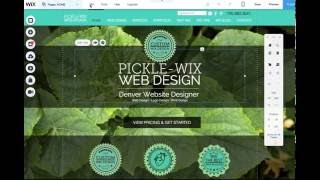
I am a Graphic Designer and Website Designer, and I love designing websites using the Wix platform as it's easy to use and has lots of great built-in features that work great for most small businesses. Wix is also good for smaller budgets, as it doesn't require a lot of costly custom programming or CSS creation, cutting down on initial development costs. As a Wix Graphic Designer, I work with people and businesses to design custom Wix website concepts, where I incorporate any desired logos, colors, images and custom graphics and icons. I'll work with the client to finalize a concept, by mixing and adjusting the design as desired. Once the homepage design is approved, I work on designing the rest of the subpages and will review with client for suggestions and feedback to finalize. Once all is ready, I will handle the launch of the website, taking care of everything needed to set up the domain (whether it's registered at Wix or elsewhere, such as GoDaddy or Network Solutions). WIX TRAINING: Upon launch (or prior to launch), I train my clients on how to use their websites going forward – we will review editing pages, adding pages, writing blogs, writing for SEO (search engine optimization), and any specific questions that come up. So basically I hand you "the keys" to start using your professionally designed Wix website to help build your web presence over time. My clients find that Wix is super easy to use, especially with a little training as I provide lots of quick tips and answers to common questions. And, if they want some additional graphic design help down the road, I'm always happy to work with clients on design updates and additions to their existing websites. GRAPHIC DESIGN: I also offer a variety of graphic design services, so if your business needs a logo design, brochure design, book design, annual report design, business cards or letterhead design, flyer design, poster design... I have you covered! I'm an expert print designer in addition to designing websites. Graphic design comes in handy when designing in Wix, as I can design custom icons and graphics for your website, utilizing PNG graphics that have transparencies to create more intriguing and complex designed webpages. I also have a wide variety of stock image and graphic website sources that I use, so if you don't have good images, we can definitely create or find stock images. Using the limited free Wix images provided is not always ideal, as those images are widely used by 1000s of other businesses – it's best to have your own photos, or find good quality stock images that are more unique than you'll find in the Wix media gallery. If you'd like a free estimate on Wix Graphic Design – please reach out: 720.260.3541 or fill out my contact form » Here's an example of a Wix website design concept recently presented to a Garden Nursery client, I presented two concepts, and we're working on finalizing this design in the coming weeks – I'm excited to launch this beautiful website for them! View more of my Best Wix Websites.
- Wix Pro Designer
Looking for a Wix Pro Designer? I love designing Wix websites, and I work with lots of clients who either have an existing Wix website, or have websites on other platforms such as Wordpress, Squarespace, Shopify etc. I can rebuild your existing website in Wix if desired, or I can also recommend the best platform for your website's specific needs. For example, if you have or want a sophisticated ecommerce online store, I often recommend Shopify instead of Wix as it has more ecommerce features and customizability. But, I find that most business website needs are served wonderfully by Wix, which has the best and easiest-to-use website editor in the business. I can custom design graphics (I also am a logo designer!), and can redesign every aspect of a Wix website, adding custom designed menus, headers, slideshows, animation, etc. I also specialize in Wix SEO (SEO= Search engine optimization). Wix has great tools to optimize every page on your website with keywords to help you get found on Google and other search engines. If you want help getting your Wix website optimized so it can be more easily found, let me know! You can also view all my SEO Hero tips on my sister website, www.wix-seo-expert.com
- Wix Rollovers are here!
Update November 9, 2017: Yes, you heard me right, Wix has finally released the Hoverbox to all Wix editors! This means this fun tool is no longer available to Wix beta testers like me, it's now available in all Wix editors! Thank you so much Wix Wizards! This is an early Christmas present! I know all of my website design clients will love having some interactive rollover features to spice up their Wix websites. Wix's new tool, the Hoverbox, is a rollover button tool that allows you to include images that change upon rollover, and even animate with simple animation effects in the Wix editor, or you can embed video, animated gifs, or even sound for the rollover instance. As a Wix Designer, I am super excited about this new feature as it will allow us to have more engaging interactive rollover effects – kind of like what I used to do using Flash back in the day! Check out my examples of of Wix Hoverbox Rollovers here »
- Adding Wix Blog Elements to your Website
Here's a Wix Website Design tip – Wix has a blog which is great to use to write content regularly to help boost your website's SEO and get people to start referencing and linking to your site. To become a SEO Hero, it's important to figure out what keywords you want to be found for, and then write a lot of original content about that topic often on your website. And, with Wix's blog, you can also incorporate your most recent blog posts on any of your pages on your website, including your homepage. See my screenshots below on where to find the "Add Blog Elements" tool in the Wix editor: You can also assign your Wix website's blog to be your homepage if desired, just click on the blog page you want to make your homepage, then click on "Page Info" and click on "Set" next to "Make this your homepage." You can also do this with any page on your website! See screenshot below from the Wix editor on where to find this:
- Wix Designer Pro Support
Looking for a Wix Pro? While I do not work directly for Wix, I am a Wix Pro Designer and have designed numerous Wix websites for businesses for over 6 years. I've been a website designer for over 15 years, and have worked on lots of various platforms including Wordpress, Shopify, Joomla, Drupal and many others. Wix is by far my favorite for clients as it's easy to use, the design can be customized 100% on every page, and it works great on mobile and for SEO (search engine optimization). If you are looking for Professional Wix Designer with your Wix website, please reach out: Contact me today to get a free estimate on a Wix Website Design » ........... Looking to contact Wix directly for billing or technical support questions? Below is the Wix Pro Technical Support phone information if needed. I'm keeping this on hand for future support needs, Wix is offering a special support number and email for us Pro Designers: This is the elevated support for Wix Pros: Phone: +1.877.949.9610 Email: designers@wix.com
- I want to be a Wix Ambassador in Denver!
Here's my video to the Wix Wizards to tell them why I love Wix, and why I want to become a Wix Ambassador in Denver!
- Wix Designer Meetup on YouTube
I just posted my overview of the first-ever Wix Professional Design Community Online Meetup on YouTube, check it out here » Brett Haralson (in photo above) hosted the Meetup, and introduced some of Wix's Wizards who shared new features like the Hoverbox (an amazing custom/animated rollover feature), as well as a new Expert Accounts feature that will allow us Wix Web Designers to share concepts with Clients without the Wix branding, and more easily manage our websites, and have access to Priority Support that allows us to create priority tickets that get answered more quickly. Yes, yes... YES!! Additionally, they announced that they are going to have a Wix Ambassadors program, as well as they are rebuilding the Arena from scratch. So lots of things in the works! Read my overview of the Meetup here: www.picklewix.com/wix-designer-meetup-youtube It also sounds like SSL is on the horizon too! YAY! Brett Haralson, the host, also started a new Facebook Group called Wix Design Experts – check them out!
- SEO Resources
Want to become your own SEO Hero? Check out these great SEO Hero Resources here: www.wix-seo-expert.com/seo-hero-resources
- Best Free Stock Image Websites
If you're looking for some good free stock photography for low-or-no-budget projects, here are some great resources: Free stock images: pexels.com pixabay.com unsplash.com raumrot.com gratisography.com frankenfotos.com Free Vector Graphics: freepik.com Make animated Gifs and post on Facebook: giphy.com Video Editing: magisto.com
- Lightboxes available for Wix Websites!
As a Wix Web Designer, I often have clients who want to add a popup to their website. Well, good news – Wix has just added a new Lightbox feature so that you can have popups on your homepage! Here's a Wix popup example » Just don't overdo it, I'm not the hugest fan of popups as they block the site and kind of annoy me... but it is a great way to get a message front and center in front of your viewers!
- Best Wix Websites
If you're looking for the best Wix websites, here are some of my recent Wix website designs that I've created recently: One of my favorite recent websites to design was for Anderson's La Costa Nursery, a garden shop in California – this website design turned out beautifully with all of the garden nursery's gorgeous photos. I would love to design more garden nursery websites, stay tuned for more to come! Best Wix Website Design for a Bar and Restaurant – Denver's Best Sports Bar, Blake Street Tavern: Print Production Company website design: I love designing Wix websites for environmentally-friendly businesses and organizations in the Solar Energy industry, the garden nursery or seed industry, etc. Here is the best Wix website I've designed for New Energy Colorado: Best Wix Websites I'm a Website Designer and Graphic Designer based in Denver, Colorado. To view of the best Wix websites I've recently designed, check out my Wix Portfolio.
- Wix Feature Releases
Just in case you're wondering what the Wix Wizards have been up to lately, here is a running list (month by month) of all the new features they've released so far. I am looking forward to December's feature release, I am hoping Wix fulfills some of my Wix Feature Request Wishes and adds SSL functionality, customizable receipt pages with details of order, full width YouTube/Vimeo videos, and a blog import feature (to import posts from existing clients over from other blog platforms, especially Wordpress). We'll see! Stay tuned here: http://www.wix.com/features/features-by-date
- Effectively using Facebook as a Business
As a Denver Website Designer, a lot of my clients ask how they can reach more customers and new customers with Facebook. Facebook said this year in June 2016 that it is prioritizing family and friends on users' newsfeeds, so you'll find that as a business page, your posts will be viewed by about only 1-2% of your audience–meaning: hardly anyone sees your posts! Even if you have a lot of likes, there's a 98-99% chance that users that have liked your page won't see your posts. And, if you post something that is considered by Facebook to be promotional, that percentage of your post displaying goes down to nearly 0%. What is a promotional post? These are determined by Facebook, and are typically posts created for the purpose of getting people to buy a product; or posts that promote giveaways, promotions or contests; and finally posts that re-use the same images or content from paid ads. Placing ads on Facebook are nearly 100% more effective than free posts (of course) or even boosting posts. And, using Facebook Ads will allow you to advertise promotional content such as a contest, a 20% discount, etc, whereas free posts with these elements are almost entirely hidden from users. So, if you want to be seen on Facebook, buy some Facebook Ads! You don't have to spend a lot, you can spend $1 and if you target it right, it can put your business in front of lots of potential customers. To be most effective, here are some Facebook Ad tips: Using Facebook ads can be very effective and will get you in front of new customers as well as your existing audience of users who've liked your page, since just regular posts are not being seen by 98% of Facebook users. So how do you market your business effectively on Facebook using ads? 1. Find your Audience: Where's the best place to find customers? Which users do you want to see your message? You can target the ad audience by Demographics (physical location), Interests, Behaviors, Connections, Lookalikes, and even Custom Audiences. Choose wisely, and narrow that audience down to the customer profile that you know will be interested in your services or products. Selecting your Audience: If you narrow down your audience to a very specific audience, your ad can still reach 1,000s of very targeted Facebook users that are most likely to be interested in your services. You can setup audiences by targeting their Behaviors, such as "Gardening" so that you know that they maybe interested in your seed company, for example. See some of the choices in the screenshot below – you create this in the Audiences area of the Ad builder in Facebook. 2. Add a Value Offer to the Ad: Such as a a Top 10-Tips, giveaway, discount, or a how-to video on something related to your business (such as a "How to grow green chile seeds"). You can have users put in their email info to get an email with your video, tips sheet, or other giveaway. Use a discount: 20% off (or more) one item would be a great coupon to offer. This will get people to click on your ad. Create an ad that stands out – show a person with emotion (happy/sad/in the garden...), use colorful images or text to stand out. Red, yellow orange green are the top performing colors. Create motion with a person's eyes or the composition of an image – show a closeup image of an appealing person looking towards your offer, people will follow their eyes to your copy! 3. Followup & Landing Pages: Once you get a user to click to your website, then you want to build the relationship – on the landing page you link the ad to, connect with the customer. • Create a landing page that relates directly to the ad (whatever offer you used in ad, same imagery) • Collect their email and first name with a subscribe form on the landing page with a free offer such as a 20% an item coupon. You can use any number of email services to get these embeddable forms, such as MailChimp, VerticalResponse, or even Wix's Shoutout. • Ask that they like you on Facebook, and try to get them to engage with posts. See more in my tips at the end of this article. Did you know that 98% of online store users do not purchase anything on their first visit? First time users are typically just checking out your store, and getting to know your business before they purchase. Online users are researchers – the ultimate Window shoppers – so they'll check you out and if they're serious, they'll most likely plan to come back later. But – they may forget! So, make sure to collect their email address so that you can reach out to them after they've visited your site. A simple followup email or even an email newsletter on a regular basis will help keep your business in their minds, make sure to include a link to your website or even the landing page or product if you are able to. I can't tell you how often I get email newsletters from businesses that FAIL to have a link to their website – a huge no-no! Take it another step – and send them a series of emails after their visits, • After a couple days, send them an email with a followup on the product or promotion they looked at. Keep an offer that they can use immediately (20% off one item) • After a week, send them another email that says "Didn't find what you're looking for? Check out our other related products/services" • Send monthly newsletters with new promotions and or products/services – stories about your employees, services, goodwill, etc are also great ways to stay in touch! 4. Ongoing tips for general Facebook use: I recommend that you still post in addition to using paid ads, but don't bother much with promotional posts since they most likely won't be seen by 99% of users. Instead post stories, tips, or other fun and interesting content that your users will want to read. If people engage with your posts by liking or commenting or sharing, they will be much more likely to see more of your regular posts in the future. Below is a fun post for Sandia Seed Company, these types of posts have a lot more engagement than posts directly to a product page to purchase: Respond to Customers on Facebook Quickly: Make sure you're on Facebook often, and that you interact with your users quickly in a positive, friendly and informative way. If a customer reaches out with a message question or comment, reply quickly. Type clearly and completely, make sure there are no typos and use complete sentences. In other words, be professional! If a potential or existing customer asks about a product, reply with a link directly to that product on your website along with your own added details of the product. Facebook tracks how fast you respond, and shares that with customers, so if they see you respond quickly, it adds to your creditability as a business. Have fun with Facebook! It's a great way to engage with your customers. It has even become, from what I've seen, the new "customer support" for many users, people often post their questions (and sometimes complaints) on business Facebook walls vs. calling or emailing, so it's good to stay on top of it! .......... 5. Google AdWords is Best for Online Sales: I also advise all my clients to use Google AdWords, especially online stores, as people use Google to search when shopping, not Facebook. Facebook is a great way to engage with your customers, and increase brand awareness, but if you want to see more direct sales, using Google AdWords and setting up specific ads targeted to specific keyword searches and audiences is a better bet for online sales. Of course, using many of these techniques above for your Google AdWords ads will also help you followup with customers, since 98% of users usually don't buy anything on their first visit. It's always good to offer a discount or promotion in exchange for an email address on your landing page so that you can followup in the weeks after they visited your site and keep your business in front of them. One more tip: How to size your images for Facebook Ads: Below Facebook image Ad Specs info came from Facebook: https://www.facebook.com/business/ads-guide/clicks-to-website/links?toggle0=Photo Recommended image size: 1,200 x 628 pixels Image ratio: 1.9:1 Text: 90 characters Headline: 25 characters Link description: 30 characters Your image should include minimal text. See how the amount of text in your ad image will impact the reach of your ad. See examples below:
- SEO Hero with Wix
I think Wix is great for SEO, a lot of other developers thumb up their nose up at this great platform's SEO ability, but it offers all the SEO settings needed. I'm not saying Wordpress and other platforms aren't great at SEO, they are, but Wix is just as effective, and–since it's so easy to use, I think it makes it that much easier to add new content to websites regularly, which one of the best things you can do for SEO. My clients with Wix websites are much more likely to add content to their sites than my Wordpress clients, who find the Wordpress CMS difficult to use. I just started a new Wix website to see how quickly can rise in the Search Engines if you become a SEO Hero and do all the right things to get your website to the top of the list! Check it out and Google "SEO Hero" to see it rise in the coming months: www.wix-seo-expert.com Learn more about how to become a SEO Hero with Wix here »
- How to Submit a Support Ticket to Wix
As a Wix Designer, I find that it is hard to find where to post a ticket to Wix support. So if you are having trouble finding where to post a ticket to Wix tech support too, here is the link to the Wix ticket submission page: www.wix.com/contact/en The Wix support number is no longer answering calls, but you can schedule a call back at the link above. Wix support number (now just a message): 1 (800) 600-0949.
- Wix Photo Gallery Editing
Here is another Wix Web Designer Tip: Check out this quick video Wix tutorial on how to edit your photo galleries on your Wix website. To edit a gallery, login to your Wix Website Editor, then use the Pages dropdown to navigate to the page with the gallery you want to edit, then click on "Change Images" to access the images in the gallery. Here, you can change the titles, descriptions, order and what images are in your gallery. Like the art in this gallery? Check out my talented friend and artist Lori McPherson's work here » In the Wix photo gallery menu popup (upon clicking on gallery in editor), you can also change the Layout of your gallery, or determine if your gallery shows titles and/or descriptions, see screenshots below of how the different menus work for photo galleries in Wix: Click on the Layouts icon to determine Columns, spacing and alignment of your image Title and Description text: Click on the Settings Icon to setup how you want the images to open, and also if you want the Title and/or Description to display: Click on "Change Images" to access this "Organize your Gallery Images" settings, where you can add images, add titles and descriptions to images, reorder and delete images: Click on the paintbrush "Design" icon to open up the Gallery types, you can then choose a completely different style gallery if desired:
- College Website Designed in Wix
We just launched the new Wix website for Colorado School of Mines' Transforming Lives Campaign. This microsite is to thank donors and supporters for raising $456 million for the school and students. As a Denver Web Designer, I'm proud to have worked with the team at Colorado School of Mines (Rachelle, Anica and Brandon!), to build this layered site which incorporates lots of video and large photos with all the stories behind the donations. Make sure to dig deeper than the homepage to see all the individual stories in the Student Enrichment, Core Strengths, Innovation, and Global Reach sections. Wix was a great platform for this website design, as their staff can easily edit and update the text or images, plus it is a great visual platform that allowed us to design a visually-rich website that incorporates animation, video backgrounds, background image effects (such as parallax), and lots of embedded videos from their Vimeo and YouTube accounts.
- Wix Website Design Mobile Editing Tips
Trying to find an element in your Wix Editor's mobile layout without any luck? Use this simple trick – use key command Command-M on Mac (Control-M on PC) to "pan" through the various elements in your mobile layout. Here's a quick video tutorial:
- Wix Website Facebook Share Image
Did you know that you can setup the image that shows in Facebook when you share your Wix website's link? Size is important: Facebook recommends sizing your share image at 1200 X 628 pixels. It's best to use a nice wide image or screenshot of your website. Also, if you have already shared the link – Facebook "caches" the share image, so if you update the image, you should submit your site URL in Facebook's debugger so that it will update the image. I've noticed that this sometimes takes 15 minutes or so before debugging the link will actually update after changing the image in Wix. To find where this is located, go into your Wix Editor, then click on "Site" in the top menu. Site > Site Manager > Social. See steps below: As you can see, you can also setup your Facebook Username here as well. I am adding mine now!
- Wix Podcasts
As a Wix Designer, I'm keeping my ears out for the Wix Podcasts, where Wix hosts Justin and Yael interview small business owners and bring us stories and advice from marketing pros. This is an interesting podcast to tune into and see if there are good tips for marketing your business and your Wix website. www.whowhatwix.com/episodes
- Wix Design Wish List: Full width Video
Another Wix Wish List feature request is for a full width video option for YouTube and Vimeo embedded videos. Currently Wix doesn't have a way to do this. You can upload and use video backgrounds in full 100% width, but these background videos do not have sound. Wiz wizards, please add this feature! It would also be great if any element could be sized with percentages for both height and width so we can better control page layout and elements.
- Mobile App for Blogging on Wix
Yay! In mid-2016 Wix added another great new feature–the Wix Mobile App. This new Wix app allows Wix website owners to post blogs from their phone. While the full website editor isn't available (page editing, gallery editing, etc), you can now post to your blog, manage your store orders and products, and manage your contacts from your contact forms, from anywhere using your smartphone. There are a couple improvements needed to the Wix mobile app – currently, you can't edit any posts created in the desktop editor, you can only post new ones or edit posts that were posted through the app. And, you can't edit anything else on the site as well. But, I anticipate that the Wix Wizards are working on this and we'll see the app improve with time! Downloading the Wix Mobile App The Wix Mobile app is available for download in the Apple App Store and Google Play. The Wix Mobile app is currently available for: iPhone: iOS 8.0 and up Android: Jelly Bean 4.1 and up To download Wix Mobile App to iOS (iPhones / iPads): Open the Apple App Store on your device. Type "Wix.com" in the search field and tap Search. Select Wix.com. Tap Get. Tip: Alternatively, open this link on your iOS mobile device. https://itunes.apple.com/il/app/wix-one-app-for-all-your-business/id1099748482?mt=8 To download Wix Mobile App to Android: Open Google Play on your device. Type "Wix" in the search field. Select Wix. You can also go to this link: https://play.google.com/store/apps/details?id=com.wix.android&hl=en Did you know that posting in your blog is great for SEO? The more often you post about topics related to what you want people to find you for, the better Google, Bing and other search engines will value your site. Become the online expert in what you do by using your blog to post often! Below are screenshots from the Wix app from my Motorola Droid phone to give you an idea of what it looks like. It's pretty easy to use, I was able to quickly post to my blog, as well as upload images to my site for later use.
- Add your Own Fonts to Wix!
Wix just released another awesome feature to their website editor – you can now upload your own fonts to use on your website! So if you have a font that you use for your business, you can now upload it into the Wix editor and use it throughout your site. Note: fonts must be one of the following common font file formats: TTF, OTF, WOFF2 or WOFF. As a website designer in Denver, I'm very excited about this new feature, because even though Wix has a nice list of fonts to choose from, now I have an unlimited choice of fonts that I can use on my clients' websites. Thanks WIX!
- Facebook Share Image for Wix Websites
If you want your website to have a good preview photo associated with it on Facebook when you share links to your website, you can set this up under Site Manager / Social / under Social Setup look for the Facebook Share Image, and upload your image. The ideal size is a 16:9 proportions (wider than tall). See how it's done in the video above.
- Cropping images in Wix
Wix has recently added a great new tool to crop images dynamically in the image boxes placed on the page. Check out how easy and simple this cropping tool works in the video above.
- Alternative to Dollarphotoclub.com for inexpensive Stock Photos
Sadly, one of my favorite inexpensive go-to stock photo websites, Dollar Photo Club, has sold out to Adobe and are closing down their website on April 15, 2016. This means that all my remaining 63 (out of 100) credits I paid for two months ago to dollarphotoclub.com will no longer be able to be used on their website. Of course, they are "giving" us a "great" alternative to signup for their purchaser, Adobe Stock, Adobe's latest attack on our bank accounts, which is a stock photo "subscription" service where I pay $9.99 a month for up to 10 downloads, and pay every month regardless of whether I use the 10 credits or not. And guess what? The credits don't roll over each month, so it's use it or lose it, but keep paying Adobe money every month for eternity. What's the Alternative? The reason I'm writing this post is to share an alternative stock photo site similar to dollarphotoclub.com: Stock Photo Secrets. These guys offer a 99Club deal where you pay $99 once a year for 200 photo downloads. So that equals 50 cents per photo download, not a bad deal. From my initial searches, it looks like their photo selection is not as great in quality or quantity as dollarphotoclub.com, but they do have a pretty big database of images so I hope it will suffice for a lot of my small budget design client needs. Also, they are not as evil as most companies are becoming and they currently DO NOT auto-renew your account every year, so you don't have to worry about forgetting you signed up and auto-billed $99 every year. To check out this Stock Photo website and signup, click here. Bonus: If you signup for the $99 for 200 downloads, you can also use "helpme10" to get 10 more image credits free. My two cents: I am very sorry to hear that Dollar Photo Club sold out to Adobe (though I'm sure the Dollarphotoclub.com people are quite happy with their payday/retirement). I have asked Dollarphotoclub what they suggest to get our money's worth out of my already purchased credits, however, it looks like the only option to signup and pay Adobe for their $9.99 monthly subscription. I don't want to buy a subscription with Adobe, I just want to use the rest of my 63 credits that I've already paid for – so I've asked them how can I do this once dollarphotoclub.com closes shop on April 15th, 2016, next week. I don't currently have needs for all 63 image credits in the coming week, so I've asked Dollar Photo Club if there Is there a refund available for unused credits since I paid for them, and do not want to pay for an Adobe subscription to use the credits I already paid for. Or, I've asked if there is a free Adobe Stock subscription that will allow me to use the rest of my credits without having to subscribe to Adobe's monthly fee. I am frustrated that nearly every service these days is trying to get us on a subscription plan, I want to pay as I need stuff, not pay every month indefinitely. Adobe is bad enough that I have to pay them for my Adobe Software Suite every month (they don't even send me email receipts or bills) – and I don't even own the software. That means if I stop paying Adobe's monthly fee, I no longer can use the software, regardless if I've paid $1000's to them over the past few years! I used to own and upgrade my Adobe Suite every 2-3 years for around $600, but now, I have to pay them $49.99/month forever and I never will own the software. It's like leasing a car forever, but if you stop making payments, they take your car away, despite that you may have paid for the car's value 10 times over. A disappointing, greedy trend, for sure. I'm glad that this new stock website has surfaced as an alternative, but I fear that they, too, may sell out to Getty or Adobe Stock – It's likely just a matter of time. Think positive, think positive!
- Wix Ecommerce Store & Authorize.net Email Receipt Issues
If you setup your Wix ecommerce website with a shopping cart before mid-2015, you likely created your site using the older Wix editor. And if you use Authorize.net for your payment processor in your old store, you should note that your customers may no longer receive the receipt emails from Authorize.net. This is caused by some security changes on Authorize.net's end. Wix is currently (as of Feb 10, 2016) advising their shopping cart customers to upgrade their websites to the new shopping cart called WixStores. In fall of 2015, Wix released a new editor with lots of improvements, including a new WixStores ecommerce cart. Apparently, WixStores is an entirely Wix-built system, whereas their previous shopping cart was a collaboration with third-parties and had limitations and issues, including the security issue that caused Authorize.net to no longer function well with the old Wix shopping cart, resulting in the loss of email receipts. While the cart will STILL process the credit cards through Authorize.net, the customer will never receive an email receipt of the order. A problem for sure! But to upgrade an old Wix store to the new WixStores platform, there is no easy conversion over. You have to delete your old shopping cart/store entirely, and then install the new WixStores shopping cart, resorting in the loss of all the products setup in the old cart. This is FAR from ideal. I called Wix and the best advice they are offering, if you want to continue to use Authorize.net, is to have customers duplicate the website, delete our the old shopping cart in the duplicated site, and then add the new WixStores Shopping Cart to your duplicated site. The next step: you have to re-add all your products to the new WixStores system, and re-setup your Authorize.net API and transaction keys and settings. If you duplicate your website, you can open the old website editor and the new website editor in two windows side by side while you manually re-create all your products. The only fortunate thing is that your product photos will still be in the library. This is a very poor solution for Wix to offer their current ecommerce customers, it's not ideal for lots of reasons to duplicate your website (SEO, URLs changing), and I can't believe there is not yet an import/export feature to go from the old shopping cart system to the new system. Also, I was disappointed that Wix did not notify their old shopping cart customers that Authorize.net would cease to send receipt emails, so it wasn't until a client notified me of the issue that we discovered and were able to deal with the problem. The solution? We had to duplicate the website, and then add the new WixStore and re-create all the products, which was a four-hour process. Luckily, we only had to setup 6 products and a few categories, I can't imagine having to do this with a Wix store with 100s of products! Wix phone support did say that they believe the development team is working on a solution for an easy upgrade to the new system, and I've also prodded them to ask for import/export features as well, which is a huge lacking feature of both the new and old ecommerce carts. While I think Wix is a great website editor / builder, I think they still have a long way to go in the ecommerce department. Hopefully their ecommerce will improve over time, for now, I will recommend that clients with sophisticated ecommerce needs use a better ecommerce platform such as Shopify, until Wix has improved their system. Here are some screenshots of the new WixStores checkout process - it does appear there is a receipt page with limited details of the order including price and customer address - you cannot customize this page yet, but that too, Wix is apparently working on:
- New fonts in Wix Website Editor
Wix just announced the release of 20 new fonts, see the above examples, giving their CMS a total of 96 fonts total to choose from. I am glad to see Futura and Futura Light. I'd like to see even more san serifed fonts, and the ability to embed our own Google Fonts if desired to provide even more variety, as I tend to have a few favorites I use often and would like to expand on those. When I design websites for my clients, I like to find a font that matches their company's personality, so the more fonts the merrier!
- Downloading YouTube Videos - A Great Tool!
2019 Update: These tools typically disappear, probably due to copywrite and other issues. So I have removed my suggestions below. Hopefully you can get the original video! It would be nice if YouTube/Google would allow for transfer of videos to different accounts, but until then... good luck finding the footage! That's why it's good to put video up on your OWN site, just so you have it down the road. Original post: Sometimes I have clients like restaurants come to me and they have videos that have been posted on YouTube by their staff or customers, but they don't have a YouTube account for themselves. So I will setup a business YouTube Channel for their restaurant or business, and then we can upload videos to their channel for public viewing and also share the videos on their websites that I design. However, you can't "add" existing YouTube videos to a channel, so, since they have permission to use the videos, they can use this handy tool to download the videos so they can upload to their account:
- Hiding Wix pages from Google
I occassionally have a client ask how they can "hide" a page from their website menu as well as in the Google results. In Wix, you setup a page to be "hidden" from the menu, but this alone will not also hide it from Google's search results. If you want a page to be hidden from Google (so Google doesn't link to the page in it's search results,) Wix has made it easy for this to be done, it just needs a second step beyond just hiding the page from the menu. Here's how you can hide a page on your Wix website from Google search results (or any search engine, for that matter!): Click on your pages dropdown, click on the settings icon (three dots in circle) next to the page name. Then click on the "SEO" tab. In the SEO tab you will see a "Hide this page from search results" – click this to turn this feature on (checkmark in darker blue will indicate that it is set). Click on "Done" and then Publish your site. If you use Google Webmaster Tools, you can also resubmit your sitemap.xml file to Google to have them re-index your pages appropriately.
- Good User Experience on Websites
I came across this post about user experience, and thought it was good to share. To summarize: 8 Things My Mom Taught Me About UX 1. Make your site’s goal clear What is it you do? What do you want the user to do? Buy a product, get an estimate for a service? 2. Define terms Don't use technical terms, acronyms, acrostics, and other shorthands without explaining to the common user. 3. Design for different ways of approaching websites Keep it simple, don't use things like text that appears upon rollover. Make dropdown menus easy to use (if you use them at all). 4. Be careful with copy on the homepage Don't repeat yourself, vary your copy, bold or enlarge important text, tell a story. 5. Moving ads are annoying 6. Link your suggestions If you are talking about a service, link the service name to that page. Use footer menus with yoru full list of pages, they're well-used! 7. Use robust validators on your forms If you use form validators, make sure your form is easy to fill out. For example, don't block phone numbers such as 555.748.7855 vs (555) 748-7855, or dates such as 06/15/2015 vs. 6/15/2015. A good validator will allow both. 8. Tell stories Tell the story of your business. Read the full article , with lots of great tips on how to streamline your website to make it easy for users to find what they need. The Shopify blog article written by Richard Littauer.
- McAfee Wix Website Warnings
I build a lot of websites on the Wix platform, and it has come to my attention that the Wix websites are getting identified by the McAfee software as having Minimal Risk – so when users search on Google using Internet Explorer on their PCs, they see a small warning yellow triangle with an Exclamation point next to their website's Google listing (see screenshot examples and key). The websites are all purely informational site with information, so they should not pose any risk. It appears that McAfee identifies all Wix websites as having Minimal Risk by default, though I'm not certain what is causing this. I find this odd, as I've been moving clients away from Wordpress due to it's constant security risks, as Wix is a much more stable closed platform that I have never seen hacked (whereas Wordpress sites are hacked regularily). McAfee does have a page that you can submit the website for review here: https://www.trustedsource.org/en/feedback/url?action=checksingle&p=mcafee I have submitted all of my client websites and have emailed sites@mcafee.com – so I will keep you informed of the progress to find out what options we have to verify Wix websites with McAfee as safe.
- Wix Design Help
Many of my clients come to me with a Wix website already started, having built out several of their pages and content – and they want help getting the website design polished and professional. I'm happy to help people with their partially built (or completely built) Wix websites. Although Wix is an amazing tool for easy editing, if you're not a full-time designer, it's often difficult to figure out how to take existing templates and make them look good with your own photos and content. I offer Wix Design packages where I take your existing website design, and I work to redesign or update your website design with all of your content to give your website a polished, professional look. I often have clients pick out other websites they like and share them with me for inspiration for designing their website. This helps me determine what website design layout styles clients like, along with colors, fonts and imagery so I have a good idea of what is desired. When I present the website design concepts, the design aesthetic is right inline with what clients want to see. We then will work together to polish the homepage concept, and, once finalized, I will work to design the rest of the secondary pages with the same look and feel. I also can help with getting your domain name setup, optimizing all your pages for mobile, optimizing the website for search engines (SEO), as well as getting the website launched and properly submitted to Google and other search engines. So, if you've started on a Wix website, but are getting frustrated that you want it to look more polished, give me a call today at 720.260.3541 and I can give you a free estimate on what it will take your Wix website to the next level. Above: The owner of the Calico Restaurant (one of the oldest restaurants in Jackson Hole) contacted me wanting to polish the design of his existing Wix website he started. I worked with him to build a much more modern and professional looking website. I also helped optimize all the pages for mobile viewing, and I performed SEO (search engine optimization) on all of his pages to help him get better ranked in Google. View the new website at: www.calicorestaurant.com
- Google+ New Logo Vector EPS File
New Google+ Logo: In case you missed it, Google released a new logo earlier this year. So, now the task of changing the logo everywhere it's located... thanks Google, for the extra work. Though I will say I do like the new logo better, the G better fits Google's personality, and it is easier to read. Looking for a vector version of the Google+ logo? Look no further: Download the Google+ logo » (this download off of my Google Drive features vector EPS, PNG and JPG files for your use!) If you have a Wix website, the Wix team has already added the new Google+ logo to their social media images, so next time you're editing your website, update your social media icons and use this new logo to use for linking to your business's Google+ page.
- Denver Website Designer Tip: Parallax Backgrounds in Wix
Check out this video that shows the new parallax effect that Wix offers for background images.
- Using Pinterest to Sell
Pinterest is a great platform to promote your website and products – in fact, it is one of the best platforms for promoting your online store products as people often use Pinterest to research and pin and share products that they like. When you pin one of your products, you have the potential to have people repin it onto their walls, and it can grow out from there. On average, a typical Pin is repinned eleven times... so just imagine how it could help spread the word about your product or service! Here are some quick tips for creating pins: Setup your Business Pinterest page: Setup a Pinterest Business page here: business.pinterest.com Name your Business and put in all the information to help describe your business. Pin original content pertaining to your business: Fun images of you and/or your staff to keep it personal! Inspire - post images that inspire pinnners like inspirational quotes Educate - post infographics and/or pins that educate Create the perfect Pin: Make image Tall - 600 pixels wide by 900-2100 pixels tall (taller pins get more real-estate!) Tease with Text and/or imagery - an intriguing or educational/inspiration image paired with a good sneak peak message to encourage clicks. Pin often, and share the work by using contributor boards, make sure when they link to your site that you have a good page for them to find what they came there for! Most popuplar pins: Infographics - compelling information displayed in a visual graphic Checklists - Top 5, 10 Tips, Ideas, etc Teasers - use a teaser image that is intriguing, and use overlayed text such as "How to build the best website" to encourage people to click and learn more. Or "10 tips for fall". Tutorials - something you can show people how to do such as step-by-step tutorials on anything that your customers would be interested in. Videos - you can pin videos directly off of YouTube! Get inspired: Find other businesses' pins that get the most pins and be inspired by what they are doing, Good tools for creating graphics: Adobe Photoshop – the best, but has learning curve and costs $ Canva – overlay text over images for free! Infogr.am – create infographics Viraltag & Curalate Screenflow & Camtasia Promote your Pins: You can pay Pinterest to show your pins, though you have to signup, and often there is a waiting list. To help get on top of the waiting list, make sure to indicate to them that you're willing to spend a lot of money (you're not obligated), but it's good to say you are willing to spend $1000+ as they'll see you as a serious advertiser. It also helps to be active on your pinterest account. Obviously, using pins to promote is best for online shopping carts so you can sell instantly. Pinterest Pin Promoting DO's: Create tall pins that are image based (They get more screen real-estate!) Include a compelling headline (teaser text on the image) Select 30+ terms for targeting Caption area: include keywords, Call to Action, Link and Price (see example on right) Also, be sure to check out the Pinterest Smart Feed feature! Here's a great graphic that shows why Pinterest is such a great platform for selling:
- Video Backgrounds in Wix
The new 2015 Wix Editor features video backgrounds, which are great as subtle movement for the backdrop of your page. Wix offers several background video options, the only thing missing is the ability to add our own video backgrounds. It would be especially cool if Wix editors could create a video "looping" feauture that could lood-fade own own uploaded videos to create nice backdrops. I've yet to find an easy video editor that allows me to loop video seamlessly, I'd think it would be an easy thing to build – simply have the video software loop a segment of video, and use a crossfade to "seam" the ends together for a seamless look. Have you heard of such a thing? If so, contact me and let me know! Check out my example page with a Wix video page background here »
- Editing Receipt page on Wix Shopping Cart
Do you want to change or customize the copy on your Payment page of your shopping cart on your Wix website? Here are easy instructions: 1. Go to a page with your store, click on the shopping cart box, and click on "Manage Store" 2. Click on the "Payment & Currency" tab in the Manage store window 3. Click on "customize your checkout page" link 4. You'll now see where you can edit the message body on your Payment page! See my screenshots below for reference: If you are using Authorize.net for payments, and you want to add/edit text into the "Payment Details" box area, this is generated by the Authorize.net account (which is what processes the payments). To do this, you can go into Authorize.net using the login and instructions below: Login to: https://account.authorize.net 1. Click on Settings under Account on lower left sidemenu. 2. Click on "Payment Form" 3. Click on "Header" 4. Add copy as desired. You can also edit the email receipt in the Settings area as well. See screenshots attached for reference! :) See screenshots below from Authorize.net to show you where to find where to edit your payment details, as well as email receipt text:
- Wix Designer Tip: Adding Blog Posts
Just had a client ask how she could add a new post to her blog on the new website I designed for her, so I thought I'd post this quick Wix designer tip: Adding a new post is simple, go to your Wix Website Editor (login, click on Edit Site), then: 1. Click on the "Pages:" drop down menu in the top left of the editor, choose your Blog page 2. On your Blog page, click on the blog posts and a blue select box will appear around the posts, click on either of the buttons "Add New Post" or "Manage Posts" to edit existing posts. 3. Add images, galleries, or video plus your title and copy to the post as desired, and publish. Tip: If you want to schedule a post in advance, you can adjust the Date or "Schedule Post" using a calendar to schedule your post to appear on a later date. This allows you to write several posts at once, and then schedule them to appear over a week/month period. See screenshots below for reference:
- Wix's Site History "Undo" Tool
Site History Tool: I love this fabulous feature from Wix for all of their websites built on their platform. Clients who worry about "messing" up their website need not fear as Wix has a handy Site History tool that allows people to "restore" previously published versions of their site easily and quickly. What's amazing is that it stores all your published versions. I'm not sure how far it goes back (if there is a time cutoff or maximum amount of saved versions), but if there is, I haven't hit it as it goes back hundreds of published versions of my site. Here is how to use it: Login to: www.wix.com 1. Login to view your Wix Dashboard page 2. Look on the righthand side of page where there are 6 icons (Edit Site, View Site, etc). Sometimes the Site History shows up in these first 6 icons, but if it doesn't, below these 6 icons you'll see "Show More" click on this to expand the tools so you'll see Site History." 3. Click on Site History to get into the area where you can restore previously published versions of your site. See screenshot below to see how this looks. Enjoy and never fear editing your website! :)
- Wix Customer Support
April 2017 Update: While it doesn't appear you can get ahold of anyone at Wix by calling directly, you CAN schedule a call-back from Wix using their online form, here is the direct link to the page with the call back scheduling form – you first will need to pick a topic to expand the Submit a Ticket & Talk to a Support Agent boxes: www.wix.com/contact/en Looking to get in touch with Wix's Customer Support team? I came across this info posted by Wix on Facebook, so wanted to share – it's hard to find their phone number on their website, so here you go! 1. Post a ticket or Schedule a phone call through this link: www.wix.com/contact/en 2. Email support@wix.com 3. Call 1-800-6000-WIX (949) (April 2017 – no longer answering) to have a callback automatically scheduled. We will return the call to the number you called us from in the next available time slot, based on our availability and call volume. (Please note that our call center is located in San Francisco, and is open from 6am to 5pm PST)
- Instagram feed for Wix
This is a great widget for embedding an Instagram feed on websites, it actually links back to Instagram unlike a lot of Instagram third-party embedders which link to their own sites – Instansive is great for Wix websites! Above is a screenshot of a working example of an embedded Instagram feed on Wix here , this is using the code generated by the Instansive site. #photo
- Wix for a Shopping Cart
Did you know that Wix has ecommerce ability? While it's a pretty simplistic shopping cart, it works quite well for simple online sales, such as this online registration "store" for the Park Hill Art Club. I worked with the club to setup a Wix store to be used for their members to register for art classes. The Wix store includes inventory, which lets us limit how many people can signup for a class, which was desired. We setup the store with Wix's Moolah/Authorize.net setup, which is great because unlike a lot of Merchant Accounts, there are no any monthly fees, you only have to pay per-transaction (3% + 30 cents). So they only pay when they sell a class. Moolah/Authorize.net was a bit cumbersome to get the account setup and in place (you need a bank account, social security, voided check, tax ID, etc to get it setup), but now that we've completed the application process, all funds will be directly deposited into the club's bank account. The idea was to help save their volunteer staff time so they no longer have to do everything by mailed-in forms and checks. If you're looking to sell something online, Wix may be a good solution for you as you can have a beautiful, easy to edit website with the advantage of an online store.
- Wix Website Designer Tips: 301 Redirects
As a Professional Wix Website Designer, one of the newer features of the Wix platform is the 301 Redirect Manager. This tool is found under Settings > SEO (Google) > Manage 301 Redirects. For those who have existing websites on other platforms (such as Wordpress), these 301 Redirects are very important if converting over to a new Wix website design from an older website. 301 Redirects tell Google and other search engines how to find the new coordinating pages on the new Wix website. So, if your old website had a Contact page, like www.website.com/contact, you can set it up to point to the coordinating Contact page on the new Wix website by setting up a 301 Redirect. This will allow Google and other search engines to quickly re-index your website pages and help carry over any SEO (Search Engine Optimization) to the new Wix website. There is also another great use of the 301 Redirects in Wix. Since Wix's URLs are sometimes a little complicated, as they use AJAX technology and include a hashtag / exclamation symbol plus some letters after your chosen page URL (example: www.picklewix.com/#!clients/cee5). These are not very pretty URLs to use in advertising, or to paste into emails or social media, so you can instead setup a 301 Redirect to the page, something like www.picklewix.com/clients. For example, if you have a promotion and want to add a link directly to the promotion page, you can setup a Wix 301 Redirect like www.yourwebsite.com/promo so that you can have a pretty, short URL that can be used in marketing peices and social media. If you're interested in a new website design in Wix, give Idelle a call at 720.260.3541 and we can discuss your website needs and I can give you an estimate for a custom Wix Website Design. View some of our recent Wix Website Designs here »
- Professional Wix Designer Tips
As a professional Wix Designer, I have come across a lot of tricks for designing and editing in Wix. Here are some tips: 1. Layered Items: If you have an item that you cannot get to be in front or behind another object, just copy the item, cut it / delete it, then paste it. This will help cure any layering issues. 2. Shapes: If you're looking for a cool shape to use as a backdrop or callout, check out Wix's collection of shapes, they're free and easy to insert and customize! To insert, click on the + menu symbol and choose "Shapes & Lines" > "Shape". Once you've found and added your shape on the page, you can select it and click on "Settings" and you'll see where you can change the fill color, the stroke (border) color, and even adjust the transparency of the object. (see screenshot attached to see where the Transparency setting is). 3. Apps: Want your website to feature an appointment calendar tied into your Google calendar? Or do you want to embed social media feeds from multiple sources? Or maybe you want to have a Live Chat room on your site so you can help customers with any questions they may have... Well all of these can be accomplished and so much more with the seemingly unlimited Wix Apps under the App button in the Wix editing menu. Many of the apps are free, though some carry monthly fees for their premium features. Let me know if you would like help finding an app for your website needs.
- Get a Wix Website Designed to Replace Your Old Website!
If you're having trouble editing your website, or updating the design, look no further than Wix. Wix is an amazing and completely customizable website builder platform. If you have a Wordpress site, or other content management system that you are constantly battling to make updates, then you'll love the simplicity and ease of use of editing a new website with Wix. I can work with you to discuss your business or personal website needs, and then design a customized built-from-scratch website, packed full of any features desired, such as Social Media feeds, online shopping, contact forms, calendars and so much more. With the endless Apps in the Wix App Market, there are endless possibilities on what you can do with your new Wix website. 301 Redirects: A newer (but essential) feature of Wix is it's 301 Redirects feature – which allows you to point all of the old URLs from your old website to the coordinating pages on the new website. This is cruicial to helping maintain your Search Engine Optimization (SEO) as you transition to the new website. This basically is telling search engines where to find the new pages so they can quickly re-index the new website. Plus, once your Wix website design is launched, I can train you quickly on how easy it is to make text edits, add pages, images and so much more to your website. With Wordpress and other CMS systems, there are always a lot of hoops to jump through, but with Wix, you can add a page or make edits and publish live to your website in just minutes.
- Wix is easy, but it's easier with a Wix Pro Designer!
While Wix is the easiest website builder / editor in the business, sometimes clients come to me frustrated that they tried one of the beautiful templates, but it isn't coming out the way they were hoping. We all have our own talents, and for some people, designing isn't one of them. That's where I come in, I love designing Wix website websites, so I can take client direction or even templates if desired, and turn them into a well-designed website. I'll work with the client to edit, adjust and finalize the design and pages until they're 100% happy, and then I offer one-on-one training to show them how easy it is to edit their site once completed. Adding pages, content, images and more is all a cinch once you have a good template design to start with.
- Wix for SEO
Wix has all the features needed for proper SEO (Search Engine Optimization), allowing for customized Page Titles, meta tags, alt tags and sitemaps so that your website can be quickly indexed into Google, Bing and other search engines. Content is King when it comes to SEO, so the fact that Wix is so easy to edit, it allows for businesses to feel confident that they can easily add pages, blog posts, and other content quickly and often to their website. The more "fresh" your website content is, the better Google and other search engines see your site as relevant.
- Custom Wix Website Design - Better than Wordpress!
I've been a Website Designer for the past 14 years, and in that time I've worked in Wordpress, Joomla, Drupal, ExpressionEngine, Volusion and many other Content Management Systems (CMS) for websites. When I discovered that Wix, formerly a Flash-based CMS, had completed updates it's platform to HTML5, I gave it a go. And boy was I amazed! In all the years of being a Website Designer, I have NEVER found a more friendly, easy to use, and fully customizable platform that allows me to design freely without having to involve a ton of development time building out the working site. I can design in Photoshop, then simply build out the client-approved designs in Wix. Wordpress, while a powerful platform, is very troublesome for most of my clients who've worked with it. Common complaints include: the lack of ease in editing or making changes to the design; Wordpress files getting hacked or corrupted; and constant difficulty finding where to edit sidebar widgets, or other content in the Wordpress editor backend. Wordpress also has to be updated constantly, with new versions releasing often to cure security issues, if you get behind in your updates, your site is at risk for the hackers out there! And updating isn't easy, it is advised you backup your database, files and theme before upgrading, as often the upgrade can "break" your site, disabling customized themes or plugins and causing a major headache for the business and the webmaster! Wordpress requires that you are well-trained in where to make edits, and also that you edit it often so that you can remember all the steps to edit! Wix, on the other hand, is as easy as cake to edit, you simply navigate through the pages of your site, and click on the item you want to edit, then edit it right on the spot and save or publish your changes instantly. No hoops to jump through! And, because it is a hosted system, you don't need to worry about updating the website software – ever. I have put several clients on Wix so far, and haven't had one complaint with the system. All of my Wix Website Design clients are super excited about their Wix platform, as it is so easy to edit, add pages, change slideshows, colors, etc with Wix's amazing website builder editing tools. When I first start working with a client, I will talk with them to find out what they need in their website, find out what type of look and feel they are going for, and then I custom design website concepts to present. The client then gives me feedback on what they like (or don't like), and we work together to finalize the overall Wix website design. Once approved, I continue to work with the client to get all the content desired for their subpages, and then design each subpage, flowing in content, adding graphics, icons, images and illustrations as needed. The client then can give me final feedback on finalizing all the content and design, and we prepare for launch, where I perform SEO (Search Engine Optimization) on all the pages to best optimize them for search engines like Google. When 100% ready, I will launch the new Wix website, adding 301 Redirects if the client has an existing site (so that Google knows where to find the new Wix pages), and submitting the Sitemap to Google and Bing for fastest indexing. My next step is personalized Wix training – I will spend as much time as needed with clients to show them how easy it is to edit their new Wix website. Give me a call today at 720.260.3541 if you are interested in a custom Wix Website Design. I'm easy to work with, and am available during business hours (M-F 9-6pm).