


Wix Events Spacing - Ribbons

If you are using the Wix Events widget to display events on your website pages, you may find that there is a spacing issue with the Ribbons that appear above each event card in the Wix Events list. The Ribbons' spacing makes it hard for the user to tell which event the ribbon is tied to, the one above or the one below. This happens with all of the Wix Event Ribbons including the Sold Out Ribbon, RSVP Closed Ribbon, Join Waitlist Ribbon, Membership Ribbon, and Multiple Dates Ribbon.
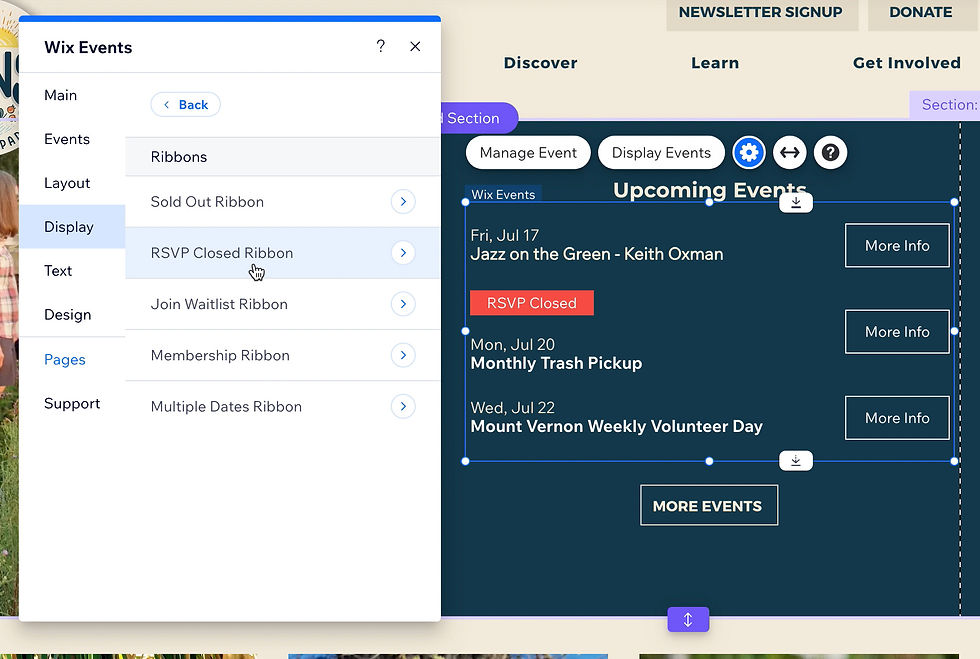
Here's a workaround to fix the issue by hiding the ribbons – just turn off the ribbons! Watch the video at the top of this blog for more details. Obviously, this is not the ideal solution as it would be nice to include those ribbons if desired, but at least it's better for user experience so they aren't confused and think an event is sold out when it's really the one below it that is. Now, users can instead click on the event to go to the event's individual page to read more information where these details are included without confusion.
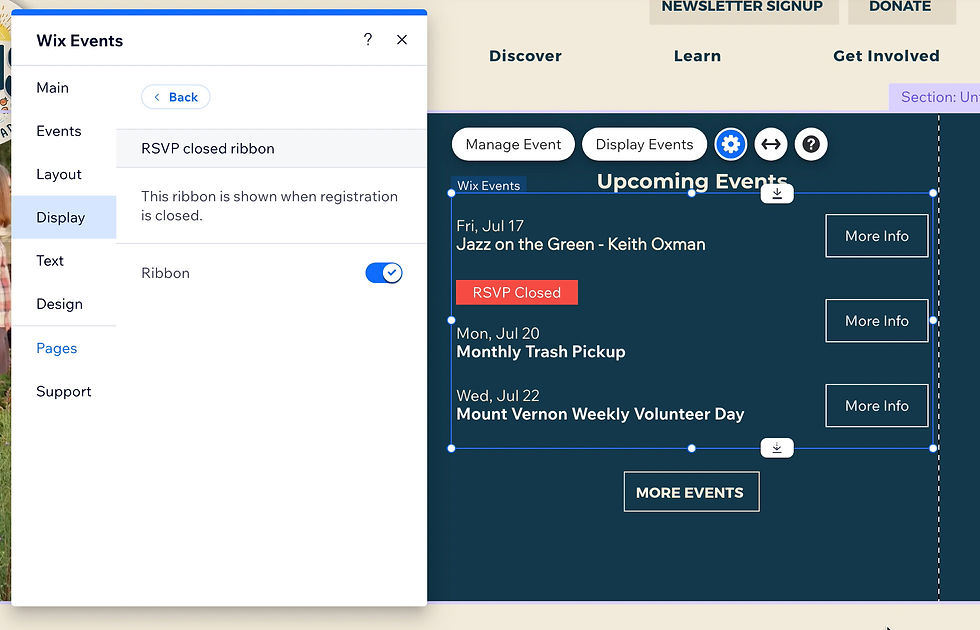
Hopefully Wix will fix this issue soon and we can use the ribbons for effectively if desired.
As a Wix Designer, I love sharing tips on how to better use Wix, and I also provide a lot of feedback to the Wix development team to help them improve the platform.
Do you need help with your Website Design? I design Wix Websites, but I also work on many other platforms such as Shopify, Wordpress and Squarespace.


